

GitHet
Servidor de Minecraft Java + Bedrock, modo de juego: Hardcore: Dirección IP y jugadores en línea
- Puesto en el top
- Joined in 7 days
- 12
- Versiones
- 26.1
- Plataforma
- Java + Bedrock
- Original
- Inicio de sesión con apodo
- Cómo entrar
- Straight by IP
- Votos en octubre
- 1
- Votos de todos los tiempos
- 1
- Puntuación del mes
- 7
Etiquetas del servidor
Etiquetas del servidor
Características
Acceso
Sobre el servidor
On GitHet you'll find true hardcore survival, where every block counts and death means starting your journey from scratch. The server is open to everyone — join with a pirated version, both from Java and Bedrock. A true brotherhood atmosphere reigns here: create clans, fight in fair PvP battles, trade on the auction, and level up your character through ranks. We don't tolerate cheaters, so the game stays fair thanks to the anticheat. There are also pets, custom cases, and built-in voice chat to make chatting with friends even more convenient. If you love a challenge and want to find your team, this is the place for you.
En línea
actualizado hace 6 hCómo entrar al servidor GitHet
Cómo entrar al servidor GitHet
Cómo entrar desde el PC
- 1Inicia Minecraft Java Edition en la versión correcta.
- 2En la pantalla principal, pulsa Multijugador.
- 3Pulsa Añadir servidor y pega la dirección.
- 4Pega la IP: mc.githet.ru
- 5Guárdalo, elige el servidor en la lista y pulsa Unirse al servidor.
Cómo entrar desde el móvil
- 1Abre Minecraft en tu móvil (Bedrock, Android/iOS).
- 2Pestaña Servidores → desplázate hacia abajo → Añadir servidor.
- 3Introduce la dirección mc.githet.ru y el puerto si aparece uno.
- 4Guárdalo y toca el servidor para entrar.
GitHet en Minecraft 1.21
Para entrar en GitHet desde Minecraft 1.21, inicie el juego en esa versión, añada la IP mc.githet.ru a su lista de servidores y conéctese. Si el servidor usa otra versión, emplee un cliente compatible.
GitHet en Minecraft 1.20
Para entrar en GitHet desde Minecraft 1.20, inicie el juego en esa versión, añada la IP mc.githet.ru a su lista de servidores y conéctese. Si el servidor usa otra versión, emplee un cliente compatible.
GitHet en Minecraft 1.19
Para entrar en GitHet desde Minecraft 1.19, inicie el juego en esa versión, añada la IP mc.githet.ru a su lista de servidores y conéctese. Si el servidor usa otra versión, emplee un cliente compatible.
GitHet en Minecraft 1.18
Para entrar en GitHet desde Minecraft 1.18, inicie el juego en esa versión, añada la IP mc.githet.ru a su lista de servidores y conéctese. Si el servidor usa otra versión, emplee un cliente compatible.
GitHet en Minecraft 1.17
Para entrar en GitHet desde Minecraft 1.17, inicie el juego en esa versión, añada la IP mc.githet.ru a su lista de servidores y conéctese. Si el servidor usa otra versión, emplee un cliente compatible.
GitHet en Minecraft 1.16.5
Para entrar en GitHet desde Minecraft 1.16.5, inicie el juego en esa versión, añada la IP mc.githet.ru a su lista de servidores y conéctese. Si el servidor usa otra versión, emplee un cliente compatible.
Wipes del servidor
Seguimiento de redes sociales 24/7Reseñas · 0
Reseñas · 0
Preguntas frecuentes
Preguntas frecuentes
What is the IP address of GitHet?
The IP address of GitHet is mc.githet.ru. Copy it from this page and paste it into your Minecraft client when you add the server.
How do I join GitHet?
Open Minecraft → Multiplayer → Add Server, paste the IP mc.githet.ru and press Done. Then pick the server from the list and hit Join Server.
Which Minecraft version does GitHet run?
GitHet runs version 26.1. Connect with a matching client version.
Do I need a premium Minecraft account for GitHet?
No, GitHet is a nickname login server: you can join with an offline account by entering a nickname.
What does GitHet have?
GitHet has: PvP, Cases, Clans, Land claims, Pets, Auction house, Ranks, Not pay-to-win, Anti-cheat, Voice chat. The full list of modes and features is in the server tags block on this page.
Does GitHet have voice chat?
Yes, GitHet has voice chat — you can talk to other players in game.
How do I vote for GitHet, and why bother?
Open the GitHet page and press Vote (once a day). Votes move the server up the Millida server list, and the server hands out an in-game reward for voting.
What is the official website of GitHet?
The official website of GitHet: https://weirdmine.vercel.app/.
When is the next wipe on GitHet?
Wipe dates for GitHet live on a separate schedule page — we take them from the project's own channel and show a countdown. If nothing is announced, the server has not named a date.
Contactos

Votos para el servidor
Feed de actividad
Código para insertar en la web
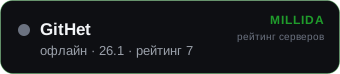
Un enlace a nosotros en la web del servidor: +1 punto de valoración mientras siga publicado.