

Prayer Plugin para Minecraft
Usa el comando /pray para enviar peticiones de oración a los dioses.
Acerca del plugin Prayer
Use the pray, bless and curse commands to issue prayer requests to the gods for special abilities and powers.
Features
- Player may pray to request flight, lightning smite, health, storms, food, minions, allies, shelter, "theforce" and much more.
- Player may also bless or curse other players.
- Player's XP level determines prayer quota and odds.
- Punishment will be issued by the gods for excessive prayer attempts.
- Prayer quota will reset after granted prayer, punishment, death or after player sleeps.
- Player must hold a holy book to perform prayer (configurable).
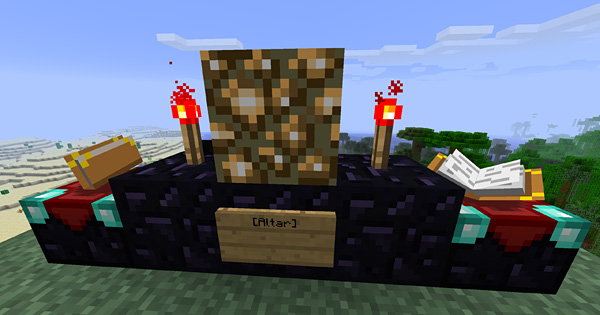
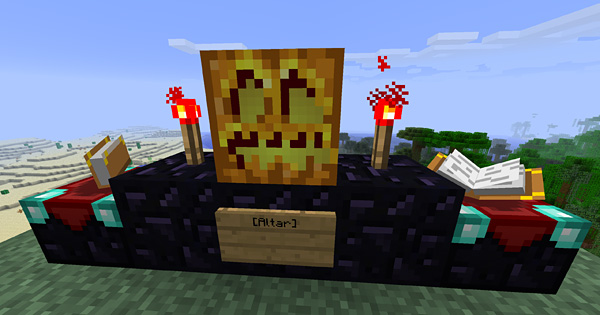
- Player may use Prayer Altars to improve chances of prayer grant. Praying near Villagers or holding a Wither skull also help odds.
- Unanswered prayers may randomly yield small amounts of XP points.
- Supports permissions and configurable settings such as cooldowns, grant durations, world restrictions, and more.
Prayer Altars | Configs | Permissions | Change Log | Media
Pray and Bless Options
To pray: /pray [option]
To bless: /bless [option] [player]
Option Description
air Grants underwater breathing.
ally Sends down a guardian Iron Golem.
clearsky Stops a storm.
crops Accelerates growth of nearby crops.
day Resets the day to morning.
firehand Ignites a mob when struck by player.
flight Provides the ability of flight.
food Restores your hunger meter.
giant Sends down a mighty giant. (Creative Only)
health Restores your health.
help Provides info on using the /pray or /curse commands.
home Sends player to their current spawn location.
info Outputs your current prayer quota.
invisibility Activates the Invisibility enchantment.
jump Provides enhanced jumping.
lightning Strikes lightning wherever your crosshair is pointing.
minions Sends down a pack of tamed wolves or cats.
nightvision Activates the Night Vision enchantment.
op Smites any user who dare pray for such power.
shelter Builds basic shelter around a player. Design is biome specific.
speed Provides enhanced running.
storm Creates a storm occasionally dropping fish.
strength Provides enhanced offensive and defensive strength.
theforce Breaks blocks at your target and thrusts any nearby mobs away.
Curse Options
To curse: /curse [option] [player]
Option Description
fire Sets the recipient on fire.
flood Creates a flood around the target player.
foes Sends the recipient a set of monsters.
health Lowers the recipient's health meter.
hunger Lowers the recipient's hunger meter.
smite Smites the recipient with lightning.
waters Turns the waters near a player to fire or other material.
Basic Altar
Nether Altar
End Altar
Prayer Altars | Configs | Permissions | Change Log | Media
Also check out my Gravestone Plugin and Minecraft Pocket Reference!
DiamondBoots SMP Server: diamondboots.com
Cómo instalar Prayer
A server on Paper or Spigot
The plugin runs on the server core; players do not need to install anything.
File goes into the plugins folder
Download the file Prayer.jar (44 KB) and put it into the server’s plugins folder.
Restart the server
On startup the plugin creates its own settings folder in plugins.
Or use the “To hosting” button
On Millida Hosting, the button at the top of the page uploads the file to your server and restarts it for you.
Versiones
Con dependencias
| Minecraft | Cargador | Archivo | Fecha | Acciones |
|---|---|---|---|---|
| — | — | Prayer v1.2.344.4 KB |
FAQ
Do players need to install Prayer?
No, the plugin goes only on the server, into the plugins folder: players do not need to download anything.
Where can I download Prayer safely?
On this page: the file Prayer.jar (44 KB) is stored on Millida’s server, with no link shorteners. SHA-1 checksum: 6615c2e665b7e33f4e1398ca664df9ba5c9a82a4.
Reseñas
Sé el primero en valorar Prayer


