

Market Plugin para Minecraft
Tienda de marcos de objetos para Minecraft.
Acerca del plugin Market
ChangeLog | FAQ | Credits | CMD's & Perm's
If you like the plugin, feel free to donate. Follow chryb_ @ Twitter
- Download (Latest File: Market_v.1.2.1.jar for 1.4.2)
- Developer Builds, Ideas, ToDo's
- Write a Ticket
- Recommended Files
- Wiki
- Donate (If someone donate please pm me, to get a position in the credits)
Language Support
If you want to change the language, overwrite the lang.yml file in the Market Directory. Please don't delete the paths or use 'tab'. If there is an error with the yml simple delete the lang.yml and reload the plugin. The default language is English. Except the English lang.yml all language files are not up to date.
- LanguageFile's: - English [EN] | German [DE] | Brazilian [BRA] | Italian [ITA] | Spanish [SPA] | Turkish [TR] | Dutch [NL] | Swedish [SE] | Korean [KO]
Language: EN NO_PERMISSION: You dont have the permission to use this command. NO_VALID_SHOP: No valid normal Shop.
If you want translate a plugin in a other language, simple download the lang.yml, translate and pm me or write me an email.
Item Frame Shop
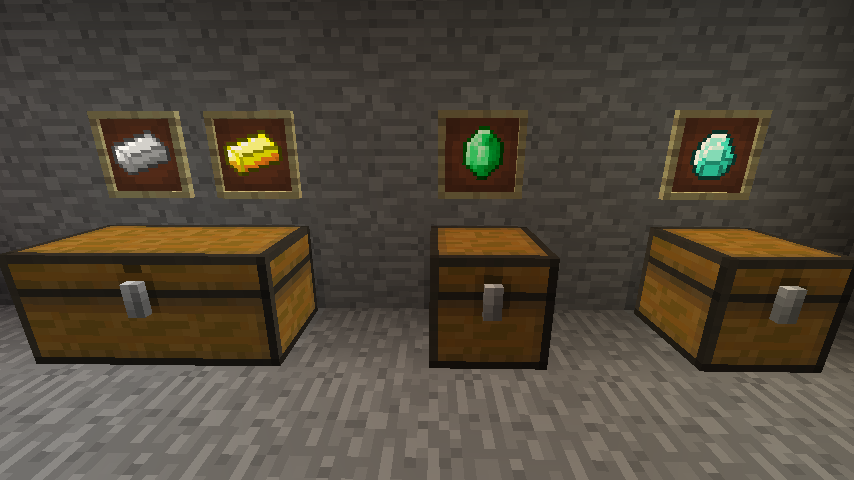
Why you should use this Plugin:
- You can visualize the Items in the Shops.
- You don't have to create a new entity in the world (better performance)
- Simple to setup the shops
The new ItemFrame Shop should revolutionize the shop systems. In the ItemFrames you see the item which would purchased or retailed. The Shop Creator have to define the properties for the shop before. Therefore he should use this commands. You can select a ItemFrame simple with /shop select and RightClick the ItemFrame without any Item in your hand. The default Chest Location for a normal shop is directly under the ItemFrame. You can set chests on custom location with /shop set chest.
Permission Command Description
Market.shop.package.user none Gives access about the normal user account
Market.shop.package.admin none Gives access about the admin account
Market.cmd.amount /quantity [amount] (/q) Admit a purchase or a retail
Market.cmd.select /shop select Enabled / Disabled the shop selection mode
Market.cmd.create.normal /shop create (Normal) Creates a normal shop when it is selected
Market.cmd.create.admin /shop create Admin Creates a admin shop when it is selected
Market.cmd.delete /shop delete Delete a shop when it is selected
Market.cmd.set.retail /shop set retail [amount] Sets the Retail price of a shop
Market.cmd.set.purchase /shop set purchase [amount] Sets the Purchase price of a shop
For a full list of commands and permissions check out: Full O' List CMD's If you set the purchase/retail price to -1 with /shop set [purchase:retail] -1, you can lock the purchase/retail for these shop.
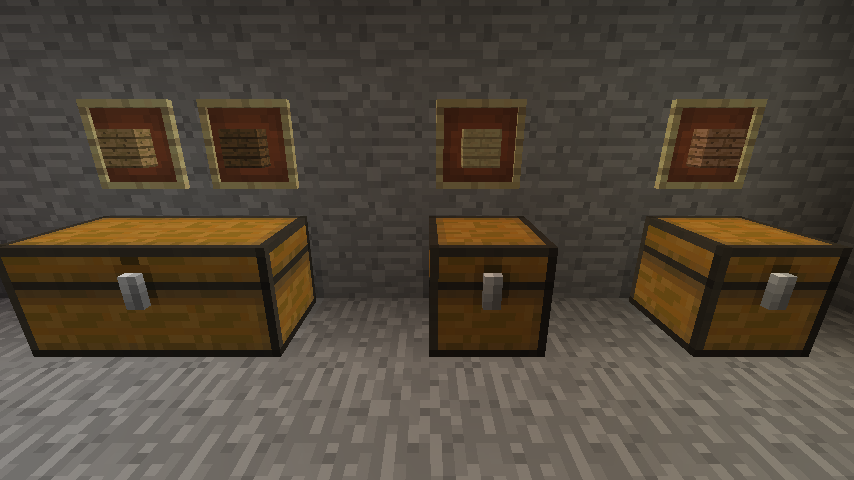
Shop Types
- Admin: The items are infinite (You can type /shop create Admin to set him directly into a admin mode)
- Normal: Under the ItemFrames stand chests with the items (like ChestShop)
With RightClick on the Sign ItemFrame you can see all properties.
- If you want to BUY something: SHIFT + RightClick on the ItemFrame and after that type /quantity [amount] or /q [amount]
- If you want to SELL something: SHIFT + LeftClick on the ItemFrame and after that type /quantity [amount] or /q [amount]
All Data from the Shops are saved in a Database. You need Vault and a Economy Plugin (like iConomy) to use this plugin.
Shop Chest Protection
You can enable / disable the Chest Protection for Item Frame Shops in the Config. (true = enable; false = disable) In the permission Market.shop.package.admin is the Chest Protection Access included.
Shop: ChestProtection: Enabled: true
Known Bugs
Bugs which stand here are not normal bugs (because these I'll fix so fast as I can) but rather bugs combined with other plugins, CraftBukkit and so on.
- There is no possibility to get the amount of potion (with a subid about 8193) in a inventory
- No potion retail
- No potion purchase in normal shops
Cómo instalar Market
A server on Paper or Spigot
The plugin runs on the server core; players do not need to install anything.
File goes into the plugins folder
Download the file Market.jar (172 KB) and put it into the server’s plugins folder.
Restart the server
On startup the plugin creates its own settings folder in plugins.
Or use the “To hosting” button
On Millida Hosting, the button at the top of the page uploads the file to your server and restarts it for you.
Versiones
Con dependencias
| Minecraft | Cargador | Archivo | Fecha | Acciones |
|---|---|---|---|---|
| — | — | Market_v.1.2.1.jar172 KB | ||
| — | — | Market_v.0.9.9b.jar149 KB |
FAQ
Do players need to install Market?
No, the plugin goes only on the server, into the plugins folder: players do not need to download anything.
Where can I download Market safely?
On this page: the file Market.jar (172 KB) is stored on Millida’s server, with no link shorteners. SHA-1 checksum: 797101ec4d4d689ed936064069e3062ebb287591.
Reseñas
Sé el primero en valorar Market


