

Astral Pack para Minecraft 1.21
Esta build es para la versión 1.21 en adelante. Se centra en mejorar el rendimiento y los gráficos sin cambios importantes. ✨
- descargas
- 1 descargas
- visualizaciones
- 47 visualizaciones
- Actualizado
- Actualizado 03.09.2026
- 1.21
 Fabric
- Cliente y servidor
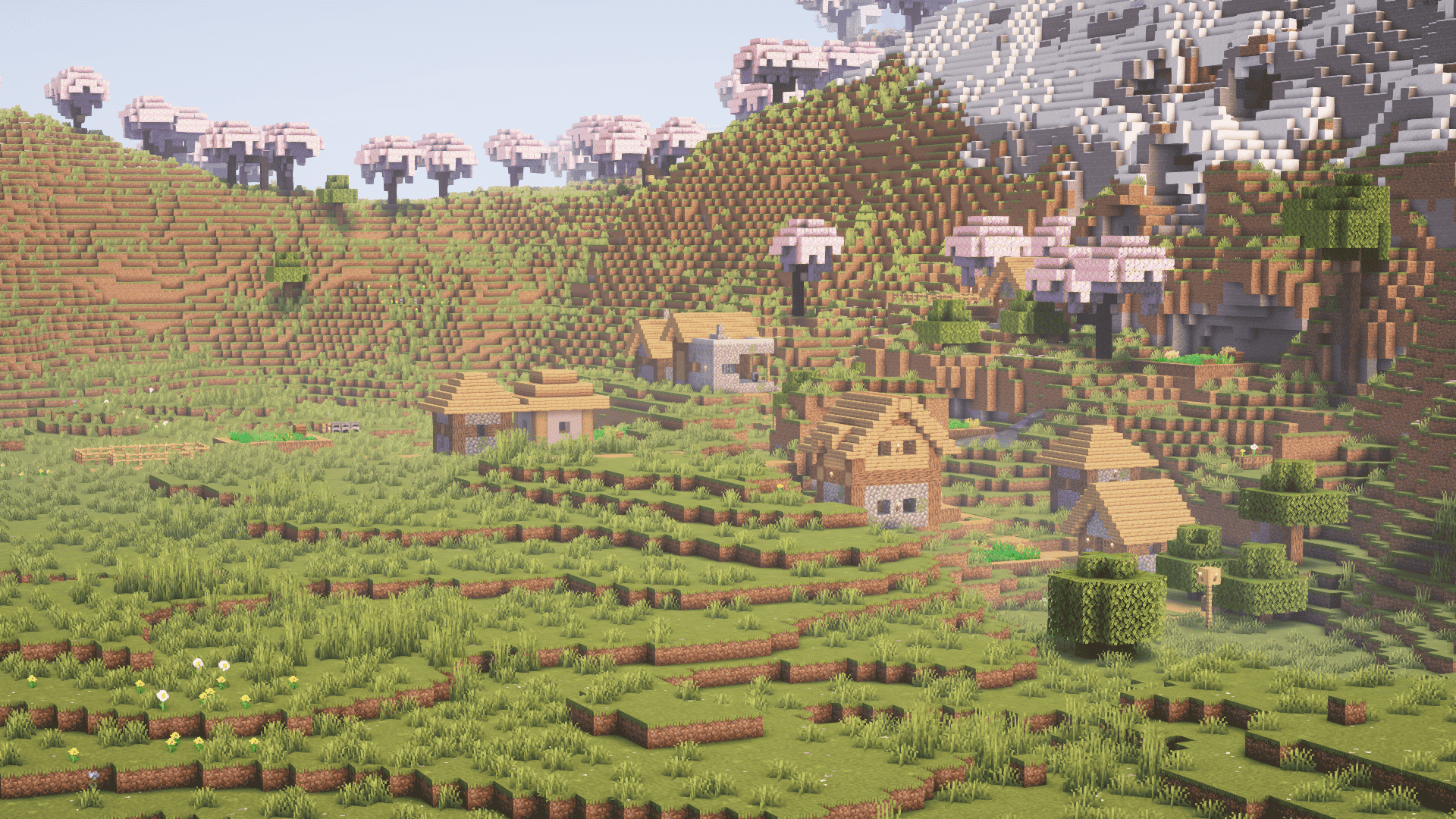
🌟 AstralPack — Optimization and Convenience!
AstralPack is a modpack that lets you play with good FPS, and you can even try enabling shaders. In this modpack, I:
- Made an effort to include optimization mods ✅
- Added a pleasant design to make it more convenient for everyone 🎨
💡 Some things may not be perfect yet, but I’m still learning to create modpacks, and for the early stages, this result already means a lot! Thank you to everyone who downloaded and is playing it! 🙏

⚙️ Minimum Requirements
For stable gameplay, 4 GB of RAM will be enough.
🔄 Updates Almost Every Day!
I really enjoy working on this modpack and am ready to release updates:
- Almost every day! 📅
- As long as the mods themselves keep getting updated 🛠️
I’m full of energy and inspiration to create something useful 💪. I want people to play with stable FPS, so I’ll continue releasing updates until the very end! 🚀
📜 Mod List Coming Soon!
The list of mods will be available a bit later because:
- I support multiple game versions 🎮
- It takes time to compile tables and transfer them to the website ⌛
⏳Within a week, you’ll see a nice table with all the mods used! 🗂️
Cómo instalar Astral Pack
With Millida Launcher
Install Millida Launcher
The launcher is free: download it at millida.net/launcher and sign in with any nickname.
Click “Install” on this page
The launcher opens and installs the modpack for Minecraft 1.21 on Fabric automatically.
Launch the game
A profile with it appears in the launcher: click “Play”.
Manually
Download the modpack archive
In the version list above, pick the file Astral Pack 0.0.5+1.21 0.0.5+1.21.mrpack (117 KB).
Import it into a launcher
A launcher that supports modpacks (Millida Launcher, Prism) takes the archive via “Add modpack”, then “From file”. No need to unpack it yourself.
Allocate memory
Modpacks need more memory than the plain game: set 4–6 GB in the profile settings.
On a server
Use the “To server” button
On Millida Hosting, the button at the top of the page uploads the file to your server and restarts it for you.
Invite friends: they install the same modpack
To join the server, every player needs the same modpack version.
Minecraft 1.21 runs on Java 21: with a different Java version the game may close right after launch.
Versiones
Con dependencias
| Minecraft | Cargador | Archivo | Acciones |
|---|---|---|---|
| 1.21 | Fabric | 1.21117 KB |
Qué necesita para funcionar
- Cloth Config APIya incluido
- Dependencyya incluido
- Fabric Language Kotlinya incluido
- Dynamic FPSya incluido
- Iconsya incluido
- Dependencyya incluido
- Miniature Shaderya incluido
- Concurrent Chunk Management Engine (Fabric)ya incluido
- MidnightLibya incluido
- Animated Oreya incluido
- Simple Grass Flowersya incluido
- Language Reloadya incluido
FAQ
Which Minecraft versions does Astral Pack work on?
Only Minecraft 1.21: there are no files for other versions.
Is Astral Pack for Forge or Fabric?
Only for Fabric: 1.21.
Which mods are in the Astral Pack modpack?
Mods in the modpack include Cloth Config API, Dependency, Fabric Language Kotlin, Dynamic FPS, Icons, Miniature Shader, Concurrent Chunk Management Engine (Fabric), MidnightLib and 3 more.
Which Java does Astral Pack need?
Minecraft 1.21 runs on Java 21. If the game closes right after launch, the usual cause is the wrong Java version in the profile settings.
Where can I download Astral Pack safely?
On this page: the file Astral Pack 0.0.5+1.21 0.0.5+1.21.mrpack (117 KB) is stored on Millida’s server, with no link shorteners. SHA-1 checksum: dba052bfa16aff4689e02da92ceb1f231083a9de.
Reseñas
Sé el primero en valorar Astral Pack


