

Another Realistic World Modpack para Minecraft 1.17
Un modpack centrado en el realismo de la última versión.
- visualizaciones
- 27 visualizaciones
- Actualizado
- Actualizado 18.10.2026
- 1.17
 Fabric
Acerca del modpack Another Realistic World
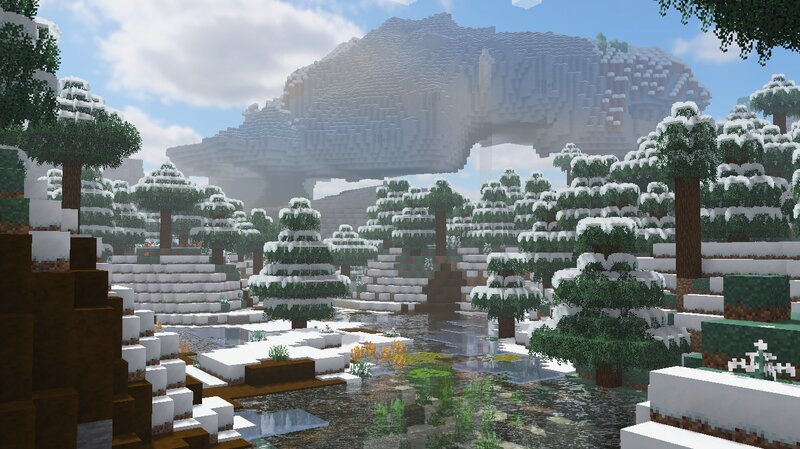
Hi! I made this modpack based on the maximum realism that the latest version of minecraft can bring from fabric 1.17, now a more detailed explanation:
A modpack I decided to create to play on my own, but I liked the look and feel, so here's a download of it for you! any comment or criticism, feel free to express yourself, anyway, in this modpack you'll find a different hud that can be configured, combat, graphics (texture), interface and other details, the modpack changes the 2 dimensions of minecraft, the End and the Nether, contains new armor, swords, bows, shields, all for rewarding combat and to aid in modpack boss fights,
Recommended texture (NOT MANDATORY)
Nature X (Included when installing modpack) Clarity Fresh Animations
FEATURES (Mods with more impact on the game)
▸AdventureZ ▸AppleSkin ▸Artifality ▸Better Nether ▸Better End ▸Bosses of Mass Destruction ▸CameraOverhaul ▸Caves and Cliffs ▸Charm ▸Croptopia ▸DimensionalDoors ▸First-person mod ▸Mo' Structures ▸Origins ▸Origins Classes
Cómo instalar Another Realistic World
With Millida Launcher
Install Millida Launcher
The launcher is free: download it at millida.net/launcher and sign in with any nickname.
Click “Install” on this page
The launcher opens and installs the modpack for Minecraft 1.17 on Fabric automatically.
Launch the game
A profile with it appears in the launcher: click “Play”.
Manually
Download the modpack archive
In the version list above, pick the file Another Realistic World-1.0.0.zip (576 KB).
Import it into a launcher
A launcher that supports modpacks (Millida Launcher, Prism) takes the archive via “Add modpack”, then “From file”. No need to unpack it yourself.
Allocate memory
Modpacks need more memory than the plain game: set 4–6 GB in the profile settings.
On a server
Use the “To server” button
On Millida Hosting, the button at the top of the page uploads the file to your server and restarts it for you.
Invite friends: they install the same modpack
To join the server, every player needs the same modpack version.
Minecraft 1.17 runs on Java 16: with a different Java version the game may close right after launch.
Versiones
Con dependencias
| Minecraft | Cargador | Archivo | Fecha | Acciones |
|---|---|---|---|---|
| 1.17 | Fabric | 1.0.0576 KB |
FAQ
Which Minecraft versions does Another Realistic World work on?
Only Minecraft 1.17: there are no files for other versions.
Is Another Realistic World for Forge or Fabric?
Only for Fabric: 1.17.
Which Java does Another Realistic World need?
Minecraft 1.17 runs on Java 16. If the game closes right after launch, the usual cause is the wrong Java version in the profile settings.
Where can I download Another Realistic World safely?
On this page: the file Another Realistic World-1.0.0.zip (576 KB) is stored on Millida’s server, with no link shorteners. SHA-1 checksum: 515e6b47297ebc4a02db4f8267b2b26ac83a7ded.
Reseñas
Sé el primero en valorar Another Realistic World


