
NineBlock Mapa para Minecraft 1.20.1
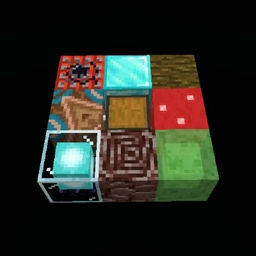
9 bloques que se convierten en algo aleatorio cuando se rompe uno
Acerca del mapa NineBlock
All you have are the 9 blocks below you to start your world. Every time you break a block, all 9 will refresh into something completely random. It can turn into any block in the game and it can sometimes be a chest that can contain any non-block item in the game! Make your way to the naturally generated end portal to beat the game!
You may have to do a little prep to get your world ready. Make sure that there are barrier blocks below the 9 blocks so that sand doesn't fall and constantly refresh the blocks (unless you want that, do whatever you want of course). That should be it! Empty your inventory, go to survival with /gamemode survival, and enjoy the world!
You may do whatever you want with the 9Block datapack in the saves file.
Cómo instalar NineBlock
With Millida Launcher
Install Millida Launcher
The launcher is free: download it at millida.net/launcher and sign in with any nickname.
Click “Install” on this page
The launcher opens and installs the map for Minecraft 1.20.1 automatically.
Launch the game
A profile with it appears in the launcher: click “Play”.
On a server
Replace the world folder
Stop the server and put the map folder in place of world (or set its name in level-name).
Or use the “To hosting” button
On Millida Hosting, the button at the top of the page uploads the file to your server and restarts it for you.
Versiones
Con dependencias
| Minecraft | Cargador | Archivo | Fecha | Acciones |
|---|---|---|---|---|
| 1.20.1 | — | 9blockfile.zip2.9 MB |
FAQ
Which Minecraft versions does NineBlock work on?
Only Minecraft 1.20.1: there are no files for other versions.
How do I download NineBlock?
With Millida Launcher: it installs NineBlock into a modpack by itself, for the right game version and loader. The launcher is free.
Reseñas
Sé el primero en valorar NineBlock



