
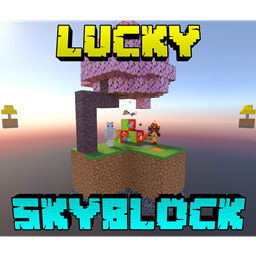
Lucky Skyblock V5 Mapa para Minecraft 26.50
¡Skyblock! ¡Conquista, construye, compra y vende! ¡Encuentra el árbol de la suerte y gana bonificaciones! El mapa tiene: 5 biomas; Jungla, Taiga, Sabana, Nether y End / tienda / antigua fábrica de lava / 2 generadores. ¡Este mundo contiene 3 paquetes: comerciantes, protector del vacío y bloques de la suerte!
Make a cobblestone generator to bridge out to the other islands and obtain items for
farming and earn profit in the shop to buy, sell and enchant items. Take your friend
to a miscellaneous adventure and have fun!
DON'T KILL TRADERS
TIPS:
-buy any Void Totem to prevent the loss of your items
-set render disctance to 10+ chunks to see other biomes and islands
-search under grass
-read the "Map Info" book for more information
Project made with: Xyla
(Discord: xylabun)
NOTE:
This project is temporality removed from future major update
(Cooperation has been terminated, only updates for support the latest Beta-API version)
CHECK OUT THE VIDEO!
Shop↴
Enchanting↴
Sell↴
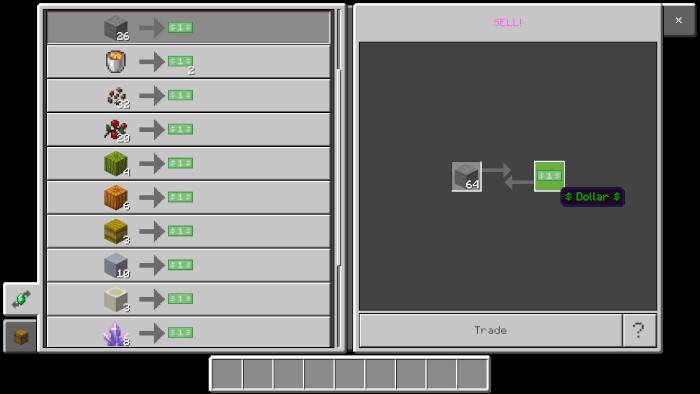
Buy↴
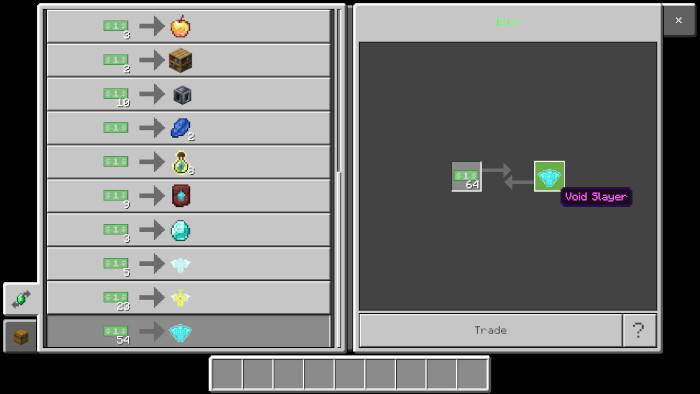
Best protector arrived(and new appearance of the contributor)↴

Lucky Tree↴
Biomes↴
Other islands↴
Spawner↴
General view↴
You can support me here:

Additional message: The presented images require a specific texture pack which is not included for this world
Cómo instalar Lucky Skyblock V5
With Millida Launcher
Install Millida Launcher
The launcher is free: download it at millida.net/launcher and sign in with any nickname.
Click “Install” on this page
The launcher opens and installs the map for Minecraft 26.40–26.50 automatically.
Launch the game
A profile with it appears in the launcher: click “Play”.
Manually
Download the map archive
Pick the file Lucky_Skyblock_V5.16_ft_XylaBun.mcworld (1.1 MB).
Unpack it into the saves folder
The world folder (with level.dat inside) must sit directly in .minecraft/saves.
Open the world
“Singleplayer”: the map will be in your world list.
On a server
Replace the world folder
Stop the server and put the map folder in place of world (or set its name in level-name).
Use the “To server” button
On Millida Hosting, the button at the top of the page uploads the file to your server and restarts it for you.
Versiones
Con dependencias
| Minecraft | Cargador | Archivo | Fecha | Acciones |
|---|---|---|---|---|
| 26.50 | — | Lucky Skyblock V5.161.1 MB 438 | ||
| 26.40 | — | Lucky Skyblock V5.151.1 MB |
FAQ
Which Minecraft versions does Lucky Skyblock V5 work on?
There are files for 26.50, 26.40. The newest is 26.50.
Where can I download Lucky Skyblock V5 safely?
On this page: the file Lucky_Skyblock_V5.16_ft_XylaBun.mcworld (1.1 MB) is stored on Millida’s server, with no link shorteners. SHA-1 checksum: bcdd5a2ddaffe3ab96e84d9a8708f1e2f7e7f7bc.
Reseñas
Sé el primero en valorar Lucky Skyblock V5



