
Experiments Enabled World Templates Mapa para Minecraft 26.40
Pequeñas plantillas de mundo con experimentos habilitados para Minecraft Bedrock.
Acerca del mapa Experiments Enabled World Templates
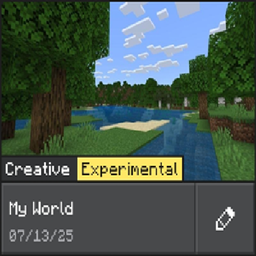
The Enabled Experiments World Templates contains small world templates with experiments enabled so players and creators can start with a ready world that already has the Bedrock experimental features set. These are primarily aimed at Minecraft Education users because Education hides the experiments toggles in the world UI; the editor/site is the reliable way to enable them.
Why is this made?
- Education editions don't allow players to modify the experiments toggles in the usual world-settings UI with the release of the new UI for Create and Edit World, so using an experiments-enabled template is the easiest way to get the right feature flags in place for add-ons, besides using the Minecraft Bedrock Experiments Editor (it's a web editor).
- The same templates also work in normal Minecraft Bedrock and Preview - the web editor/export flow supports all those targets.
Notes:
- The world templates on MCPEDL / CurseForge have the Minecraft seed fixed. Go to Minecraft Bedrock Experiments Editor web app to generate your own world with a randomly generated seed.
More custom configurations
The world templates preview here have all experiments toggled, and they were generated from the Start from Template tool of the Minecraft Bedrock Experiments Editor.
For most people the recommended workflow is to use that website directly (choose a template, enable the experiments you want, then download the modified .mcworld).
You can also upload your own world to the website to edit the experiments as you'd like.
The Experiments Editor Website
All the templates below are generated using this website:
- Minecraft Bedrock Experiments Editor (Beta) - Upload your own world to the website to enable / disbale specific experimental features.
- Start from Template Tool - Create your own template using the 'Start from Template' tool and edit specific experimental features.
Cómo instalar Experiments Enabled World Templates
With Millida Launcher
Install Millida Launcher
The launcher is free: download it at millida.net/launcher and sign in with any nickname.
Click “Install” on this page
The launcher opens and installs the map for Minecraft 26.30–26.40 automatically.
Launch the game
A profile with it appears in the launcher: click “Play”.
Manually
Download the map archive
Pick the file My World 26.50.mcworld (58 KB).
Unpack it into the saves folder
The world folder (with level.dat inside) must sit directly in .minecraft/saves.
Open the world
“Singleplayer”: the map will be in your world list.
On a server
Replace the world folder
Stop the server and put the map folder in place of world (or set its name in level-name).
Or use the “To hosting” button
On Millida Hosting, the button at the top of the page uploads the file to your server and restarts it for you.
Versiones
Con dependencias
| Minecraft | Cargador | Archivo | Fecha | Acciones |
|---|---|---|---|---|
| 26.30 | — | My World 26.50.mcworld58.1 KB |
FAQ
Which Minecraft versions does Experiments Enabled World Templates work on?
There are files for 26.40, 26.30. The newest is 26.40.
Where can I download Experiments Enabled World Templates safely?
On this page: the file My World 26.50.mcworld (58 KB) is stored on Millida’s server, with no link shorteners. SHA-1 checksum: d8727724af54a4a2ea91fc1ca6cc76ca92481e4c.
Reseñas
Sé el primero en valorar Experiments Enabled World Templates



