
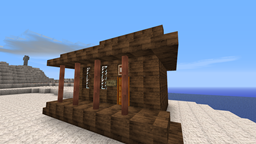
Acerca del mapa dAY Z mod/map
-mod -map -FUN
Cómo instalar dAY Z mod/map
With Millida Launcher
Install Millida Launcher
The launcher is free: download it at millida.net/launcher and sign in with any nickname.
Click “Install” on this page
The launcher opens and installs the map for Minecraft 1.7.2 automatically.
Launch the game
A profile with it appears in the launcher: click “Play”.
On a server
Replace the world folder
Stop the server and put the map folder in place of world (or set its name in level-name).
Or use the “To hosting” button
On Millida Hosting, the button at the top of the page uploads the file to your server and restarts it for you.
Versiones
Con dependencias
| Minecraft | Cargador | Archivo | Fecha | Acciones |
|---|---|---|---|---|
| 1.7.2 | — | DAY_z.zip25.4 MB |
FAQ
Which Minecraft versions does dAY Z mod/map work on?
Only Minecraft 1.7.2: there are no files for other versions.
How do I download dAY Z mod/map?
With Millida Launcher: it installs dAY Z mod/map into a modpack by itself, for the right game version and loader. The launcher is free.
Reseñas
Sé el primero en valorar dAY Z mod/map



