

 Paquete de datos

A datapack that changes the standard loot of the bonus chest, now it depends on biomes.
You have to enable "Bonus Chest" to make the datapack work!!
🖼️Examples
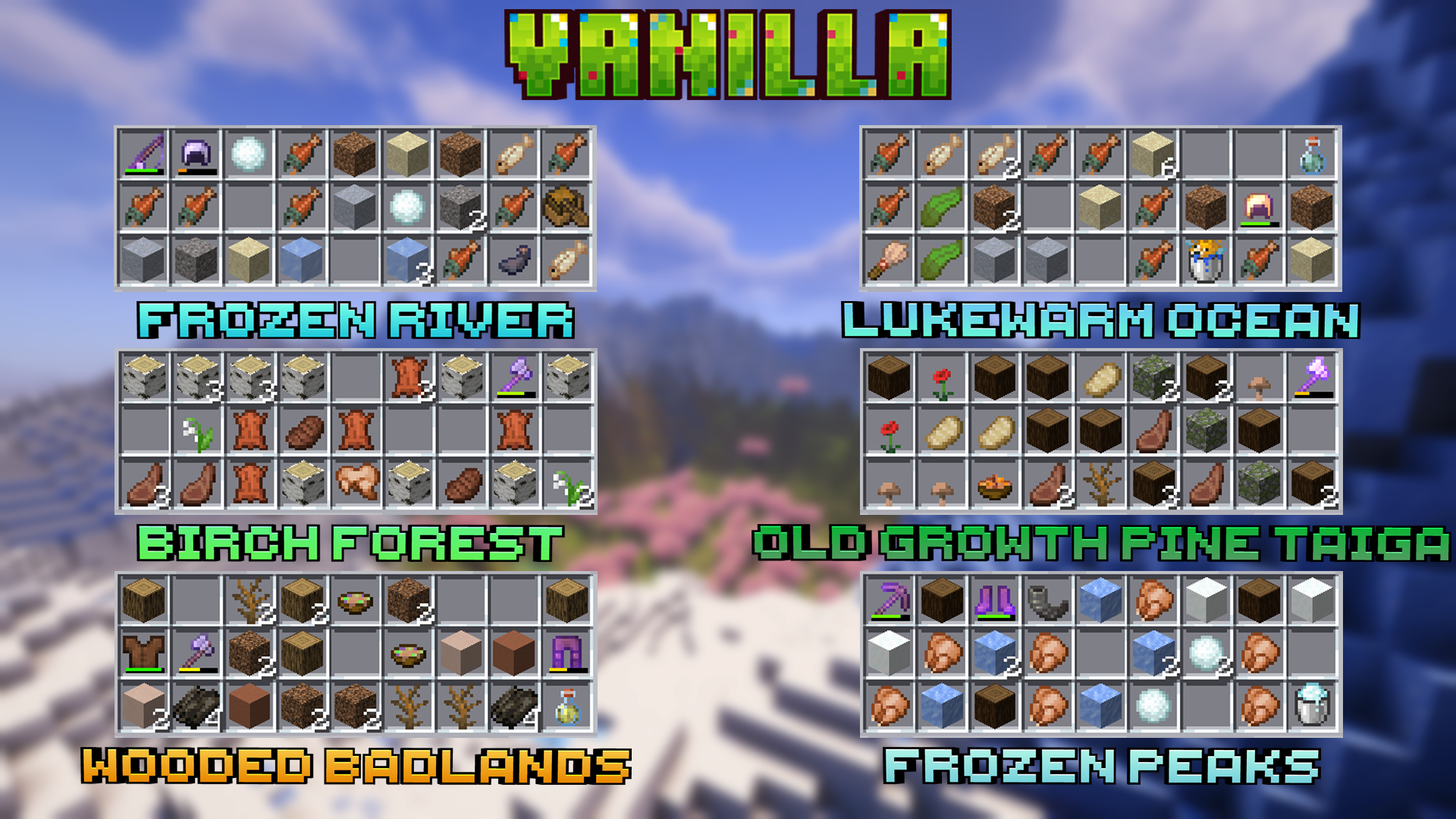
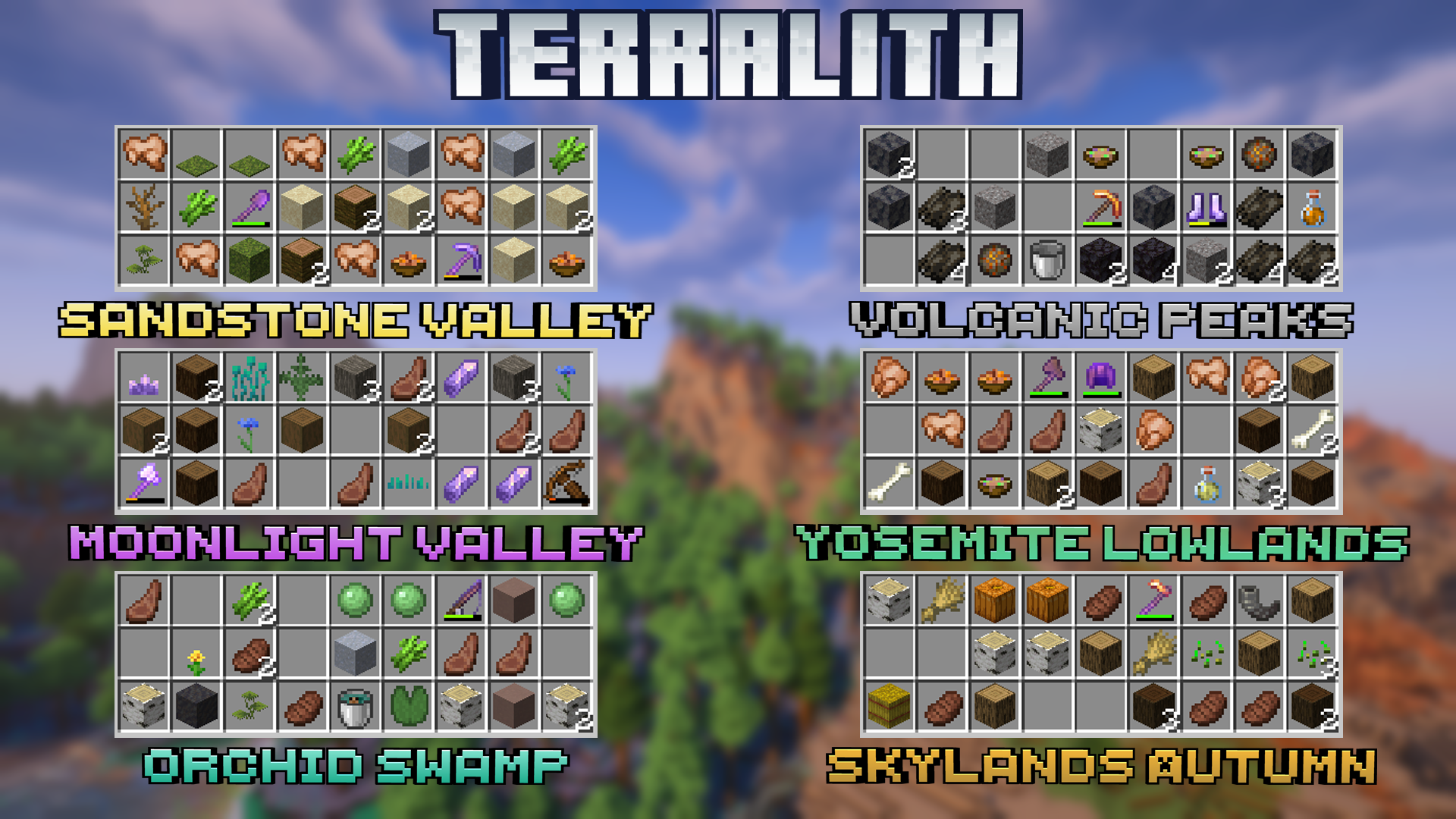
🏞️Supported biomes:
- #### 🌳Vanilla
- #### 🌋Terralith (From version 4.0)

📚Modes:
Datapack has two modes
- First one is enabled by default and changes spawn bonus chest
- If you enable the second mode, loot will be given to the all new players directly in their inventories as a chest, that they can place and get loot
- To enable this mode use /function various_starting_loot:settings
- In this mode you don't have to enable bonus chest at all

📂Installing as datapack
- Download and install datapack in the world
- For a new world: You can click the "Data Packs" option when creating a new world and select this datapack
- Enable Bonus Chest
🔧Installing as mod
- Download and put mod in your .minecraft/mods folder
- Enable Bonus Chest
❓FAQ:
- How to enable bonus chest on server? Add --bonusChest argument to your JVM arguments
- Is it possible to get chest with bonus loot again? Yes, use /function various_starting_loot:loot
- Support for "X" datapack/mod Will be done someday if this datapack/mod is popular
enough
- Projects that I want to support: Regions Unexplored, Expanded Ecosphere, Oh The Biomes You'll Go
If you have any questions, bugs, suggestions you can create an issue on github or join our discord server
Cómo instalar Various Starting Loot
With Millida Launcher
Install Millida Launcher
The launcher is free: download it at millida.net/launcher and sign in with any nickname.
Click “Install” on this page
The launcher opens and installs the data pack for Minecraft 1.19–26.3 automatically.
Launch the game
A profile with it appears in the launcher: click “Play”.
Manually
Download the archive
Pick the file Various Starting Loot.zip (401 KB) for your game version.
New world: “Data Packs”
When creating a world, click “Data Packs”, drag the archive into the window, then move it to “Selected”.
Existing world: the datapacks folder
Put the archive into saves/<world>/datapacks and type /reload in game.
On a server
Archive goes into the server world’s datapacks
The world/datapacks folder on the server; players do not need to install anything.
Reload the data
Type /reload in the server console or restart the server.
Use the “To server” button
On Millida Hosting, the button at the top of the page uploads the file to your server and restarts it for you.
Versiones
Con dependencias
| Minecraft | Cargador | Archivo | Fecha | Acciones |
|---|---|---|---|---|
| 26.3 | Paquete de datos | 26.3401 KB | ||
| 26.2 | Paquete de datos | 26.2343 KB | ||
| 1.19.2 | Paquete de datos | 1.19.2691 KB |
Qué necesita para funcionar
- Terralithopcional
FAQ
Which Minecraft versions does Various Starting Loot work on?
There are files for 1.19–26.3, 7 versions in total. The newest is 26.3.
Does Various Starting Loot work on a server?
Yes: the data pack goes into the datapacks folder of the server world, and players do not need to install anything.
Where can I download Various Starting Loot safely?
On this page: the file Various Starting Loot.zip (401 KB) is stored on Millida’s server, with no link shorteners. SHA-1 checksum: b8c39cf7886741d16796f689363865c9ee3e3cca.
Reseñas
Sé el primero en valorar Various Starting Loot


