

Simple Revive Paquete de datos para Minecraft 1.21.1, 1.21
Los jugadores quedan derribados en lugar de morir y otros pueden revivirlos
- descargas
- 3 descargas
- visualizaciones
- 55 visualizaciones
- Actualizado
- Actualizado 31.10.2026
- 1.21 — 26.3
 Paquete de datos
- Cliente y servidor
Acerca del paquete de datos Simple Revive
You get Downed instead of Dying and other players can Revive you by Sneaking
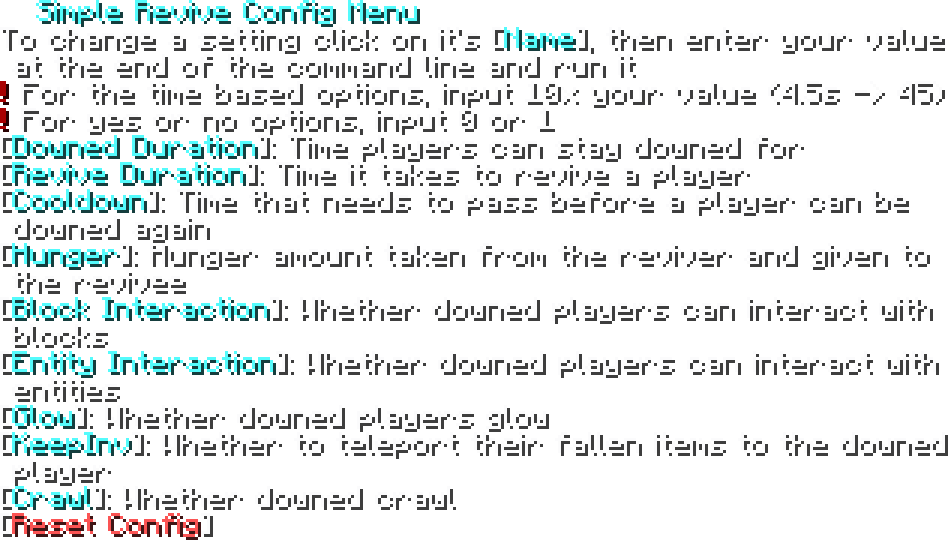
In Game Config Menu
/function simplerevive:admin/config to access the Config Menu
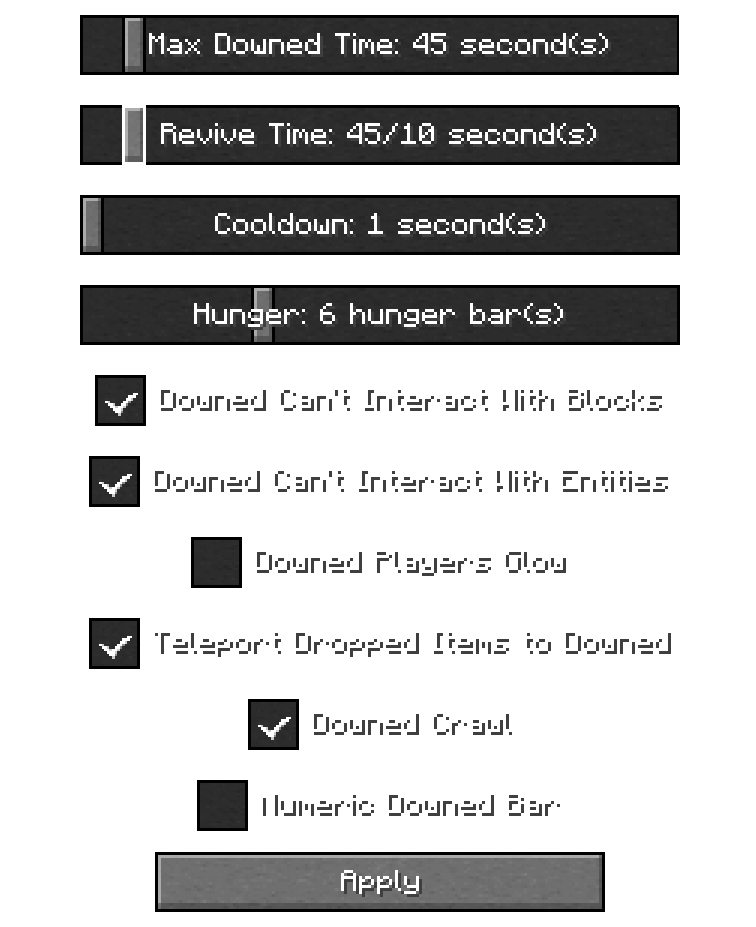
In Game Config Menu (for 1.21.1)
/function simplerevive:admin/config to access the Config Menu
Troubleshooting
If you are having issues with the datapack, try doing these
- Try running /reload
- Try running /function simplerevive:admin/reset_config
- Make sure you have the file on the proper directory: [world name]/datapacks/[.zip goes here] for the datapack and mods/[.jar goes here] for the mod version
- The EssentialsX plugin might be messing with stuff
- Try restarting the server
Compatibility
- Compatible with Vanilla Tweaks Graves Datapack
- Incompatible with anything that requires the Immediate Respawn gamerule to be off
For Devs and Admins
- If you want to make a player unable to get downed, give them the tag simplerevive.custom_disable
Contact me on Discord for any issues! @hexasan

Cómo instalar Simple Revive
With Millida Launcher
Install Millida Launcher
The launcher is free: download it at millida.net/launcher and sign in with any nickname.
Click “Install” on this page
The launcher opens and installs the data pack for Minecraft 1.21–26.3 automatically.
Launch the game
A profile with it appears in the launcher: click “Play”.
Manually
Download the archive
Pick the file simple-revive_3.2.zip (38 KB) for your game version.
New world: “Data Packs”
When creating a world, click “Data Packs”, drag the archive into the window, then move it to “Selected”.
Existing world: the datapacks folder
Put the archive into saves/<world>/datapacks and type /reload in game.
On a server
Archive goes into the server world’s datapacks
The world/datapacks folder on the server; players do not need to install anything.
Reload the data
Type /reload in the server console or restart the server.
Use the “To server” button
On Millida Hosting, the button at the top of the page uploads the file to your server and restarts it for you.
Versiones
Con dependencias
| Minecraft | Cargador | Archivo | Fecha | Acciones |
|---|---|---|---|---|
| 26.3 | Paquete de datos | 26.338.3 KB | ||
| 26.3 | Paquete de datos | 26.330.3 KB | ||
| 26.3 | Paquete de datos | 26.318.2 KB | ||
| 1.21 | Paquete de datos | 1.2116.4 KB 1 | ||
| 1.21.11 | Paquete de datos | 1.21.1117.8 KB | ||
| 26.2 | Paquete de datos | 26.218.2 KB | — | |
| 26.1 | Paquete de datos | 26.117.8 KB | — |
FAQ
Which Minecraft versions does Simple Revive work on?
There are files for 1.21–26.3, 10 versions in total. The newest is 26.3.
Does Simple Revive work on a server?
Yes: the data pack goes into the datapacks folder of the server world, and players do not need to install anything.
Where can I download Simple Revive safely?
On this page: the file simple-revive_3.2.zip (38 KB) is stored on Millida’s server, with no link shorteners. SHA-1 checksum: 285c9c08cfd2d14eda2dae178482e78c42eb07e5.
Reseñas
Sé el primero en valorar Simple Revive


