

Resettable Vaults Paquete de datos para Minecraft 26.3
¡Reinicia las bóvedas para que el mismo jugador pueda saquearlas varias veces!
IMPORTANT - I (AverageTaTeMan) only share my content on Planet Minecraft, Modrinth, and CurseForge. If you see this project on any other site, IT IS NOT ME AND SHOULD NOT BE TRUSTED!
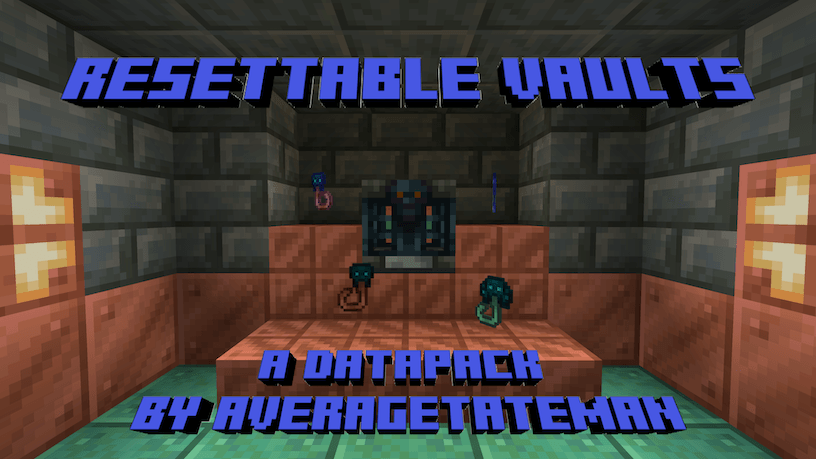
This Data Pack adds Trial Resetters, crafted with Trial Keys and Echo Shards. As the name suggests, dropping one on top of a Vault resets it so that it can be opened again. Happy Trials!
If upgrading your pack and the Trial Resetters are missing their textures, run the following command(s) with the items in your inventory - /function resetvault:upgrade/self
Runs the previous command for all players - /function resetvault:upgrade/all_players
Installation Instructions to Get the Data AND Resource Packs:
- Select "Files"

- Select a Version
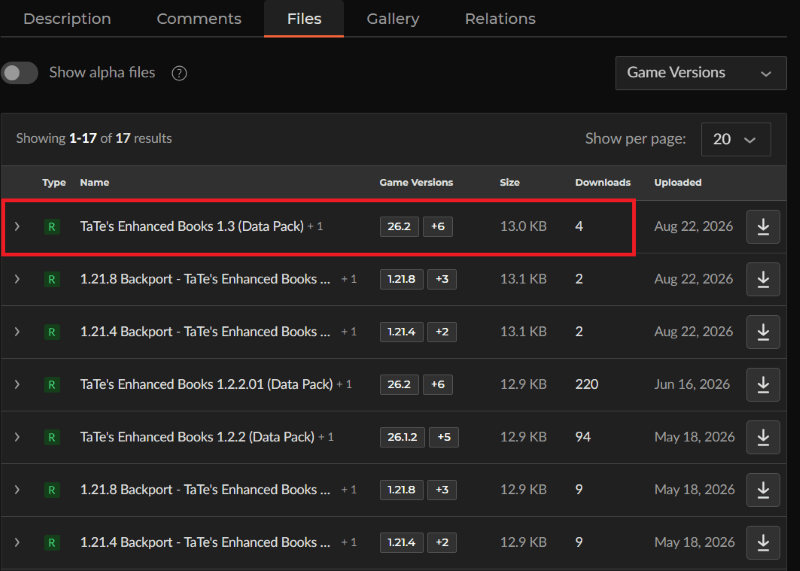
- Click "View Full Page"
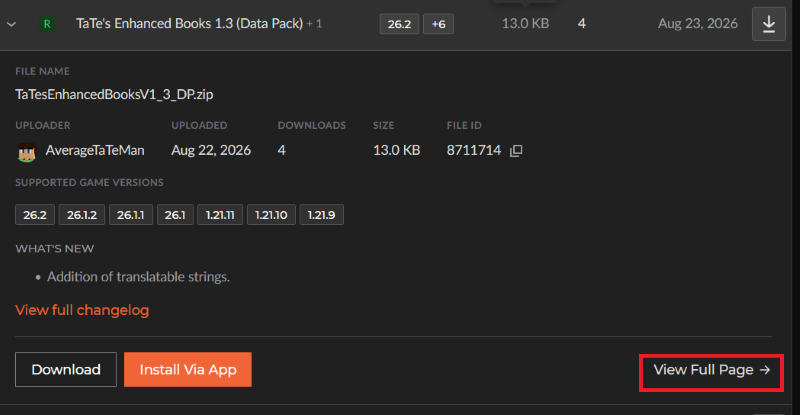
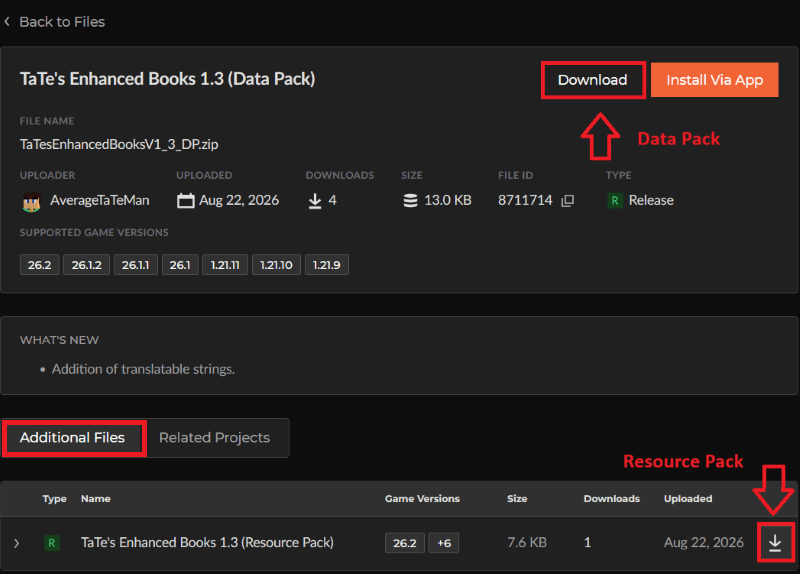
- Click "Download" to download the data pack file, click "Additonal Files" to show the resource pack file, then click the download icon to download it, as shown below.
- Unzip the files (optional, but recommended as that's how I use/test them).
- Add the resource pack to your Selected Packs (ideally at the top) in your Resource Packs menu.
- Add the data pack to either your Selected Packs in the Data Packs menu (if adding at world creation) OR put it in your world's 'datapacks' folder (if adding afterwards. Recommended to either not have world open at the time or to close and reopen it afterwards).
- You may get a prompt about experimental settings not being supported when opening the world. This can safely be ignored, but it's also never a bad idea to make a backup if it's a world you care about.
Cómo instalar Resettable Vaults
With Millida Launcher
Install Millida Launcher
The launcher is free: download it at millida.net/launcher and sign in with any nickname.
Click “Install” on this page
The launcher opens and installs the data pack for Minecraft 26.3 automatically.
Launch the game
A profile with it appears in the launcher: click “Play”.
On a server
Archive goes into the server world’s datapacks
The world/datapacks folder on the server; players do not need to install anything.
Reload the data
Type /reload in the server console or restart the server.
Use the “To server” button
On Millida Hosting, the button at the top of the page uploads the file to your server and restarts it for you.
Versiones
Con dependencias
| Minecraft | Cargador | Archivo | Fecha | Acciones |
|---|---|---|---|---|
| 26.3 | — | Resettable Vaults 1.8 (Data Pack)13.5 KB |
FAQ
Which Minecraft versions does Resettable Vaults work on?
Only Minecraft 26.3: there are no files for other versions.
Does Resettable Vaults work on a server?
Yes: the data pack goes into the datapacks folder of the server world, and players do not need to install anything.
How do I download Resettable Vaults?
With Millida Launcher: it installs Resettable Vaults into a modpack by itself, for the right game version and loader. The launcher is free.
Reseñas
Sé el primero en valorar Resettable Vaults


