
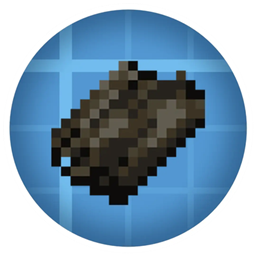
Acerca del paquete de datos Create: Rubberworks Compat
Create: Rubberworks is a mod that replaces Dried Kelp in Create Recipes with rubber, by default Create Addons recipes are not supported so you will need this datapack for Create Addons recipes to also use Rubber Sheets or use your own datapack / kubejs to modify recipes.
I had originally only made this for my modpack All of Create but im sure there are a lot of existing modpacks and people that would want something like this that may not know how to so I decided to share it, enjoy! If you have any suggestions or mods that aren't supported just let me know in comments or messages and ill add support.
Supported Mods:
- Create Aeronautics
- Create: Diesal Generators
- Create Encased
- Create: Electro Energetics
- Create: Fantasizing Again
- Create: Hypertubes
- Create: Power Grid
- Create : Misc & Things
Cómo instalar Create: Rubberworks Compat
With Millida Launcher
Install Millida Launcher
The launcher is free: download it at millida.net/launcher and sign in with any nickname.
Click “Install” on this page
The launcher opens and installs the data pack for Minecraft 1.21.1 automatically.
Launch the game
A profile with it appears in the launcher: click “Play”.
Manually
Download the archive
Pick the file CreateRubberworks_Compat_v6.zip (13 KB) for your game version.
New world: “Data Packs”
When creating a world, click “Data Packs”, drag the archive into the window, then move it to “Selected”.
Existing world: the datapacks folder
Put the archive into saves/<world>/datapacks and type /reload in game.
On a server
Archive goes into the server world’s datapacks
The world/datapacks folder on the server; players do not need to install anything.
Reload the data
Type /reload in the server console or restart the server.
Use the “To server” button
On Millida Hosting, the button at the top of the page uploads the file to your server and restarts it for you.
Versiones
Con dependencias
| Minecraft | Cargador | Archivo | Fecha | Acciones |
|---|---|---|---|---|
| 1.21.1 | — | CreateRubberworks_Compat_v6.zip12.7 KB 2 |
FAQ
Which Minecraft versions does Create: Rubberworks Compat work on?
Only Minecraft 1.21.1: there are no files for other versions.
Does Create: Rubberworks Compat work on a server?
Yes: the data pack goes into the datapacks folder of the server world, and players do not need to install anything.
Where can I download Create: Rubberworks Compat safely?
On this page: the file CreateRubberworks_Compat_v6.zip (13 KB) is stored on Millida’s server, with no link shorteners. SHA-1 checksum: a7037e16bdaa1e22d5ca562d062ca2295def44a2.
Reseñas
Sé el primero en valorar Create: Rubberworks Compat


