
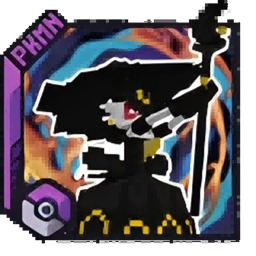
CobblemonInfiniteFusion Paquete de datos para Minecraft 1.21.1
Este es un complemento para Cobblemon que permite la fusión de dos Pokémon, transformándolos en diseños completamente nuevos. Actualmente, solo están disponibles Gardevoir y algunos modelos de fusión de Eevee. Se añadirán más modelos en futuras actualizaciones, ¡así que mantente atento!
Acerca del paquete de datos CobblemonInfiniteFusion
It has been discontinued. Please search within the site for the latest version: Cobblemon Starlight Fusion
This is a data pack that allows Gardevoir to undergo fusion evolution.

Currently, there is only one fusable form, and it requires the DNA Splicers from Cobblemon: Mega Showdown to undergo fusion evolution.
Fusion Evolution: With Gardevoir and Sylveon in your team, right-click Gardevoir while holding the DNA Splicers to perform Fusion Evolution.

Required Mod:
Cobblemon
Cobblemon: Mega Showdown
Translation: The data pack is currently in beta testing. If you encounter any issues or have suggestions, please leave a comment in the section below.

Cómo instalar CobblemonInfiniteFusion
With Millida Launcher
Install Millida Launcher
The launcher is free: download it at millida.net/launcher and sign in with any nickname.
Click “Install” on this page
The launcher opens and installs the data pack for Minecraft 1.21.1 automatically.
Launch the game
A profile with it appears in the launcher: click “Play”.
Manually
Download the archive
Pick the file CobblemonInfiniteFusion 1.7.1.zip (427 KB) for your game version.
New world: “Data Packs”
When creating a world, click “Data Packs”, drag the archive into the window, then move it to “Selected”.
Existing world: the datapacks folder
Put the archive into saves/<world>/datapacks and type /reload in game.
On a server
Archive goes into the server world’s datapacks
The world/datapacks folder on the server; players do not need to install anything.
Reload the data
Type /reload in the server console or restart the server.
Use the “To server” button
On Millida Hosting, the button at the top of the page uploads the file to your server and restarts it for you.
Versiones
Con dependencias
| Minecraft | Cargador | Archivo | Fecha | Acciones |
|---|---|---|---|---|
| 1.21.1 | — | CobblemonInfiniteFusion 1.7.1.zip427 KB 3 | ||
| 1.21.1 | — | CobblemonMergeGardevoir v0.0.2.zip101 KB |
FAQ
Which Minecraft versions does CobblemonInfiniteFusion work on?
Only Minecraft 1.21.1: there are no files for other versions.
Does CobblemonInfiniteFusion work on a server?
Yes: the data pack goes into the datapacks folder of the server world, and players do not need to install anything.
Where can I download CobblemonInfiniteFusion safely?
On this page: the file CobblemonInfiniteFusion 1.7.1.zip (427 KB) is stored on Millida’s server, with no link shorteners. SHA-1 checksum: 1a0b3472bb46a819d2fdcf1c5539f5dfd50718f8.
Reseñas
Sé el primero en valorar CobblemonInfiniteFusion


