

Personal Scoreboard
Personal Scoreboard is a fully customizable sidebar addon that allows you to create multiple scoreboards, display real-time player statistics, use animated text effects, and assign different sidebars to players using tags, use casses can be for a server to display users cash, kills, and so on.
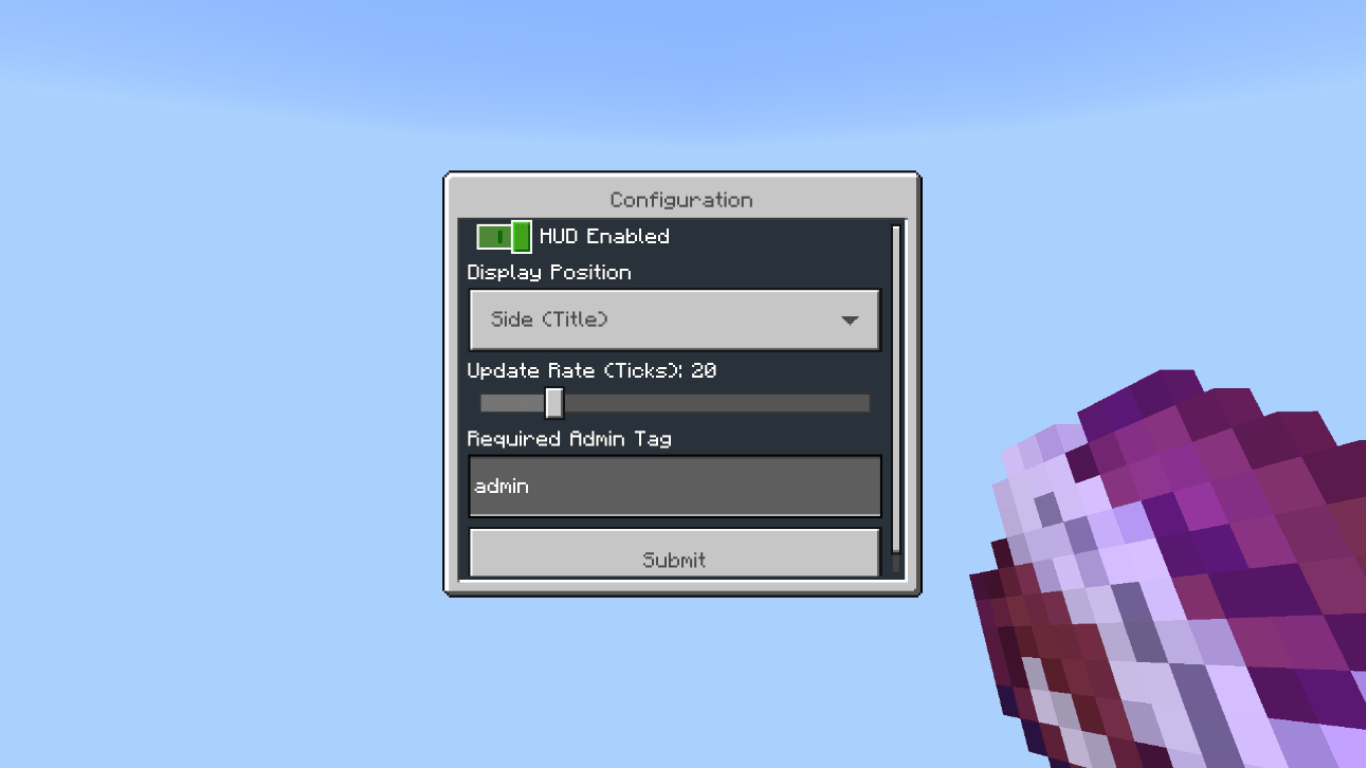
Everything can be configured through simple in-game menus without editing any code.
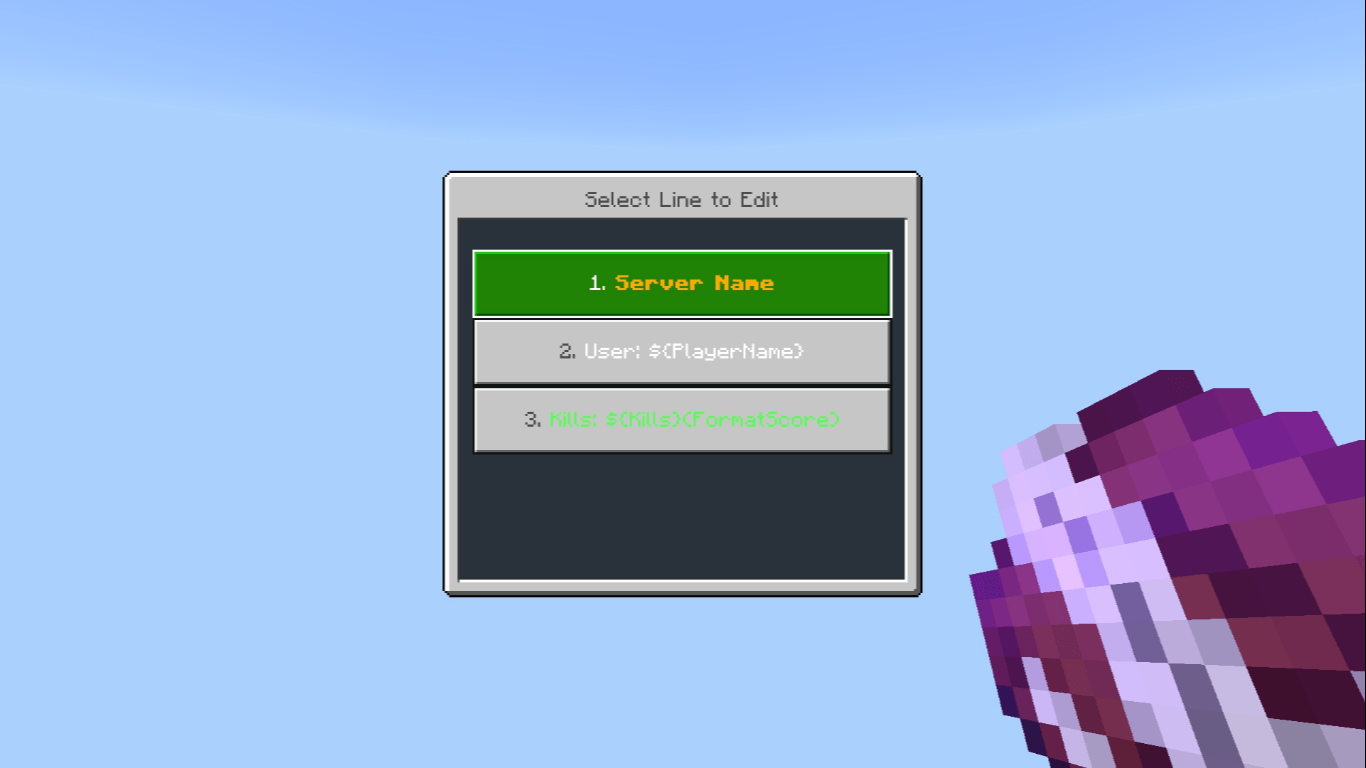
How to Use
/tag @s add admin
- Get the Configuration Item
Open the Creative Inventory and navigate to the Equipment tab to find the Personal Scoreboard configuration item.
Variables & Placeholders.
Use these placeholders inside your scoreboard lines to display live information.
Player Variables
Variable Description
{player_name} Player name
{health(number)} Current health
{health(%)} Health percentage
{xp} Current XP
{xp_max} Maximum XP
{lv} Experience level
{x} X coordinate
{y} Y coordinate
{z} Z coordinate
{cps} Clicks per second
{k} Player kills
{d} Player deaths
Server & Time Variables
Variable Description
{online} Online player count
{tps} Server TPS
{h} Current hour (24-hour)
{h/12} Current hour (12-hour)
{m} Minutes
{s} Seconds
{am/pm} AM / PM
Time variables use the timezone offset configured in Settings.
Playtime Variables
Variable Description
{playtime} Complete playtime
{playtime_days} Days played
{playtime_hours} Hours played
{playtime_minutes} Minutes played
{playtime_seconds} Seconds played
{playtime_total_hours} Total hours played
Scoreboard & Tag Variables
Variable Description
{score(money)} Value from the money objective
{score(kills)} Value from the kills objective
{format(score(money))} Format numbers into K, M, B
{tag(rank : Member)} Get a tag value with a fallback
Replace money, kills, or rank with your own objective or tag prefix.
Animation Variables
Variable Description
{anim(vex_border_move)} Display a custom frame animation
{anim(text(rainbow, "TEXT"))} Rainbow animation
{anim(text(gradient, "TEXT"))} Gradient animation
{anim(text(typewriter, "TEXT"))} Typewriter animation
{anim(text(blink, "TEXT"))} Blinking text
{anim(text(scan, "TEXT", 20))} Scanning animation
Other available effects: flash, loading, police, glitch, marquee, sparkle, reverse, ticker, pulse, mirror, matrix, snake, shimmer, cylon, and bounce.
Custom animations can be created and modified using the in-game Frame Manager.
Tag-Based Multiple Scoreboards.
Personal Scoreboard allows you to create multiple sidebars and control which players can see them using Minecraft tags.
For example:
- Board Name: VIP Scoreboard
- Required Tag: vip
Give a player the required tag: /tag @s add vip ,Players with the vip tag will automatically see the VIP Scoreboard.
Set a Default Scoreboard.
Open Manage Boards → Edit Board, select your board, and enable Set as Default Scoreboard.
The default scoreboard is displayed to players who do not have any matching scoreboard tags.
Versiones
| Minecraft | Cargador | Archivo | Fecha | Acciones |
|---|---|---|---|---|
| 26.30 | — | Personal Scoreboard v3.153.3 KB |
Reseñas
Sé el primero en valorar Personal Scoreboard
