
Fantasy shaders for Minecraft on Iris — page 5
Shaders: list


Orion Shaders
A great shaderpack to give the true cinematic feel to Minecraft.Install

Eternal Prism
Volumetric light, 3D clouds, living water and starry nights — cinematic Iris shader that scales to any PC.Install

I like Blu
A blue toned fork of MellowShaders with cinematic features.Install

MCF Shaders
Sky, clouds, fog, and water all lean into dreamy purple and pink hues.Install

FESGlow
A shader for PvP and beautiful replays for video recording.Install

AmberVeil Shaders
A fantasy-soft Iris shader pack for 1.20.1 with hand-tuned water reflections and colored light bleed through glass.Install

Veylora Shaders
A cinematic Minecraft shader pack featuring volumetric clouds, realistic water, dynamic shadows, atmospheric skies, bloom, and unique Nether and End visuals.Install

AnalogCraft
Adds Beautiful Filters. Transform Minecraft into a playable retro fever dream. Analog features 10 fully authentic camera and screen filters including VHS, Bodycam, Game Boy, and 35mm Film.Install

The Cursed Shaders
This shader for Iris curses your game into a TERIBBLE GAME!Install

Solace Shaders
A warm, stylized cartoon shaderpack with glowing light, soft hazy skies and bright foamy water.Install

Aetheris Lite
An ultra-lightweight, performance-friendly post-processing shader pack that enhances Minecraft's colors and atmosphere without affecting FPS.Install
Saturation Test3
Adjust the saturation/vibrance in the most optimized way possible.Install

Shader of Stars
High-FPS Minecraft shader for iGPUs & laptops, with insane visuals that you could imagine running this fast.Install

NyxaVora
Colorful shaderpack made to make Minecraft feel brighter, softer, and more atmospheric without destroying performance. It keeps the vanilla style recognizable while adding pleasant colors, gentle lighting, and a clean fantasy-like look.Install

Inkboil
Cartoon shaders that animate on twos — the render stays fluid while the drawing is redrawn twelve times a second.Install

Purpliness
Purple shaders, modifies some stuff to be purpleInstall

Nivora Shaders
Nivora Shaders featuring balanced colors, softer sunlight, gentle bloom, and a beautiful vanilla-inspired atmosphere without excessive visual effects.Install

Galaxy shader
A simple shader which changes all blocks universally to display a galaxy/starry night, and gives all entities a golden glowInstall

LumaVale Shaders
LumaVale Shaders is a visual enhancement shader project designed to give Minecraft a more atmospheric and visually pleasing look while keeping the overall appearance balanced and close to the vanilla experience.Install

Banana Shaders
Warmer sunsets, calmer water, and softer clouds.Install
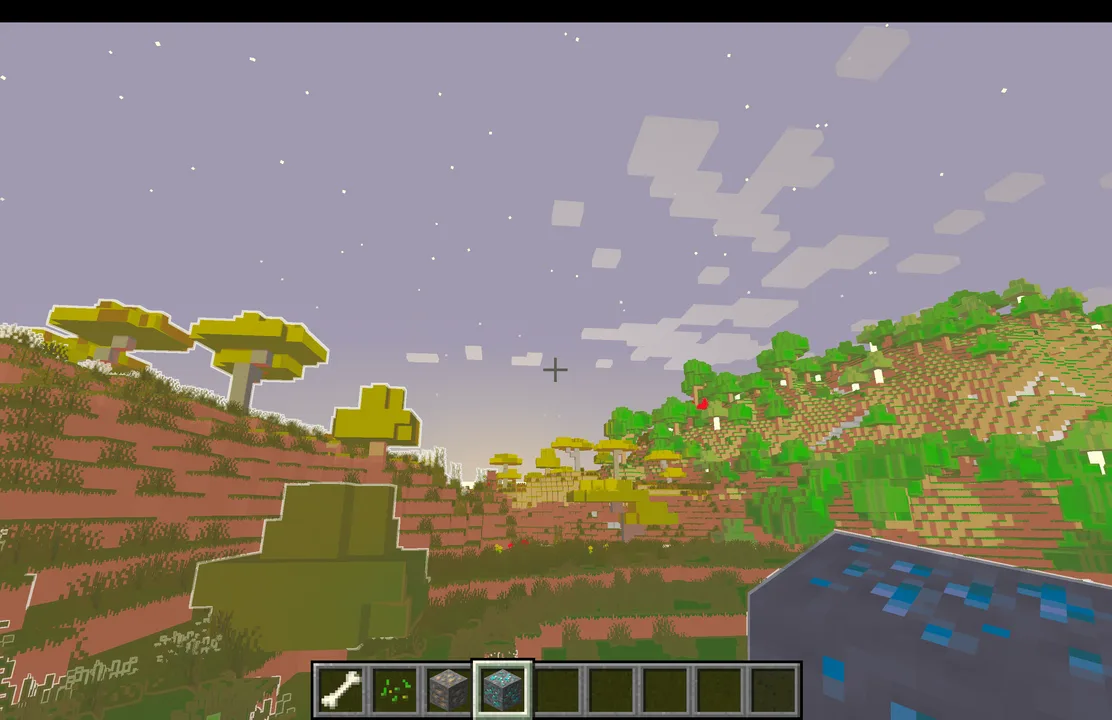
Animtr
This project adds an anime-style overlay to the whole world! It comes with a candy mode and the normal mode for even more fun.Install

SemiRealistic Shader
Lightweight sky & water shader for OptiFine and Iris (1.16.5–26.3). Adds realistic volumetric clouds, sun and moon with phases, god rays, sun glare and lens flare, plus waves that reflect the sky, sun and moon. No shadows, vanilla lighting stays.Install
DepthStyle Shaders
A shader that attempts to recreate the "Depth Style" effect seen in TikTok edits.InstallRequired to run
FAQ
What do I need to get shaders working?
Iris or OptiFine. Iris installs as a Fabric mod and is usually faster; OptiFine is a separate installer. Without one of them the game simply won't see the shader. Millida Launcher installs Iris along with the shader for you.
Which shaders run on a low-end PC?
Light packs without ray tracing and with low shadow resolution. They're marked in the catalog — they give you shadows and water while costing noticeably fewer frames.
How do I install shaders?
Click “Install” and Millida Launcher will put the shader into the shaderpacks folder of the right modpack. Then select the pack in the video settings — no need to unpack the archive.
Iris or OptiFine — which should I choose?
For new versions, Iris: it works with Sodium, usually gives more FPS and supports almost all modern shaders. OptiFine is needed on old versions and for packs that rely on its special features. The two cannot be installed in the same instance.
Are there shaders for Bedrock?
The shaders in this section are for the Java edition; their format does not work in Minecraft PE and Bedrock. Bedrock has a built-in Vibrant Visuals graphics mode and resource packs with deferred rendering support, which are turned on in the game settings.
Fantasy shaders for Minecraft on Iris
Fantasy shaders for Minecraft on Iris: 121 items in the Shaders section. Compatibility is checked against the files, not the description: only items with a build for exactly these conditions stay in the list.
Beauty costs frames. Heavy ray-traced shaders can cut performance several times over even on a good graphics card, so the catalog separately marks light packs built for weak machines: they give you shadows and decent water while barely touching FPS. In practice: first install Iris or OptiFine, then put the shader archive in the shaderpacks folder and select it in the video settings. It's best to start with a light pack, and the quality profiles inside the shader itself lower the load even further.