
Shaders for Minecraft Java 1.8.2 Iris — page 3
Shaders: list


Lightingless
Removes shading engine (NOT FULLBRIGHT!)Install

Lumenite Shaders
A high-end shader focused on great visuals, packed with features like blocklight shadows, colored block lighting, CSM shadows, realistic water physics (vertex manipulation), shader grass, snow footprints, volumetric clouds, god rays and much more.Install

Lux V1: BrickCraft Edition
A version of Lux V1 made in collaboration with and in remembrance of BrickCraft's original creator.Install
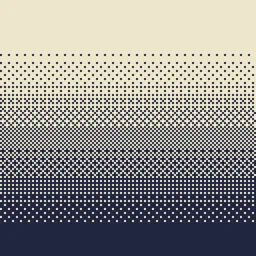
Dithering3D
Pixelated, retro, Dark Fantasy, gradient, B&W, RGB and moreInstall

Bad WiFi
Simulates unstable internet streaming artifacts.Install
CRT Monochrome Shaderpack
This shaderpack turns your game into a retro 1980s-style CRT screenInstall

Dreamers Shaders
A vivid fantasy shaderpack with magical skies — auroras every night, nebulae and magenta sunsets, plus a crystal-clear Nether crowned by fiery infernal auroras. Based on Complementary Unbound.Install

missing textures
a fast, simple, configurable shader with the pink/black missing texture applied everywhereInstall
I Am Not Okay
Dynamic intoxication visual effects shader.Install

Negative Colors
Transform Minecraft with the Negative Color shader,Install

InvertColors-Shader
Make your Minecraft graphics render invertedInstall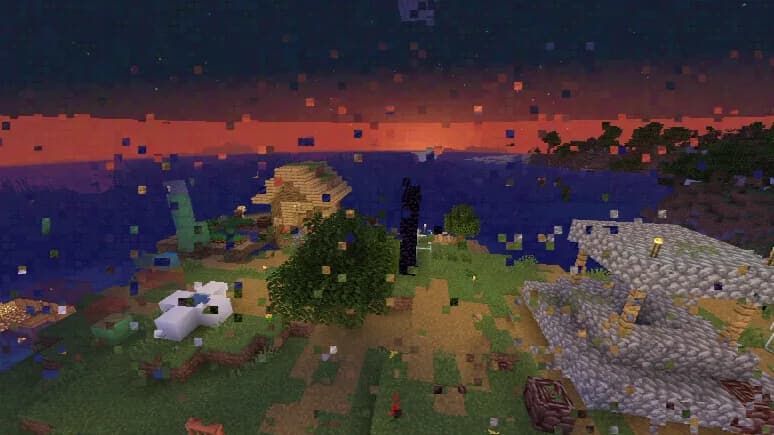

Datamosh
MPEG-style datamosh compression artifacts.Install

Colorblind Swap
Time-varying color perception remapping shader.Install

SMM - Ultra Light Weight Shader
Lightweight shader designed for low-end hardware. like GT 750M / i7-4700HQ #SuperMeltedMatter #light #low end #savetf2Install

Cripe
Visual corruption and display degradation shader.Install

DreamFall Shaders
Immersive 90s analog horror & found footage VHS shaderpack for MinecraftInstall

Hyperopia
Experimental depth-inversion and perceptual focus study.Install

360W
360 Camera-inspired aerial camera simulation shader.Install

AVALux Shaders Reimagined
Preserving the Elements of Minecraft with exceptional Quality and Performance.Install

Animetro
Lightweight rendering with cartoony effects.Install

VHS_Nostalgic
Transforms Minecraft into a nostalgic 90s home video with authentic, customizable VHS tape effects.Install

Demonic Possession
Animated demonic distortion and screen corruption shader.Install

Soleron
A warm, cozy atmosphere and heartwarming shadows.InstallRequired to run
FAQ
What do I need to get shaders working?
Iris or OptiFine. Iris installs as a Fabric mod and is usually faster; OptiFine is a separate installer. Without one of them the game simply won't see the shader. Millida Launcher installs Iris along with the shader for you.
Which shaders run on a low-end PC?
Light packs without ray tracing and with low shadow resolution. They're marked in the catalog — they give you shadows and water while costing noticeably fewer frames.
How do I install shaders?
Click “Install” and Millida Launcher will put the shader into the shaderpacks folder of the right modpack. Then select the pack in the video settings — no need to unpack the archive.
Iris or OptiFine — which should I choose?
For new versions, Iris: it works with Sodium, usually gives more FPS and supports almost all modern shaders. OptiFine is needed on old versions and for packs that rely on its special features. The two cannot be installed in the same instance.
Are there shaders for Bedrock?
The shaders in this section are for the Java edition; their format does not work in Minecraft PE and Bedrock. Bedrock has a built-in Vibrant Visuals graphics mode and resource packs with deferred rendering support, which are turned on in the game settings.
Shaders for Minecraft Java 1.8.2 Iris
Shaders for Minecraft 1.8.2 Iris: 93 items in the Shaders section. Compatibility is checked against the files, not the description: only items with a build for exactly these conditions stay in the list.
Beauty costs frames. Heavy ray-traced shaders can cut performance several times over even on a good graphics card, so the catalog separately marks light packs built for weak machines: they give you shadows and decent water while barely touching FPS. In practice: first install Iris or OptiFine, then put the shader archive in the shaderpacks folder and select it in the video settings. It's best to start with a light pack, and the quality profiles inside the shader itself lower the load even further.