
Shaders for Minecraft 1.21 — page 22
725 itemsShaders: list


FeatherLight
Lightweight shaders that run on old PCs and New PC's but look super realistic: clear water, a real night sky, a dreamy End, soft shadows. 5 presets from Potato to Ultra. Iris & OptiFine, 1.21+.Install

Wind Shaders
Every effect is tuned for depth and realism.Install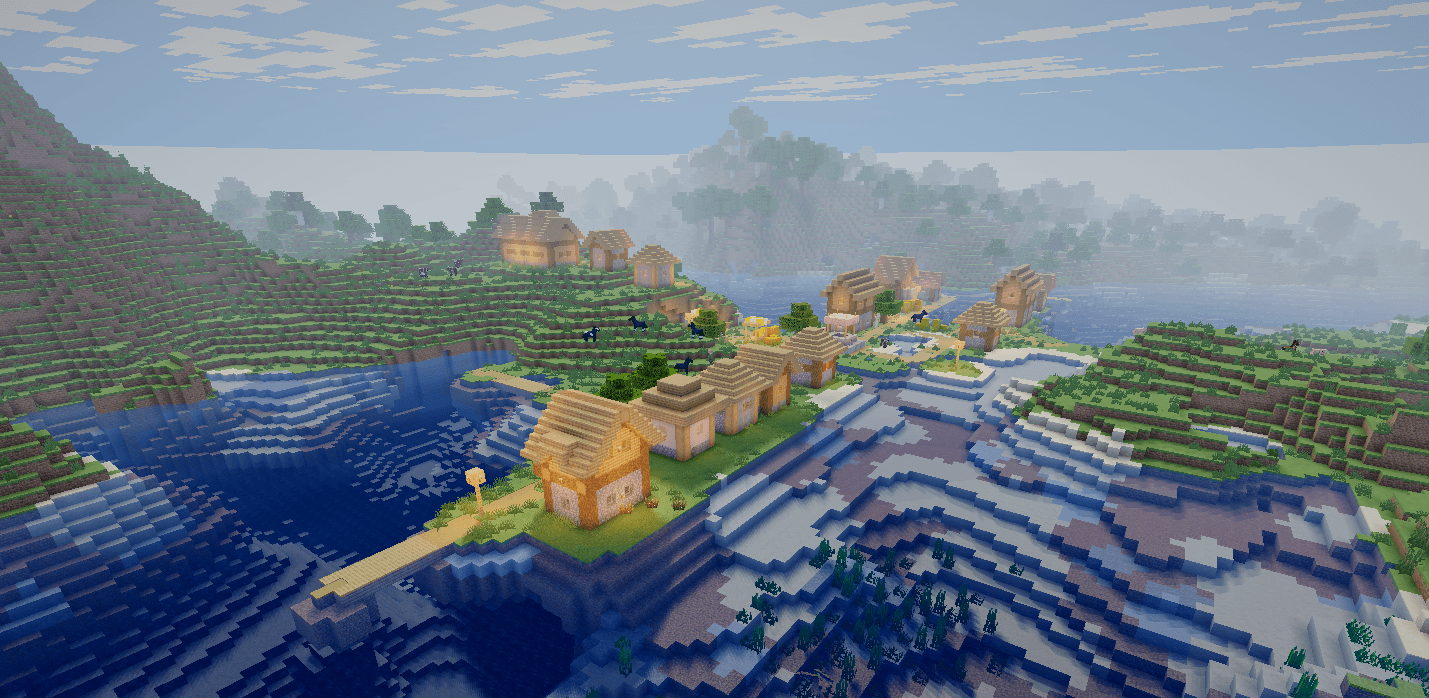
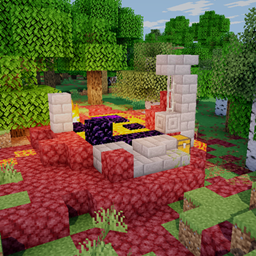
Skyrune Shader
A very lightweight ShaderPack, for potato pc's, but it still has great visuals and magnificiant waterInstall

EventHorizon
EventHorizon is a remix of the Complementary R4.7 shader.Install

RtfShader
A clean Minecraft shaderpack with smooth lighting, atmospheric visuals, and balanced effects for everyday gameplay.Install

True Vanilla
A chill vanilla-style High Performance Shader with tweakable fog, colors, and fun filters. Looks clean, runs light.Install

HighFrames
HighFrames is a lightweight Minecraft shader focused on delivering smooth gameplay with subtle visual enhancements like soft shadows, bloom, and animated water.Install

NOISE Shaders
An atmospheric shader pack for Minecraft with cinematic lighting, deep shadows, reflective water, soft fog and dark moody nights.Install

Sylbobek's Shader Pack
Transform your Minecraft worlds with reflective water, soft shadows, atmospheric skies and waving foliage. Choose your look with customizable quality profiles.Install

SwiftShade
Ultra-lightweight PvP & aesthetic shader with dark emerald grass, vibrant colors, atmospheric fog, and maximum FPS.Install

Velora shader turbo
Ultra-smooth Minecraft shader with stunning lighting, realistic water, and maximum FPS. Designed for every PC.Install

Yukee Shaders
An anime-inspired Iris shaderpack with illustrated skies, soft pastel colors, outlines, and sunlight shadows.Install

blackhole
The most realistic black hole in Minecraft.Install

Nexus Unbound
The Nexus Unbound, is a modern and cool shaderpack, for Iris, and OptiFine more details in descriptionInstall
HSN-Shaders
Adding lite shaders while retaining performance.Install

SSRE Shader
A balanced, cold-toned tropical shader offering vibrant color and semi realistic enviroment with great fps.Install

Realistic Vibes
Realistic Vibes is a lightweight shaderpack for the Iris mod that brings a few high-impact, BSL-inspired visual upgrades to vanilla Minecraft without tanking your FPS.Install

HolexShader Reimaged
Cherry Reimagined is a modern Minecraft shaderpack focused on realistic lighting, vibrant colors, cinematic skies, immersive water, and high performance.Install

Tachyon Shaders
A highly customizable shader designed for performance, offering both vanilla+ and a more visuals oriented style.Install

Helios Shaders
Helio Shaders is a lightweight Minecraft shaderpack focused on improved lighting, realistic sun and sky colors, soft atmospheric fog, and enhanced terrain shading.Install

Carmine
A shaderpack that adds a Carmine theme to the game - Perfect for horror mods and adventure maps!Install

LiteFrames Shaders
A shader that tries to recreate childhood nostalgia.Install
Polaroid90s
Polaroid 90s Shader — Cold, faded, like an old photo from the 90s!InstallRequired to run
FAQ
What do I need to get shaders working?
Iris or OptiFine. Iris installs as a Fabric mod and is usually faster; OptiFine is a separate installer. Without one of them the game simply won't see the shader. Millida Launcher installs Iris along with the shader for you.
Which shaders run on a low-end PC?
Light packs without ray tracing and with low shadow resolution. They're marked in the catalog — they give you shadows and water while costing noticeably fewer frames.
How do I install shaders?
Click “Install” and Millida Launcher will put the shader into the shaderpacks folder of the right modpack. Then select the pack in the video settings — no need to unpack the archive.
Iris or OptiFine — which should I choose?
For new versions, Iris: it works with Sodium, usually gives more FPS and supports almost all modern shaders. OptiFine is needed on old versions and for packs that rely on its special features. The two cannot be installed in the same instance.
Are there shaders for Bedrock?
The shaders in this section are for the Java edition; their format does not work in Minecraft PE and Bedrock. Bedrock has a built-in Vibrant Visuals graphics mode and resource packs with deferred rendering support, which are turned on in the game settings.
Shaders for Minecraft 1.21
Shaders for Minecraft 1.21: 725 items in the Shaders section. Compatibility is checked against the files, not the description: only items with a build for exactly these conditions stay in the list.
Beauty costs frames. Heavy ray-traced shaders can cut performance several times over even on a good graphics card, so the catalog separately marks light packs built for weak machines: they give you shadows and decent water while barely touching FPS. In practice: first install Iris or OptiFine, then put the shader archive in the shaderpacks folder and select it in the video settings. It's best to start with a light pack, and the quality profiles inside the shader itself lower the load even further.