
Shaders for Minecraft 1.21 Iris — page 19
597 itemsShaders: list



Visuality shaders
Visuality shaders follows one simple philosophy: Beautiful visuals, smooth performance, and an immersive Minecraft experience for everyone.Install

Marigold Shaders
A warm and cozy Mellow edit made for high FPS gameplay.Install
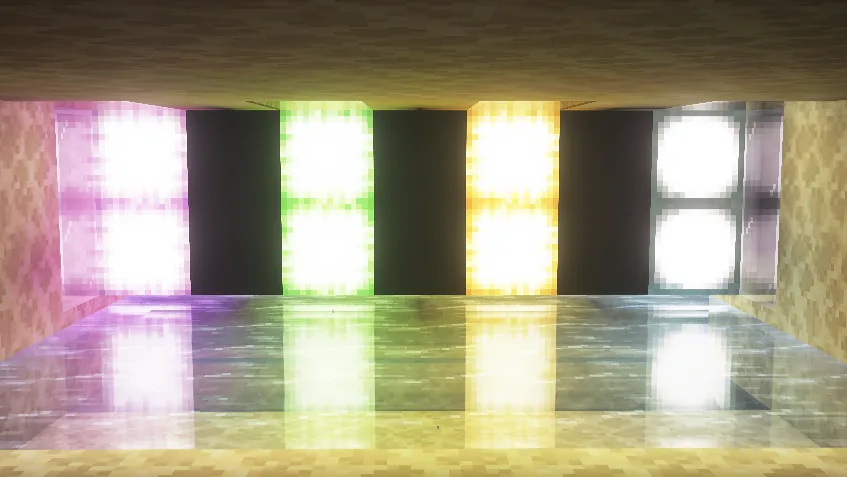
UpaamaShaders
UpaamaShaders is a shader pack that makes Minecraft visually more pleasant while keeping the recognizable vanilla style. It adds cinematic lighting, soft realistic shadows and a dynamic atmosphere. The sky looks deeper thanks to high-quality clouds and beautifulInstall

Neon Reverie
Neon Reverie is a shader pack based on Complementary Reimagined. It changes the visual style of the game to a softer and more atmospheric one, adding bright accents and a fantasy aesthetic. The pack uses PBR materials to improve surface detail and introduces coloredInstall

Simple Grayscale
Quick shader with an ON/OFF switch to make everything gray.Install

Aalu Shaders
Extremely lightweight shaders with shadows and reflections.Install

ClearVision Shader
Ultra clear and bright shader with enhanced colors, smooth lighting, and built-in night vision for perfect visibility in all dimensions.Install

Renford Tomlinson
Best Shaderpack for Youtube Videos / Thumbnails / Horror ContentInstall

VanillaX Shaders
A shaderpack that brings a clean and modern visual upgrade to Minecraft while preserving the game’s classic atmosphere and vanilla charm.Install

Gleam
A beautiful, extremely customizable and performant shader edit of MakeUp-UltraFast focused on fantasy visuals.Install

SummerShaders
Summer Shaders – Summer vibes with emissive effects and blue-toned water.Install

Cozy Shader
Warm golden lighting with sunrise and sunset color shifts, cozy orange torchlight, animated water with depth-based coloring, soft fog, and a subtle vignette.Install

Aetheria Shader
🎮 Are you looking for a shader for Minecraft, but your device is weak and can't handle it? ✨ Well, you've come to the right place! ⚙️ This shader allows you to customize its performance level to match your PC. You can set it to Low mode and get amazingInstall

Dara
Dara — a lightweight, atmospheric shader pack for Iris: soft shadows, warm torchlight, animated water with highlights, and cinematic color grading — with no FPS hit.Install

EzSaturation
Adds a simple slider which allows you to change saturationInstall

Hearthglow Cottagecore cosy shader
Hearthglow is a cottagecore shader for Minecraft (Iris & OptiFine): warm ambient light, soft glow, pastel tones. No other shader is built specifically for the cozy aesthetic.Install

Lunaris Shader
Transforming the visuals of Minecraft with exceptional quality, detail, and performance.Install

Blind Shader
A shader that makes it hard to see on any distance.Install

VanillAqua Reflections
A simple Minecraft shader focused on realistic water rendering and subtle vanilla visual enhancements.Install

VoidDream
VoidDream turns Minecraft deeply unsettling — inverted lighting, color-shifting world and glowing block outlines. Strange enough to feel wrong, balanced enough to play.Install
No Blindness Shader
No Blindness Shader — Removes the blindness effect completely. No more dark screen from Elder Guardian or potions!Install

Moon Shaders
A lightweight Minecraft shader focused on delivering beautiful visualsInstall

Cyberspace Shaders
Cyberpunk 2077 Cyberspace LiDAR effect shadersInstallRequired to run
FAQ
What do I need to get shaders working?
Iris or OptiFine. Iris installs as a Fabric mod and is usually faster; OptiFine is a separate installer. Without one of them the game simply won't see the shader. Millida Launcher installs Iris along with the shader for you.
Which shaders run on a low-end PC?
Light packs without ray tracing and with low shadow resolution. They're marked in the catalog — they give you shadows and water while costing noticeably fewer frames.
How do I install shaders?
Click “Install” and Millida Launcher will put the shader into the shaderpacks folder of the right modpack. Then select the pack in the video settings — no need to unpack the archive.
Iris or OptiFine — which should I choose?
For new versions, Iris: it works with Sodium, usually gives more FPS and supports almost all modern shaders. OptiFine is needed on old versions and for packs that rely on its special features. The two cannot be installed in the same instance.
Are there shaders for Bedrock?
The shaders in this section are for the Java edition; their format does not work in Minecraft PE and Bedrock. Bedrock has a built-in Vibrant Visuals graphics mode and resource packs with deferred rendering support, which are turned on in the game settings.
Shaders for Minecraft 1.21 Iris
Shaders for Minecraft 1.21 Iris: 597 items in the Shaders section. Compatibility is checked against the files, not the description: only items with a build for exactly these conditions stay in the list.
Beauty costs frames. Heavy ray-traced shaders can cut performance several times over even on a good graphics card, so the catalog separately marks light packs built for weak machines: they give you shadows and decent water while barely touching FPS. In practice: first install Iris or OptiFine, then put the shader archive in the shaderpacks folder and select it in the video settings. It's best to start with a light pack, and the quality profiles inside the shader itself lower the load even further.