
Shaders for Minecraft 1.13 Iris — page 4
152 itemsShaders: list


Hex's Default Shaders Rewrite
An shader made for myself! Semi-Realistic Style. (Hex Vanilla Shaders for og ppl)Install
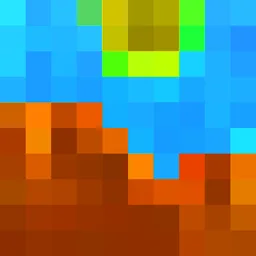
i hate shadows
Fullbright shader, banished every shadow.👋 You’re welcome.Install

Outline Shader
A shader based on the original style, which can add outline for game object and make the graphics more cartoonishInstall
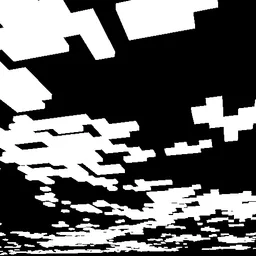
CMS - Cloud Mask Shaders
Shader that makes clouds white, and everything else, blackInstall

Verlixia
An high-end overhaul of BSL Shaders, featuring multi-colored block lighting, heat haze effect, realistic wet reflections and more!Install

Ancient Dream
A lightweight horror-themed shader that adds visual effects without compromising gameplay and performance.Install

SCAN
Scan the space around you - each pulse of light shows you where you are...Install

Luster Shaders
Cinematic Minecraft Shader built off Photon and is for Iris. Dynamic atmosphere, volumetric clouds, Screen Space Path Tracing, PBR, water & reflections — built for gameplay, all with Apple Silicon in mindInstall

Pollution 2035 Shaders
[WIP] In 2035, the world was severely polluted due to industrial emissions...Install

CRT Shader
A stylized shader aimed to make your game look retro!Install

ASCII Shader
A shader intended to make Minecraft render only with ASCII characters!Install

MakeUp - Breezy
A cel‑shaded, anime‑style shader pack, based on MakeUp - UltraFast.Install

Comic Shaders
A shader pack that emulates the look of classic comic books.Install

Wispy Shader
One of if not the best peformance shader without compromising on customizability and visuals.Install

Lightingless
Removes shading engine (NOT FULLBRIGHT!)Install

VertaLux
A shaderpack designed to bring stunning realism to your Minecraft world while remaining completely survival-friendly. Experience beautiful 3D volumetric clouds, pixel-perfect shadows, and gorgeous oceans without compromising your daily gameplay. Please notInstall

Lux V1: BrickCraft Edition
A version of Lux V1 made in collaboration with and in remembrance of BrickCraft's original creator.Install

Lumenite Shaders
A high-end shader focused on great visuals, packed with features like blocklight shadows, colored block lighting, CSM shadows, realistic water physics (vertex manipulation), shader grass, snow footprints, volumetric clouds, god rays and much more.Install
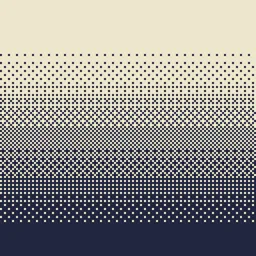
Dithering3D
Pixelated, retro, Dark Fantasy, gradient, B&W, RGB and moreInstall

Pumpkin
Shaders that (try) to not make your computer cry.Install

Bad WiFi
Simulates unstable internet streaming artifacts.Install
CRT Monochrome Shaderpack
This shaderpack turns your game into a retro 1980s-style CRT screenInstall

HyperShader
Hyper-realistic visuals with smooth FPS — built for low-end PCs. Tune every detail in-game: water, lava, sun, moon, stars and more.InstallRequired to run
FAQ
What do I need to get shaders working?
Iris or OptiFine. Iris installs as a Fabric mod and is usually faster; OptiFine is a separate installer. Without one of them the game simply won't see the shader. Millida Launcher installs Iris along with the shader for you.
Which shaders run on a low-end PC?
Light packs without ray tracing and with low shadow resolution. They're marked in the catalog — they give you shadows and water while costing noticeably fewer frames.
How do I install shaders?
Click “Install” and Millida Launcher will put the shader into the shaderpacks folder of the right modpack. Then select the pack in the video settings — no need to unpack the archive.
Iris or OptiFine — which should I choose?
For new versions, Iris: it works with Sodium, usually gives more FPS and supports almost all modern shaders. OptiFine is needed on old versions and for packs that rely on its special features. The two cannot be installed in the same instance.
Are there shaders for Bedrock?
The shaders in this section are for the Java edition; their format does not work in Minecraft PE and Bedrock. Bedrock has a built-in Vibrant Visuals graphics mode and resource packs with deferred rendering support, which are turned on in the game settings.
Shaders for Minecraft 1.13 Iris
Shaders for Minecraft 1.13 Iris: 152 items in the Shaders section. Compatibility is checked against the files, not the description: only items with a build for exactly these conditions stay in the list.
Beauty costs frames. Heavy ray-traced shaders can cut performance several times over even on a good graphics card, so the catalog separately marks light packs built for weak machines: they give you shadows and decent water while barely touching FPS. In practice: first install Iris or OptiFine, then put the shader archive in the shaderpacks folder and select it in the video settings. It's best to start with a light pack, and the quality profiles inside the shader itself lower the load even further.