
Shaders for Minecraft Java 1.12 Iris — page 3
142 itemsShaders: list



Zayko Shaders
Built for quality sometimes at playable performance + Built in PBR, Emissive Textures, and amazing adjustability.Install

SillyWankerShader
A minecraft Shader which tries to keep the vanilla look, while adding functionalities like other shaders and implementing some own silly things like Color ManipulationInstall

DMS - Depth Map Shaders
A shader pack that turns your world into a depth mapInstall

BrighterAccessibility
Removes the shadows and fog from the game for visually impaired people. Has Distant Horizons support.Install

Vanilish Shaders
A lightweight shader that adds a realistic, warm atmosphere and soft lighting to Minecraft while maintaining the vanilla style.Install

Prismarine Shader
A fantasy stylized shaderpack aiming to make Minecraft look stunning and beautifulInstall
Anti Aliasing (TAA, FXAA)
Fix rendering aliasing (TAA, FXAA)Install

Kute
A lightweight shader that’s easy on performance and gives Minecraft a soft, dreamy vibe :D First shader i created :DInstall

B&W Shader
A shader that completely turns your game into a black and white versionInstall

WEM - White Entities Mask
Turns all entities white so it's easy to mask in Photoshop and or After EffectsInstall

PSX-Core Shader
A PSX shader with affine texture mapping, dithering, vertex snapping and more!Install

NMS - Normal Map Shaders
A shader pack that turns your world into a normal mapInstall

Thunder's Motion Blur
Lightweight and performant shader for motion blur. Looks good even at 4 samples. Great for PVP.Install

EclipseShader
Transform your Minecraft world with EclipseShader, a next-generation shader designed to deliver stunning visuals without sacrificing smooth gameplayInstall

Cursed Shader (Metamorphopsia)
Somewhat similar to the “Metamorphopsia” effectInstall

Miasma
Miasma - Cel-shading shader that transforms Minecraft into a toxic, mesmerizing planet, inspired by the iconic style of Borderlands.Install

LIGHT Ray Shaders
Light but not just light, make you enjoy advanced render with no lag.Install

Velocity
A higher performance shader forked from Mellow. Support low end and higher end builds. Even runs on integrated graphics!Install

Fullbright+ Shaders
A lightweight Minecraft shader that removes darkness by providing full brightness, making caves, nights, and dim areas fully visible while keeping gameplay simple and performance-friendly. Compatible with Iris, Oculus, OptiFine and ColorWheel.Install
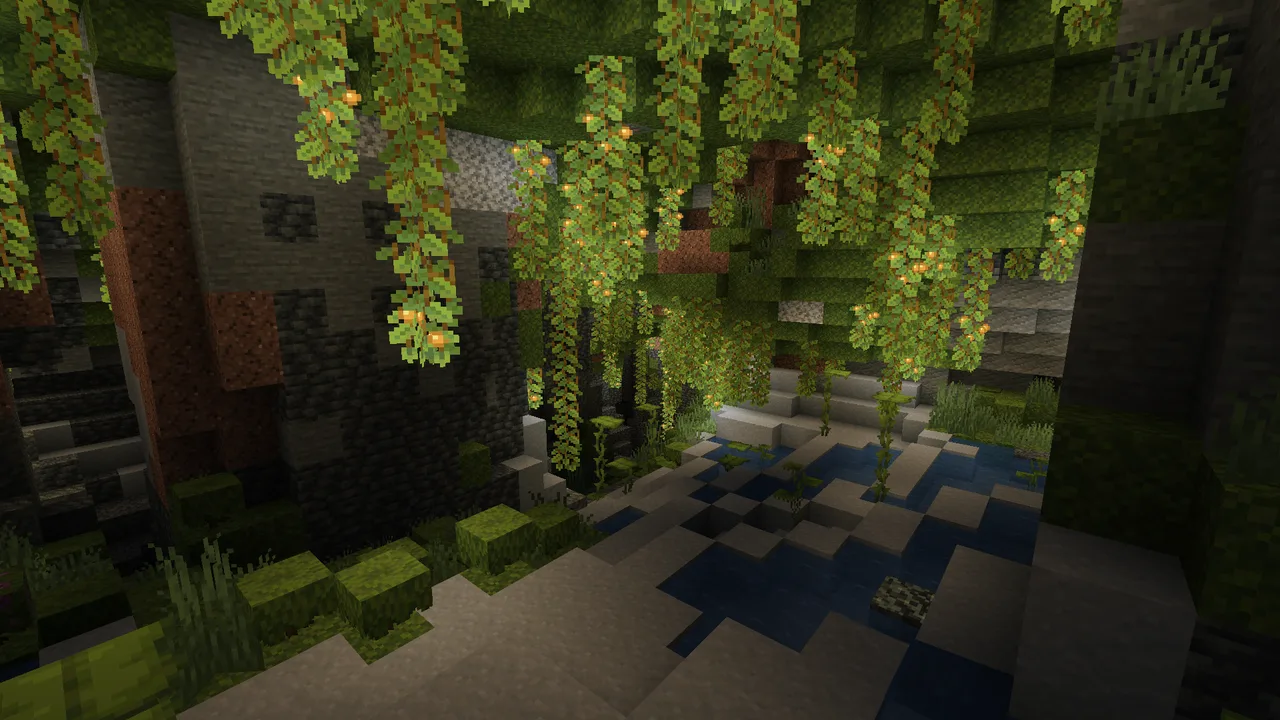
Cinematic Color Correction
This shader gives the game a more cinematic look by changing the color and adding a Bloom effect.Install

Sinus Shader - Sine Wave
A Shader that renders Minecraft in a Sine Wave Function. Looks very cursed, why would you want that? Customizable frequency and attitude. Have fun with the motion sickness...Install

Muuf A.G.I Shaders
A simple Minecraft Shaders for Low end deviceInstall

Hex's Default Shaders Rewrite
An shader made for myself! Semi-Realistic Style. (Hex Vanilla Shaders for og ppl)InstallRequired to run
FAQ
What do I need to get shaders working?
Iris or OptiFine. Iris installs as a Fabric mod and is usually faster; OptiFine is a separate installer. Without one of them the game simply won't see the shader. Millida Launcher installs Iris along with the shader for you.
Which shaders run on a low-end PC?
Light packs without ray tracing and with low shadow resolution. They're marked in the catalog — they give you shadows and water while costing noticeably fewer frames.
How do I install shaders?
Click “Install” and Millida Launcher will put the shader into the shaderpacks folder of the right modpack. Then select the pack in the video settings — no need to unpack the archive.
Iris or OptiFine — which should I choose?
For new versions, Iris: it works with Sodium, usually gives more FPS and supports almost all modern shaders. OptiFine is needed on old versions and for packs that rely on its special features. The two cannot be installed in the same instance.
Are there shaders for Bedrock?
The shaders in this section are for the Java edition; their format does not work in Minecraft PE and Bedrock. Bedrock has a built-in Vibrant Visuals graphics mode and resource packs with deferred rendering support, which are turned on in the game settings.
Shaders for Minecraft Java 1.12 Iris
Shaders for Minecraft 1.12 Iris: 142 items in the Shaders section. Compatibility is checked against the files, not the description: only items with a build for exactly these conditions stay in the list.
Beauty costs frames. Heavy ray-traced shaders can cut performance several times over even on a good graphics card, so the catalog separately marks light packs built for weak machines: they give you shadows and decent water while barely touching FPS. In practice: first install Iris or OptiFine, then put the shader archive in the shaderpacks folder and select it in the video settings. It's best to start with a light pack, and the quality profiles inside the shader itself lower the load even further.