
Minecraft server plugins — page 77
3,787 itemsPlugins: list

KitMaster
The definitive kit plugin for CraftBukkitOn a server
SuperLobbyDeluxe
Super Lobby It is a plugin for your lobby, allowing you to customize many thingsOn a server

Simple Death Chest
If it's not clear enough by the title, it stores the player's items once they die in a chest :) And... that's it (basically a Grave)On a serverBouncy Beds
Beds are now fun!On a serverImageGenerator
Adds a command that generates pixelart from the URL of the image.On a serverAdminSword
Gives admins and others AdminSwordsOn a server

Lifesteal Plugin
A fully customizable, production-grade Minecraft plugin that implements a complete lifesteal system with hearts, bans, revives, MySQL support, advanced crafting recipes, and full admin control — designed for scalable SMP servers.On a server
Anti Spam.
A free anti spam plugin for a spam-less server!On a serverDouble Jump
Double JumpOn a serverSplegg
SpleggOn a server

Nuke
NukeOn a server

Prayer
Use the /pray command to issue prayer requests to the gods.On a server

Server Jobs
Easy plugin which allows you to make a jobs on your server.On a server
Aurora Enchantments
Aurora EnchantmentsOn a server
MailBox
Send a packageOn a server
F Invsee
Inspect a player inventory/armour/off-hand/ with a custom gui / FinvseeOn a server

RegionJukebox
Is the default Minecraft music a little dull? Would you like to add atmospheric music to your regions? Do it with RegionJukebox!On a server

Duties
DutiesOn a server

Assassins
Assassins adds a different style option for PVPOn a server
MineralManager
Allows blocks a chance to respawn increasing resources per chunk.On a server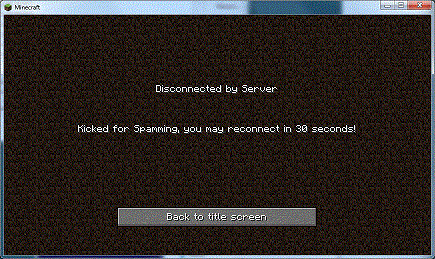
SpamProtect
Anti Spam/Flood tool, Protects against bot DDOS attacks.On a server

pv-addon-spectator
Server-side Plasmo Voice add-on. With this add-on all players can hear spectators.On a serverCommandPoints MobDisguise Bridge
Allows normal users to disguise themselves as mobs for CommandPoints!On a serverFAQ
How is a plugin different from a mod?
A plugin runs only on the server and requires nothing from players: the client stays vanilla. A mod has to be installed by everyone, and it changes the game itself.
Where do I put a plugin?
Put the .jar file in the plugins folder on the server, then restart the server. The plugin will create its config on first launch.
Will a Spigot plugin work on Paper?
Usually yes: Paper and Purpur are built on Spigot and are compatible with its plugins. The reverse isn't true — a plugin that uses Paper features won't work on plain Spigot.
How do I install a plugin on Aternos?
On Aternos, plugins can only be installed from the built-in list in the “Plugins” section of the panel. You can't upload your own .jar file, so paid and rare plugins can't be installed on Aternos. If the plugin you need isn't on the list, you need hosting with access to the plugins folder: put the file there and restart the server.
Which plugins should I install on a server first?
People usually start with four: EssentialsX (homes, warps, kits, teleport), LuckPerms (groups and permissions), WorldGuard together with WorldEdit (spawn and region protection) and ViaVersion (joining from other game versions). For a server with nickname login, add AuthMe for passwords and SkinsRestorer for skins.
Which plugins should I install on a server for playing with friends?
A small server for friends needs just a few: EssentialsX (home, teleport to a friend, warps), CoreProtect (rolling back griefing and finding who broke a block) and Simple Voice Chat for voice chat, which needs the mod of the same name on players' side. Permissions and region protection are usually unnecessary on such a server.
How do I install a plugin on Paper?
Download the plugin file for your Paper version, put the .jar into the plugins folder and restart the server — the /plugins command will list it. On Millida Hosting the On a server button on the plugin page does the same.
Minecraft server plugins
A plugin is installed on the server, not by the player, and that's the whole difference from a mod: the client stays plain vanilla, and you can join the server without downloading a single file. Plugins run on server cores — Paper, Spigot, Bukkit, Purpur, Folia — while Velocity and BungeeCord are used for proxies between servers. The core matters as much as the version: a Paper plugin will almost always run on Purpur, but a Velocity plugin won't start on a regular server at all.
The useful minimum for a server is almost always the same: EssentialsX for basic commands, LuckPerms for permissions, WorldGuard together with WorldEdit for region protection and CoreProtect to roll back griefing. Servers with nickname login add AuthMe and SkinsRestorer, servers for friends add Simple Voice Chat. On Millida Hosting a free plugin from the catalog goes onto the server with the On a server button on its page, no manual .jar upload.
Plugins handle almost everything behind the scenes on a server: ranks and permissions, land protection, economy and shops, anti-cheat, map rotation, menus and voting. You install them by copying the .jar file into the plugins folder and restarting the server; most create their own config on first launch, which is what you then edit. The card lists supported cores and game versions, the author and license, and all releases are gathered on one page — you can update the plugin right from there.