
Minecraft server plugins — page 74
3,787 itemsPlugins: list


Smelter
SmelterOn a serverWeaponLevels
Level up weapons, items, armor, and more!On a server
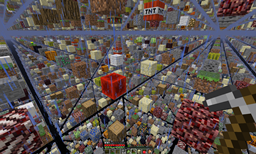
Ultimate SkyGrid
1.5.1 compatible SkyGrid mod based off of SethBling's idea.On a server

iBlock
iBlock - Don't let users place/break banned blocksOn a serverSnowBallNextDoor
Snowball do damage!On a server
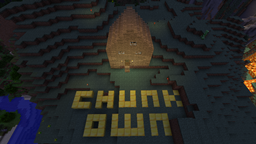
ChunkOwn
Allow Player's to buy land that others can't griefOn a serverCorpses
when a player dies, it leaves a corpse!On a server

BeastLib
BeastLib is dependency for Beast plugins like BeastWithdraw, BeastTokens & BeastSpawnersOn a server
iRestore
A plugin made to restore a player's inventory and experience after getting killed by another player.On a server
ChunkSpawnerLimiter
Enforces mob limits per chunk on mob spawners.On a serverNoobResponse
Deal with stupid questions you get 500 times a day.On a server

FamoustLottery
A simple Lottery plugin.On a server
rEssentials 1.5 - Powerful admin commands!
rEssentials 1.5 - Powerful admin commands!On a server
MaintenanceMode
MaintenanceModeOn a serverServerHub
A quick, mobile hub for your server!On a serverRedeemMCMMO
Players can automatically redeem MCMMO levels when given credits.On a serverRandomArmorEffects
Custom enchants from books, like CosmicPVP!On a server

Buildr
Toolbox for faster and easier buildingOn a server

BetonQuest
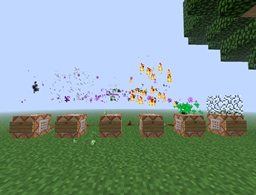
Create unique Quests and Storylines! 🏆 Top 10 best rated Spigot Plugin of all time 🏆 Interactive Conversations with Choices. Quest Logs, Menus, Items, Notifications, Holograms, Translations. Integrates with 36 of your favorite Plugins!On a server
Accessories
AccessoriesOn a server

Lush Rewards
LushRewards is a hugely configurable Rewards plugin that will help you reward your players for playing on the server. You can reward your players day by day (daily rewards), or for playing hours on your server (playtime rewards)On a serverEmotes
A simple plugin that adds commands such as /kiss. The intention is to add a way to express your feelings towards other players.On a server

Zephyrus
Brings magic into the world of Minecraft with spells and itemsOn a serverFAQ
How is a plugin different from a mod?
A plugin runs only on the server and requires nothing from players: the client stays vanilla. A mod has to be installed by everyone, and it changes the game itself.
Where do I put a plugin?
Put the .jar file in the plugins folder on the server, then restart the server. The plugin will create its config on first launch.
Will a Spigot plugin work on Paper?
Usually yes: Paper and Purpur are built on Spigot and are compatible with its plugins. The reverse isn't true — a plugin that uses Paper features won't work on plain Spigot.
How do I install a plugin on Aternos?
On Aternos, plugins can only be installed from the built-in list in the “Plugins” section of the panel. You can't upload your own .jar file, so paid and rare plugins can't be installed on Aternos. If the plugin you need isn't on the list, you need hosting with access to the plugins folder: put the file there and restart the server.
Which plugins should I install on a server first?
People usually start with four: EssentialsX (homes, warps, kits, teleport), LuckPerms (groups and permissions), WorldGuard together with WorldEdit (spawn and region protection) and ViaVersion (joining from other game versions). For a server with nickname login, add AuthMe for passwords and SkinsRestorer for skins.
Which plugins should I install on a server for playing with friends?
A small server for friends needs just a few: EssentialsX (home, teleport to a friend, warps), CoreProtect (rolling back griefing and finding who broke a block) and Simple Voice Chat for voice chat, which needs the mod of the same name on players' side. Permissions and region protection are usually unnecessary on such a server.
How do I install a plugin on Paper?
Download the plugin file for your Paper version, put the .jar into the plugins folder and restart the server — the /plugins command will list it. On Millida Hosting the On a server button on the plugin page does the same.
Minecraft server plugins
A plugin is installed on the server, not by the player, and that's the whole difference from a mod: the client stays plain vanilla, and you can join the server without downloading a single file. Plugins run on server cores — Paper, Spigot, Bukkit, Purpur, Folia — while Velocity and BungeeCord are used for proxies between servers. The core matters as much as the version: a Paper plugin will almost always run on Purpur, but a Velocity plugin won't start on a regular server at all.
The useful minimum for a server is almost always the same: EssentialsX for basic commands, LuckPerms for permissions, WorldGuard together with WorldEdit for region protection and CoreProtect to roll back griefing. Servers with nickname login add AuthMe and SkinsRestorer, servers for friends add Simple Voice Chat. On Millida Hosting a free plugin from the catalog goes onto the server with the On a server button on its page, no manual .jar upload.
Plugins handle almost everything behind the scenes on a server: ranks and permissions, land protection, economy and shops, anti-cheat, map rotation, menus and voting. You install them by copying the .jar file into the plugins folder and restarting the server; most create their own config on first launch, which is what you then edit. The card lists supported cores and game versions, the author and license, and all releases are gathered on one page — you can update the plugin right from there.