
Minecraft server plugins — page 25
3,785 itemsPlugins: list




SCore
A library plugin for all Ssomar's pluginsOn a serverHead-Drops
Dropped Heads from all Mobs and Players!On a server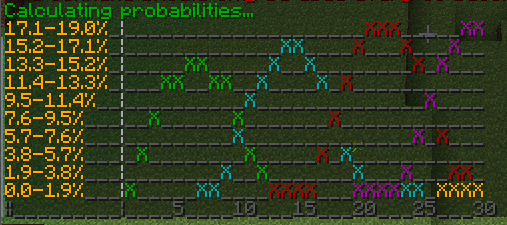
EnchantmentAPI
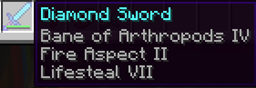
EnchantmentAPI enables simple custom enchantment creation that behave like any vanilla enchantments!On a server

SpoutEssentials
Utilize the features in Spout using SpoutEssentials, for a whole ton of fun!On a server

Brutal Nightmare : Insane Difficult
Minecraft too easy? Try this mods with nearly 40 modifiers - settings new mini bosses, which made minecraft become hard & insane. Enhanced hostile mobs' AI & Angry passive mob. Zombie place/break blocks. Skeleton,Spider,Creeper,Enderman.On a server
NBT-API
Add custom NBT tags or modify tags of Items/Entities/Tiles without NMS!On a server

InteractiveChat
Chat enchancing plugin to work on top of your chat formatting plugins, adding functionalities such as sharing items and inventories to chat, and creation of custom chat placeholders!On a server

NoEmotecraft
Emotecraft fork with 1.21.x updateOn a server

SimpleScore
A simple animated scoreboard plugin for your server.On a server
CommandWhitelist
You decide what commands players can use or tab complete on your server!On a server

BleedingMobs
Make those mobs bleed!On a server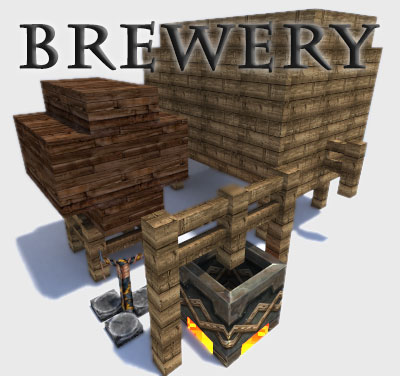
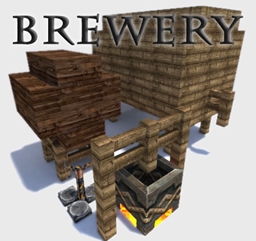
Brewery
Brew alcoholic potions, get drunk and have fun!On a serverDeathPenalty
Penalize players on death by making them ghosts when they die!On a server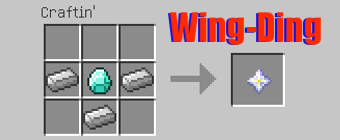

Hero Universe
Play as spuer heros from DC and Mavle on a bukkit serverOn a serverDenizen
Scriptable, interactive citizens.On a server

Spawn
Highly configurable spawn plugin. Teleport to a custom spawnpoint by command or on specific events.On a serverCraftHeads
This plugin makes it really easy to get player heads!On a server

PrisonMine
A very handy tool to dynamically reset minesOn a serverMultiHome
Multiple named home locations for Bukkit with warmup, cooldown, home-on-death, economy and permissions.On a server

One Player Sleep+
Skip the night in Minecraft without requiring all players to sleep! OnePlayerSleepOn a serverEasyKits
EasyKits - Easily create and obtain kits in-gameOn a server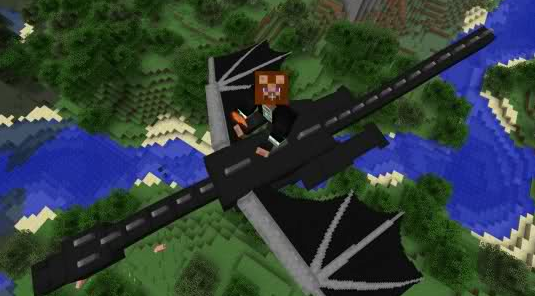

MobRider
Finally a proper use for saddles!On a server

Voice Chat - Global Spectator Chat
An addon for Simple Voice Chat that adds a global spectator chatOn a serverFAQ
How is a plugin different from a mod?
A plugin runs only on the server and requires nothing from players: the client stays vanilla. A mod has to be installed by everyone, and it changes the game itself.
Where do I put a plugin?
Put the .jar file in the plugins folder on the server, then restart the server. The plugin will create its config on first launch.
Will a Spigot plugin work on Paper?
Usually yes: Paper and Purpur are built on Spigot and are compatible with its plugins. The reverse isn't true — a plugin that uses Paper features won't work on plain Spigot.
How do I install a plugin on Aternos?
On Aternos, plugins can only be installed from the built-in list in the “Plugins” section of the panel. You can't upload your own .jar file, so paid and rare plugins can't be installed on Aternos. If the plugin you need isn't on the list, you need hosting with access to the plugins folder: put the file there and restart the server.
Which plugins should I install on a server first?
People usually start with four: EssentialsX (homes, warps, kits, teleport), LuckPerms (groups and permissions), WorldGuard together with WorldEdit (spawn and region protection) and ViaVersion (joining from other game versions). For a server with nickname login, add AuthMe for passwords and SkinsRestorer for skins.
Which plugins should I install on a server for playing with friends?
A small server for friends needs just a few: EssentialsX (home, teleport to a friend, warps), CoreProtect (rolling back griefing and finding who broke a block) and Simple Voice Chat for voice chat, which needs the mod of the same name on players' side. Permissions and region protection are usually unnecessary on such a server.
How do I install a plugin on Paper?
Download the plugin file for your Paper version, put the .jar into the plugins folder and restart the server — the /plugins command will list it. On Millida Hosting the On a server button on the plugin page does the same.
Minecraft server plugins
A plugin is installed on the server, not by the player, and that's the whole difference from a mod: the client stays plain vanilla, and you can join the server without downloading a single file. Plugins run on server cores — Paper, Spigot, Bukkit, Purpur, Folia — while Velocity and BungeeCord are used for proxies between servers. The core matters as much as the version: a Paper plugin will almost always run on Purpur, but a Velocity plugin won't start on a regular server at all.
The useful minimum for a server is almost always the same: EssentialsX for basic commands, LuckPerms for permissions, WorldGuard together with WorldEdit for region protection and CoreProtect to roll back griefing. Servers with nickname login add AuthMe and SkinsRestorer, servers for friends add Simple Voice Chat. On Millida Hosting a free plugin from the catalog goes onto the server with the On a server button on its page, no manual .jar upload.
Plugins handle almost everything behind the scenes on a server: ranks and permissions, land protection, economy and shops, anti-cheat, map rotation, menus and voting. You install them by copying the .jar file into the plugins folder and restarting the server; most create their own config on first launch, which is what you then edit. The card lists supported cores and game versions, the author and license, and all releases are gathered on one page — you can update the plugin right from there.