
Minecraft server plugins — page 151
3,784 itemsPlugins: list




nightcore
A lightweight library with a wide range of utilities and tools for faster and more efficient plugin development.On a server

Multiverse-SignPortals
From a sign to any Multiverse destination!On a server

AdvancedTeleport
A rapidly growing teleportation plugin looking to break the boundaries of traditional TP plugins.On a server

SleepFixer
The most robust 'one-player-sleep' plugin on the platform. Local Difficulty compatible!On a server

BlueSlimeCore
A useful library plugin that includes lots of helpful code and API features.On a server
MapEngine
MapEngine is a map library plugin for minecraft paper servers, used to show images and video/streaming on mapsOn a server

OreAnnouncer
A simple plugin for minecraft servers to collect data about ore diggersOn a server
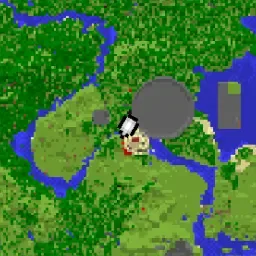
NMinimap
Papermc plugin to display Minimap on vanilla clientOn a server
ArmorStandEditor-Reborn
Allows players in survival to easily edit armor stand pose and attributes without commands.On a server
Bolt
Modern protection solution for individual blocks and entitiesOn a server
ChessCraft
Paper plugin adding in-world chess matches against players and chess engines (CPUs) to MinecraftOn a server
PunisherX
Advanced punishment system for Minecraft servers with warnings, mutes, bans, kicks and more.On a server

FastAsyncVoxelSniper
Voxel Sniper fork for modern Minecraft versions utilizing the improvements of FastAsyncWorldEditOn a server

AntiRedstoneClock-Remastered
Detect & disable redstone clocks on Paper servers to protect performance; supports PlotSquared & WorldGuard.On a server

OldCombatMechanics
Configure combat-related mechanics from 1.9 onwardsOn a server

UltimateShop
UltimateShop is a open source GUI shop plugin with many features!On a server

MaintenanceAddon
Use PlaceholderAPI placeholders with Maintenance on your Bungee/Velocity proxy.On a server
loginPassword
Provides an alternative way to control access to a minecraft server without using a whitelistOn a server

bentobox
SkyBlock, OneBlock, AcidIsland, and more - all in one plugin!On a server

Coins
Drop coins for killing mobs and mining, and allow withdrawing. Nice for drop parties. Highly configurable.On a server

EternalCore
EternalCore is a modern, actively maintained alternative to EssentialsX. It provides the most important server featuresOn a server

CommandAPI
An API to use the command UI introduced in Minecraft 1.13On a server

EntityClearer
Remove entities with extreme customization!On a serverFAQ
How is a plugin different from a mod?
A plugin runs only on the server and requires nothing from players: the client stays vanilla. A mod has to be installed by everyone, and it changes the game itself.
Where do I put a plugin?
Put the .jar file in the plugins folder on the server, then restart the server. The plugin will create its config on first launch.
Will a Spigot plugin work on Paper?
Usually yes: Paper and Purpur are built on Spigot and are compatible with its plugins. The reverse isn't true — a plugin that uses Paper features won't work on plain Spigot.
How do I install a plugin on Aternos?
On Aternos, plugins can only be installed from the built-in list in the “Plugins” section of the panel. You can't upload your own .jar file, so paid and rare plugins can't be installed on Aternos. If the plugin you need isn't on the list, you need hosting with access to the plugins folder: put the file there and restart the server.
Which plugins should I install on a server first?
People usually start with four: EssentialsX (homes, warps, kits, teleport), LuckPerms (groups and permissions), WorldGuard together with WorldEdit (spawn and region protection) and ViaVersion (joining from other game versions). For a server with nickname login, add AuthMe for passwords and SkinsRestorer for skins.
Which plugins should I install on a server for playing with friends?
A small server for friends needs just a few: EssentialsX (home, teleport to a friend, warps), CoreProtect (rolling back griefing and finding who broke a block) and Simple Voice Chat for voice chat, which needs the mod of the same name on players' side. Permissions and region protection are usually unnecessary on such a server.
How do I install a plugin on Paper?
Download the plugin file for your Paper version, put the .jar into the plugins folder and restart the server — the /plugins command will list it. On Millida Hosting the On a server button on the plugin page does the same.
Minecraft server plugins
A plugin is installed on the server, not by the player, and that's the whole difference from a mod: the client stays plain vanilla, and you can join the server without downloading a single file. Plugins run on server cores — Paper, Spigot, Bukkit, Purpur, Folia — while Velocity and BungeeCord are used for proxies between servers. The core matters as much as the version: a Paper plugin will almost always run on Purpur, but a Velocity plugin won't start on a regular server at all.
The useful minimum for a server is almost always the same: EssentialsX for basic commands, LuckPerms for permissions, WorldGuard together with WorldEdit for region protection and CoreProtect to roll back griefing. Servers with nickname login add AuthMe and SkinsRestorer, servers for friends add Simple Voice Chat. On Millida Hosting a free plugin from the catalog goes onto the server with the On a server button on its page, no manual .jar upload.
Plugins handle almost everything behind the scenes on a server: ranks and permissions, land protection, economy and shops, anti-cheat, map rotation, menus and voting. You install them by copying the .jar file into the plugins folder and restarting the server; most create their own config on first launch, which is what you then edit. The card lists supported cores and game versions, the author and license, and all releases are gathered on one page — you can update the plugin right from there.