
Minecraft server plugins — page 129
3,784 itemsPlugins: list



ServerMaintenance
ServerMaintenanceOn a server
EssentialsAdmin
a plugin that adds in essential commandsOn a server

Velocity Limbo Handler
A simple plugin for handling limbo reconnection/handlingOn a serverSimpleEnchant
SimpleEnchantOn a serverGrenades+
Grenades+On a server

ChestShop-Notifications
An addon linking ChestShop and Notifications pluginOn a serverBeardStat
A player statistics plugin, designed to replace the aging stats pluginOn a serverLoreLocks
Commandless, Itembased Chest Lock PluginOn a server
Password Log On
Password authentication for offline servers (1.14 onwards!)On a server
No Break
Stop breaking and placing of blocks if a player doesn't have a permissionOn a serverPExChat Multigrouped
Custom chat formatting for PermissionsEx with a twist!On a serverAmple Chat Bot
Ample Chat Bot is a chat robot that responses to key phrases in chat/On a serverServerSave
Dead simple world savesOn a server

Pitfall
Trap your enemies!On a server
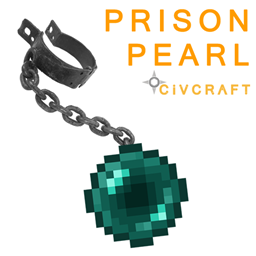
Prison Pearl
Allows players to imprison or capture players into the end.On a serverKits2.0
Kits PluginOn a server

PicoJobs
An amazing plugin that allows you to create your own jobs for your players. The plugin is 100% configurable so you can change everything you see, it is also open-source if you want to take a look on how it's made.On a server
CombatCrits
Combat critcicalsOn a server
MySkull
With MySkull you can easily set the face skin of a skull blockOn a server
HalloweenScares
Spook your users this Halloween!On a serverWorldGuard Keep Inventory Flags
Adds flags to WorldGuard to toggle if a player keeps his inventory/level if he dies in a certain region.On a server

essential menu
an essential menuOn a serverUtilityHats
More hats, more dynamics!On a serverFAQ
How is a plugin different from a mod?
A plugin runs only on the server and requires nothing from players: the client stays vanilla. A mod has to be installed by everyone, and it changes the game itself.
Where do I put a plugin?
Put the .jar file in the plugins folder on the server, then restart the server. The plugin will create its config on first launch.
Will a Spigot plugin work on Paper?
Usually yes: Paper and Purpur are built on Spigot and are compatible with its plugins. The reverse isn't true — a plugin that uses Paper features won't work on plain Spigot.
How do I install a plugin on Aternos?
On Aternos, plugins can only be installed from the built-in list in the “Plugins” section of the panel. You can't upload your own .jar file, so paid and rare plugins can't be installed on Aternos. If the plugin you need isn't on the list, you need hosting with access to the plugins folder: put the file there and restart the server.
Which plugins should I install on a server first?
People usually start with four: EssentialsX (homes, warps, kits, teleport), LuckPerms (groups and permissions), WorldGuard together with WorldEdit (spawn and region protection) and ViaVersion (joining from other game versions). For a server with nickname login, add AuthMe for passwords and SkinsRestorer for skins.
Which plugins should I install on a server for playing with friends?
A small server for friends needs just a few: EssentialsX (home, teleport to a friend, warps), CoreProtect (rolling back griefing and finding who broke a block) and Simple Voice Chat for voice chat, which needs the mod of the same name on players' side. Permissions and region protection are usually unnecessary on such a server.
How do I install a plugin on Paper?
Download the plugin file for your Paper version, put the .jar into the plugins folder and restart the server — the /plugins command will list it. On Millida Hosting the On a server button on the plugin page does the same.
Minecraft server plugins
A plugin is installed on the server, not by the player, and that's the whole difference from a mod: the client stays plain vanilla, and you can join the server without downloading a single file. Plugins run on server cores — Paper, Spigot, Bukkit, Purpur, Folia — while Velocity and BungeeCord are used for proxies between servers. The core matters as much as the version: a Paper plugin will almost always run on Purpur, but a Velocity plugin won't start on a regular server at all.
The useful minimum for a server is almost always the same: EssentialsX for basic commands, LuckPerms for permissions, WorldGuard together with WorldEdit for region protection and CoreProtect to roll back griefing. Servers with nickname login add AuthMe and SkinsRestorer, servers for friends add Simple Voice Chat. On Millida Hosting a free plugin from the catalog goes onto the server with the On a server button on its page, no manual .jar upload.
Plugins handle almost everything behind the scenes on a server: ranks and permissions, land protection, economy and shops, anti-cheat, map rotation, menus and voting. You install them by copying the .jar file into the plugins folder and restarting the server; most create their own config on first launch, which is what you then edit. The card lists supported cores and game versions, the author and license, and all releases are gathered on one page — you can update the plugin right from there.