
Plugins for Minecraft 26.1.2 — page 22
560 itemsPlugins: list




EternalCore
EternalCore is a modern, actively maintained alternative to EssentialsX. It provides the most important server featuresOn a server
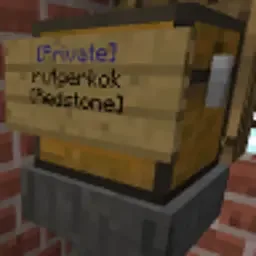
BlockLocker
Protect chests, doors, etc. using signs. UUID compatible.On a server

WorldGuardRegionProtect
Addon plugin for advanced secured your region from WorldGuardOn a server

Custom-Join-Messages
Welcome players with first-join, join, and quit messages via Chat, Titles, Action Bars, Boss Bars, and Sounds.On a server

GravesX
The definitive death chest plugin originally created by RanullOn a server

CommandControl
Remove or hide commands or change their permissionsOn a server

FakePlayerPlugin
Spawn realistic fake players on Paper/Purpur servers with skins, chat, tab-list, and full hot-reloadOn a server

RHLeafDecay
Say goodbye to floating leaves! Enhanced leaf decay for a smoother Minecraft experience. 🌿On a server

ViaAprilFools
ViaVersion addon to add support for some notable Minecraft snapshotsOn a server

EasyArmorStands
Drag and drop armor stand and display entity editorOn a server

AxTrade
A lightweight but feature rich & multi-currency trade plugin with a simple configuration.On a server

AxRewards
The Ultimate and Lightweight Daily / Weekly Reward PluginOn a server

Bookshelf
Store Books in bookshelves with effect and sounds, with support for multiple other plugins!On a server

BetterView
Extends the normal server view distance without sacrificing server performanceOn a server

Networks
Redstone-Free Automatic Storage Systems, Vanilla-integratedOn a server

ExcellentCrates
A modern, feature-rich, modular crate & lootbox plugin with an intuitive in-game GUI editor and smooth animations.On a server

Tweaks
An Essentials-like, must have command collection for your minecraft serverOn a server

AOneBlock
You start on a block in space. There is only one block. What do you do next?On a server

AxShulkers
A customizable & secure shulker viewer pluginOn a server

AxInventoryRestore
A customizable plugin that backups player inventories and lets server staff to restore or export theOn a server

RHSignItem
Do you want to add a personalized signature to your item? Or maybe rename it? Look no further! ☄️On a server

SmartSpawner
Enhances spawner use with GUI that generates mob drops and experience without spawning entityOn a server

TPort
The visual teleport plugin (/back, /home, location manager, ect)On a serverFAQ
How is a plugin different from a mod?
A plugin runs only on the server and requires nothing from players: the client stays vanilla. A mod has to be installed by everyone, and it changes the game itself.
Where do I put a plugin?
Put the .jar file in the plugins folder on the server, then restart the server. The plugin will create its config on first launch.
Will a Spigot plugin work on Paper?
Usually yes: Paper and Purpur are built on Spigot and are compatible with its plugins. The reverse isn't true — a plugin that uses Paper features won't work on plain Spigot.
How do I install a plugin on Aternos?
On Aternos, plugins can only be installed from the built-in list in the “Plugins” section of the panel. You can't upload your own .jar file, so paid and rare plugins can't be installed on Aternos. If the plugin you need isn't on the list, you need hosting with access to the plugins folder: put the file there and restart the server.
Which plugins should I install on a server first?
People usually start with four: EssentialsX (homes, warps, kits, teleport), LuckPerms (groups and permissions), WorldGuard together with WorldEdit (spawn and region protection) and ViaVersion (joining from other game versions). For a server with nickname login, add AuthMe for passwords and SkinsRestorer for skins.
Which plugins should I install on a server for playing with friends?
A small server for friends needs just a few: EssentialsX (home, teleport to a friend, warps), CoreProtect (rolling back griefing and finding who broke a block) and Simple Voice Chat for voice chat, which needs the mod of the same name on players' side. Permissions and region protection are usually unnecessary on such a server.
How do I install a plugin on Paper?
Download the plugin file for your Paper version, put the .jar into the plugins folder and restart the server — the /plugins command will list it. On Millida Hosting the On a server button on the plugin page does the same.
Plugins for Minecraft 26.1.2
Plugins for Minecraft 26.1.2: 560 items in the Plugins section. Compatibility is checked against the files, not the description: only items with a build for exactly these conditions stay in the list.
Plugins handle almost everything behind the scenes on a server: ranks and permissions, land protection, economy and shops, anti-cheat, map rotation, menus and voting. You install them by copying the .jar file into the plugins folder and restarting the server; most create their own config on first launch, which is what you then edit. The card lists supported cores and game versions, the author and license, and all releases are gathered on one page — you can update the plugin right from there.