
Plugins for Minecraft 1.9 — page 19
680 itemsPlugins: list

ServerEvents
Replace TwitterEvents, DeathNotifyOn a server
Hotels
Create hotels and rent out rooms to other playersOn a serverHCFactions
Highly Customizable Hardcore FactionsOn a server
Teleportation Tools
Adds in the commands /tpr, /hub, and /lobbyOn a server

DiscordSRVUtils
DiscordSRVUtils is a DiscordSRV addon to improve the abilities of DiscordSRV bot in your Discord server.On a server

RageGames
RageGames is a very fast game. You start with 3 items: a bow with exploding arrows, a knife and a spur. The goal is to use these weapons during the game to collect points by eliminating other players and trying to stay alive.On a server

Kenshin's Hide And Seek
Minecraft's Best Hide and Seek and Block Hunt PluginOn a server

Better Mending
A small quality of life tweak to the Mending enchantment. Port of the original mod by legobmw99.On a server
PlayMoreSounds
Multiple sounds per event | Interval before playing | Per chat-word soundsOn a server

BetterGUI
An animated menu, a simple menu-designing tool, or just a better GUI pluginOn a server
PrefixChatManager
Change your chat prefix | NEW PLUGIN!On a server

ProAntiTab
Hide Commands, Custom F3 Brand, Block Unwanted Tab-Completion & SuggestionsOn a server

DailyRewards
A sleek reward system packed with exciting features!On a server
Advanced Spawners
Extra features for spawners, such as upgrading, special effects and much more!On a server

Dragon Items
This plugin adds things that can be created with the help of dragon eggs! They have cool features and unique abilities with animations and sound! This plugin makes pvp fights more epic and varied! //On a serverNickNamer
Nickname & Skin changer pluginOn a server

King of the Hill
A Minecraft rendition of the popular King of the Hill Minigame.On a serverPlayerMention
When Someone Mentions You It Will Notify You!On a server

Money Notes
Allow players to withdraw money from balance onto a note.On a server

WatchDog
Implements a simple watchlist for Bukkit/Spigot serversOn a serverGame Mode Changer
Makes changing gamemode's faster! [1.8-1.11.2] (1.12 ready)On a server
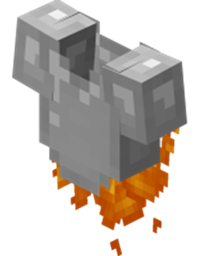
powerofpickle's Jetpacks
Craft a jetpack and fly around! Also, solar helmets.On a serverQuickBar+
Allows access to your whole inventory via hotbarOn a serverFAQ
How is a plugin different from a mod?
A plugin runs only on the server and requires nothing from players: the client stays vanilla. A mod has to be installed by everyone, and it changes the game itself.
Where do I put a plugin?
Put the .jar file in the plugins folder on the server, then restart the server. The plugin will create its config on first launch.
Will a Spigot plugin work on Paper?
Usually yes: Paper and Purpur are built on Spigot and are compatible with its plugins. The reverse isn't true — a plugin that uses Paper features won't work on plain Spigot.
How do I install a plugin on Aternos?
On Aternos, plugins can only be installed from the built-in list in the “Plugins” section of the panel. You can't upload your own .jar file, so paid and rare plugins can't be installed on Aternos. If the plugin you need isn't on the list, you need hosting with access to the plugins folder: put the file there and restart the server.
Which plugins should I install on a server first?
People usually start with four: EssentialsX (homes, warps, kits, teleport), LuckPerms (groups and permissions), WorldGuard together with WorldEdit (spawn and region protection) and ViaVersion (joining from other game versions). For a server with nickname login, add AuthMe for passwords and SkinsRestorer for skins.
Which plugins should I install on a server for playing with friends?
A small server for friends needs just a few: EssentialsX (home, teleport to a friend, warps), CoreProtect (rolling back griefing and finding who broke a block) and Simple Voice Chat for voice chat, which needs the mod of the same name on players' side. Permissions and region protection are usually unnecessary on such a server.
How do I install a plugin on Paper?
Download the plugin file for your Paper version, put the .jar into the plugins folder and restart the server — the /plugins command will list it. On Millida Hosting the On a server button on the plugin page does the same.
Plugins for Minecraft 1.9
Plugins for Minecraft 1.9: 680 items in the Plugins section. Compatibility is checked against the files, not the description: only items with a build for exactly these conditions stay in the list.
Plugins handle almost everything behind the scenes on a server: ranks and permissions, land protection, economy and shops, anti-cheat, map rotation, menus and voting. You install them by copying the .jar file into the plugins folder and restarting the server; most create their own config on first launch, which is what you then edit. The card lists supported cores and game versions, the author and license, and all releases are gathered on one page — you can update the plugin right from there.