
Plugins for Minecraft 1.7.4 — page 8
222 itemsPlugins: list


Simple Kits
DubstepKitsOn a server
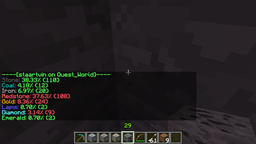
FoundOres Revisited
FoundOres RevisitedOn a server

BossBarPro
Adds Automated Dragon Bar Messages And Broadcasts Too!On a server

LogFilter
Filter messages sent to your Velocity, Sponge and Paper consolesOn a server

PersonalMOTD
PersonalMOTD - A plugin that will let you show player name's in the MOTD of your server!On a server

Vote4Diamonds
Vote4Diamond is a plugin that allows users to vote on different voting sites and get diamonds (configurable) in return.On a serverLokiBlocker
LokiBlockerOn a serverDeathrun
DeathrunOn a serverGunGames
GunGames; the well known Call of Duty game mode built into Bukkit.On a server
ConfigurableMessages
ConfigurableMessagesOn a serverNoteBlockPlayer
play .midi and .nbs files ingameOn a server

EzShops
Advanced shop menus with smart pricing, sign trading, and API integrationsOn a serverThe PON-3 Gaming Pony Pack
The PON-3 Gaming Pony PackOn a serverDaily Rewards
Reward your players after a configured cooldown runs out.On a server
Saga
Saga is a combination of settlement, faction and role-playing mechanics rolled into one.On a serverHeroBounty
HeroBountyOn a server

BetterGrim
A fork of Grim AntiCheat, adding new checks, optimizing and making better existing checksOn a server
AutoRespawn+
AutoRespawn+On a server

Literally Nothing
The ultimate universal Mod/Plugin/Resource pack/Shader that does literally nothing and runs on everything!On a serverCoreProtect-Anti-Xray
Xray detector based on CoreProtectOn a serverIdentityCrisis
Change player usernames, easily.On a serverDamageIndicators
DamageIndicatorsOn a server

Pitfall
Trap your enemies!On a serverFAQ
How is a plugin different from a mod?
A plugin runs only on the server and requires nothing from players: the client stays vanilla. A mod has to be installed by everyone, and it changes the game itself.
Where do I put a plugin?
Put the .jar file in the plugins folder on the server, then restart the server. The plugin will create its config on first launch.
Will a Spigot plugin work on Paper?
Usually yes: Paper and Purpur are built on Spigot and are compatible with its plugins. The reverse isn't true — a plugin that uses Paper features won't work on plain Spigot.
How do I install a plugin on Aternos?
On Aternos, plugins can only be installed from the built-in list in the “Plugins” section of the panel. You can't upload your own .jar file, so paid and rare plugins can't be installed on Aternos. If the plugin you need isn't on the list, you need hosting with access to the plugins folder: put the file there and restart the server.
Which plugins should I install on a server first?
People usually start with four: EssentialsX (homes, warps, kits, teleport), LuckPerms (groups and permissions), WorldGuard together with WorldEdit (spawn and region protection) and ViaVersion (joining from other game versions). For a server with nickname login, add AuthMe for passwords and SkinsRestorer for skins.
Which plugins should I install on a server for playing with friends?
A small server for friends needs just a few: EssentialsX (home, teleport to a friend, warps), CoreProtect (rolling back griefing and finding who broke a block) and Simple Voice Chat for voice chat, which needs the mod of the same name on players' side. Permissions and region protection are usually unnecessary on such a server.
How do I install a plugin on Paper?
Download the plugin file for your Paper version, put the .jar into the plugins folder and restart the server — the /plugins command will list it. On Millida Hosting the On a server button on the plugin page does the same.
Plugins for Minecraft 1.7.4
Plugins for Minecraft 1.7.4: 222 items in the Plugins section. Compatibility is checked against the files, not the description: only items with a build for exactly these conditions stay in the list.
Plugins handle almost everything behind the scenes on a server: ranks and permissions, land protection, economy and shops, anti-cheat, map rotation, menus and voting. You install them by copying the .jar file into the plugins folder and restarting the server; most create their own config on first launch, which is what you then edit. The card lists supported cores and game versions, the author and license, and all releases are gathered on one page — you can update the plugin right from there.