Tree Feller
by _ForgeUser7926660 · CurseForgeTree Feller
Updated October 17
Tree Feller
MiniMessage Component-based Placeholders API for Minecraft Platforms
PerWorldPlugins allows plugins to be set to hook onto certain worlds using the config.
ExplodingEggs - Grenades in Minecraft
MobCash gives players money when they kill a mob
Falling trees? This plugin makes trees fall down when they are untimbered
Stack mobs in a highly efficient way to decrease server and FPS lag.
The ultimate questing plugin
SetHub is a simple hub-teleport plugin that allows you to set a hub teleport and teleport to it with a command
An extremely lightweight AutoSave plugin
Keeps track of various things such as time alive, time played, time online, and more!
A library for data storage and make things simple
Force all players to teleport to a location on login. Great for Hub or Mini Game servers!
Pixelator
VT or Skript like plugin allow you from shallow functionality to deep access to the server itself.
AdvancedCommands
An efficient and comprehensive factions ranking system
Tebex allows you to sell items, subscriptions, and more from an in-game customized shop. Featuring over 120 payment methods, chargeback protection, fraud protection, and 3-day payouts.
PvpTraining is a plugin which lets users Practice PvP like in the McPvP HingerGames
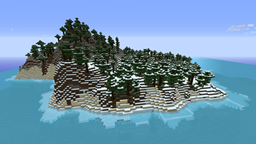
IslandCraft modifies the terrain generation to create an ocean with many islands; each island is a single biome.
NewTag - Give your players a tag independent of any permission or chat plugin
One versus one battles for your server
Get the ability to run and develop Kotlin plugins on your Minecraft server or proxy
Add prefixes/suffixes to your tablist.
A plugin runs only on the server and requires nothing from players: the client stays vanilla. A mod has to be installed by everyone, and it changes the game itself.
Put the .jar file in the plugins folder on the server, then restart the server. The plugin will create its config on first launch.
Usually yes: Paper and Purpur are built on Spigot and are compatible with its plugins. The reverse isn't true — a plugin that uses Paper features won't work on plain Spigot.
On Aternos, plugins can only be installed from the built-in list in the “Plugins” section of the panel. You can't upload your own .jar file, so paid and rare plugins can't be installed on Aternos. If the plugin you need isn't on the list, you need hosting with access to the plugins folder: put the file there and restart the server.
People usually start with four: EssentialsX (homes, warps, kits, teleport), LuckPerms (groups and permissions), WorldGuard together with WorldEdit (spawn and region protection) and ViaVersion (joining from other game versions). For a server with nickname login, add AuthMe for passwords and SkinsRestorer for skins.
A small server for friends needs just a few: EssentialsX (home, teleport to a friend, warps), CoreProtect (rolling back griefing and finding who broke a block) and Simple Voice Chat for voice chat, which needs the mod of the same name on players' side. Permissions and region protection are usually unnecessary on such a server.
Download the plugin file for your Paper version, put the .jar into the plugins folder and restart the server — the /plugins command will list it. On Millida Hosting the On a server button on the plugin page does the same.
Plugins for Minecraft 1.7.4: 222 items in the Plugins section. Compatibility is checked against the files, not the description: only items with a build for exactly these conditions stay in the list.
Plugins handle almost everything behind the scenes on a server: ranks and permissions, land protection, economy and shops, anti-cheat, map rotation, menus and voting. You install them by copying the .jar file into the plugins folder and restarting the server; most create their own config on first launch, which is what you then edit. The card lists supported cores and game versions, the author and license, and all releases are gathered on one page — you can update the plugin right from there.