
Plugins for Minecraft 1.21 Paper — page 21
616 itemsPlugins: list


zHomes
A powerful home management plugin for spigot/paper servers.On a server

Player Logger
A plugin to log information about your player such as join & leave location (in-game) and many more with MySQL and SQLite Database support.On a server

Villager on a leash
Simply use a leash with a villager like with other mobsOn a server

BreweryX
An actively maintained, support given, and addon supported fork of Brewery with tons of extrasOn a server

AntiCrash [Pterodactyl]
Prevent your server from crashing with timely restarts.On a server

EasyPayments
The official EasyDonate payments processor as alternative to RCONOn a server

PasiVanish
it's a simple vanish plugin - PasiVanishOn a server

VeinMiner
A QoL plugin that auto-mines all connected ores of the same type when one is broken—mine faster, mine smarter.On a server

fairy
Fairy is a compat & open-sourced Framework made with love <3On a server

distant-horizons-support
Add support for Distant Horizons to your Bukkit compatible server.On a server

XPlayerKits
A lightweight and fully customizable kit system that loads only the essential data, keeping RAM.On a server

InteractiveChat
Adding functionalities such as sharing items and inventories to chat, and creation of custom chat placeholders!On a server
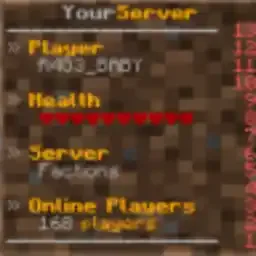
SimpleScore
A simple animated scoreboard plugin for your server.On a server

Superenchants
This plugin adds new enchants to your game, such as healthsteal, bleed, autosmelt, and more!On a server

GeyserExtras
A plugin which attempts to unify features for Bedrock Edition players on Java Edition Servers with GeyserMC.On a server

LightAntiCheat
A lightweight and customizable anticheat, designed for MC 1.8-1.21 to detect common hacks. Supports Geyser and Folia.On a server

HoloMobHealth
Display mob health CLIENT-SIDE ONLY through packets! Support custom JavaScript formatting!On a server

ChatPlugin
A feature-rich and modular chat ecosystem, lightweight and efficient by design.On a server

WorldEditSelectionVisualizer
Visualize your WorldEdit selection and clipboard with particles, without any client mod.On a server

JustPlayer-TPA
Allow players to request a teleportation to other players.On a server
MultipleBedSpawn
A simple plugin to allow players to choose which bed to respawn into.On a server

BetterChairs
BetterChairs allows you to sit on chairs – Every block can be a chairOn a server
FileCleaner
Remove old logs and other files automatically!On a serverFAQ
How is a plugin different from a mod?
A plugin runs only on the server and requires nothing from players: the client stays vanilla. A mod has to be installed by everyone, and it changes the game itself.
Where do I put a plugin?
Put the .jar file in the plugins folder on the server, then restart the server. The plugin will create its config on first launch.
Will a Spigot plugin work on Paper?
Usually yes: Paper and Purpur are built on Spigot and are compatible with its plugins. The reverse isn't true — a plugin that uses Paper features won't work on plain Spigot.
How do I install a plugin on Aternos?
On Aternos, plugins can only be installed from the built-in list in the “Plugins” section of the panel. You can't upload your own .jar file, so paid and rare plugins can't be installed on Aternos. If the plugin you need isn't on the list, you need hosting with access to the plugins folder: put the file there and restart the server.
Which plugins should I install on a server first?
People usually start with four: EssentialsX (homes, warps, kits, teleport), LuckPerms (groups and permissions), WorldGuard together with WorldEdit (spawn and region protection) and ViaVersion (joining from other game versions). For a server with nickname login, add AuthMe for passwords and SkinsRestorer for skins.
Which plugins should I install on a server for playing with friends?
A small server for friends needs just a few: EssentialsX (home, teleport to a friend, warps), CoreProtect (rolling back griefing and finding who broke a block) and Simple Voice Chat for voice chat, which needs the mod of the same name on players' side. Permissions and region protection are usually unnecessary on such a server.
How do I install a plugin on Paper?
Download the plugin file for your Paper version, put the .jar into the plugins folder and restart the server — the /plugins command will list it. On Millida Hosting the On a server button on the plugin page does the same.
Plugins for Minecraft 1.21 Paper
Plugins for Minecraft 1.21 Paper: 616 items in the Plugins section. Compatibility is checked against the files, not the description: only items with a build for exactly these conditions stay in the list.
Plugins handle almost everything behind the scenes on a server: ranks and permissions, land protection, economy and shops, anti-cheat, map rotation, menus and voting. You install them by copying the .jar file into the plugins folder and restarting the server; most create their own config on first launch, which is what you then edit. The card lists supported cores and game versions, the author and license, and all releases are gathered on one page — you can update the plugin right from there.