
Plugins for Minecraft 1.19.1 — page 5
600 itemsPlugins: list


WolfyUtils
Core API & Utils for Spigot based plugins. Inventory GUI, Language, JSON (Jackson), and many more utilsOn a server
RecipeManager
RecipeManagerOn a server

Drop Head
Drop a player's head when they dieOn a server

MinerTrack Anti XRay
The Powerful antixray, help you auto catch X-rayers and punish them according to your configuration.On a server

ExecutableItems
Custom Items, ExecutableItems plugin allows you to fully customize every aspect of your items, and adding unique activators on your items !On a server

TPA
A simple teleportation plugin that supports Folia, compatible with Bukkit/Spigot/Paper/Folia.On a server

Maintenance
The most customizable free maintenance plugin for your Minecraft server you can find. It runs on Paper, Velocity, Bungee, as well as Sponge.On a server

Geyser and Floodgate auto uploader
An automatic updater plugin for GeyserMC / Floodgate/MCXboxBroadcast. Supports Spigot (and forks like Paper), BungeeCord, and Velocity.On a server

NexusAuctionHouse
The easy auction house plugin you've looked for, and for free!On a server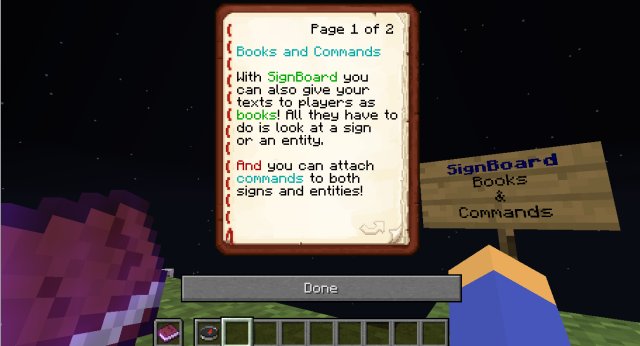
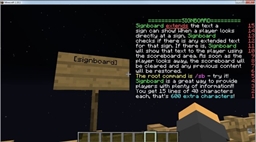
SignBoard
Attach unlimited text to signs and living entities and run commands when they're clicked!On a server

Dream Displays
Create in-game screens to stream your favorite videos in Minecraft.On a server

TreeTimber
Tree faling plugin (treecapitator)On a server

NexusCore
The library required to use all of Nexus Studio plugins.On a server

SetSpawn
Set your servers spawn and teleport back to it!On a server

Quests
An extensive questing systemOn a server

Simple Sit
Simple SitOn a server

Advanced Portals
Advanced Portals is a portal plugin for bukkit designed to have a wide range of features which are easy to use.On a server

DeluxeHub
The all-in-one hub management solutionOn a server

Xaero Map Spigot
Adds server side support for Xaero's World Map and Minimap to your spigot server!On a server

AutoTreeChop
A lightweight, customizable automatic tree chopping plugin for Paper/Folia servers.On a server

LibreLogin
Open-source, multiplatform, and highly customizable authentication plugin with outstanding features.On a server

BetterStructures
Add structures for any world generation!On a server

AdvancedServerList
A plugin to display a custom MOTD, Player count text, player count hover and Favicon using conditions and priorities.On a serverFAQ
How is a plugin different from a mod?
A plugin runs only on the server and requires nothing from players: the client stays vanilla. A mod has to be installed by everyone, and it changes the game itself.
Where do I put a plugin?
Put the .jar file in the plugins folder on the server, then restart the server. The plugin will create its config on first launch.
Will a Spigot plugin work on Paper?
Usually yes: Paper and Purpur are built on Spigot and are compatible with its plugins. The reverse isn't true — a plugin that uses Paper features won't work on plain Spigot.
How do I install a plugin on Aternos?
On Aternos, plugins can only be installed from the built-in list in the “Plugins” section of the panel. You can't upload your own .jar file, so paid and rare plugins can't be installed on Aternos. If the plugin you need isn't on the list, you need hosting with access to the plugins folder: put the file there and restart the server.
Which plugins should I install on a server first?
People usually start with four: EssentialsX (homes, warps, kits, teleport), LuckPerms (groups and permissions), WorldGuard together with WorldEdit (spawn and region protection) and ViaVersion (joining from other game versions). For a server with nickname login, add AuthMe for passwords and SkinsRestorer for skins.
Which plugins should I install on a server for playing with friends?
A small server for friends needs just a few: EssentialsX (home, teleport to a friend, warps), CoreProtect (rolling back griefing and finding who broke a block) and Simple Voice Chat for voice chat, which needs the mod of the same name on players' side. Permissions and region protection are usually unnecessary on such a server.
How do I install a plugin on Paper?
Download the plugin file for your Paper version, put the .jar into the plugins folder and restart the server — the /plugins command will list it. On Millida Hosting the On a server button on the plugin page does the same.
Plugins for Minecraft 1.19.1
Plugins for Minecraft 1.19.1: 600 items in the Plugins section. Compatibility is checked against the files, not the description: only items with a build for exactly these conditions stay in the list.
Plugins handle almost everything behind the scenes on a server: ranks and permissions, land protection, economy and shops, anti-cheat, map rotation, menus and voting. You install them by copying the .jar file into the plugins folder and restarting the server; most create their own config on first launch, which is what you then edit. The card lists supported cores and game versions, the author and license, and all releases are gathered on one page — you can update the plugin right from there.