
Plugins for Minecraft 1.18 — page 6
606 itemsPlugins: list


NexusCore
The library required to use all of Nexus Studio plugins.On a server

SetSpawn
Set your servers spawn and teleport back to it!On a server

Quests
An extensive questing systemOn a server

Simple Sit
Simple SitOn a server

Advanced Portals
Advanced Portals is a portal plugin for bukkit designed to have a wide range of features which are easy to use.On a server

Ships
This is a movement plugin like no other.On a server
Dynmap-WorldGuard
Show WorldGuard regions on Dynmap's maps, with live updateOn a server

Marriage Reloaded
Marriage ReloadedOn a server

AFK
AFKOn a server

AutoTreeChop
A lightweight, customizable automatic tree chopping plugin for Paper/Folia servers.On a server

LibreLogin
Open-source, multiplatform, and highly customizable authentication plugin with outstanding features.On a server
Take Aim
Improve aiming of creaturesOn a server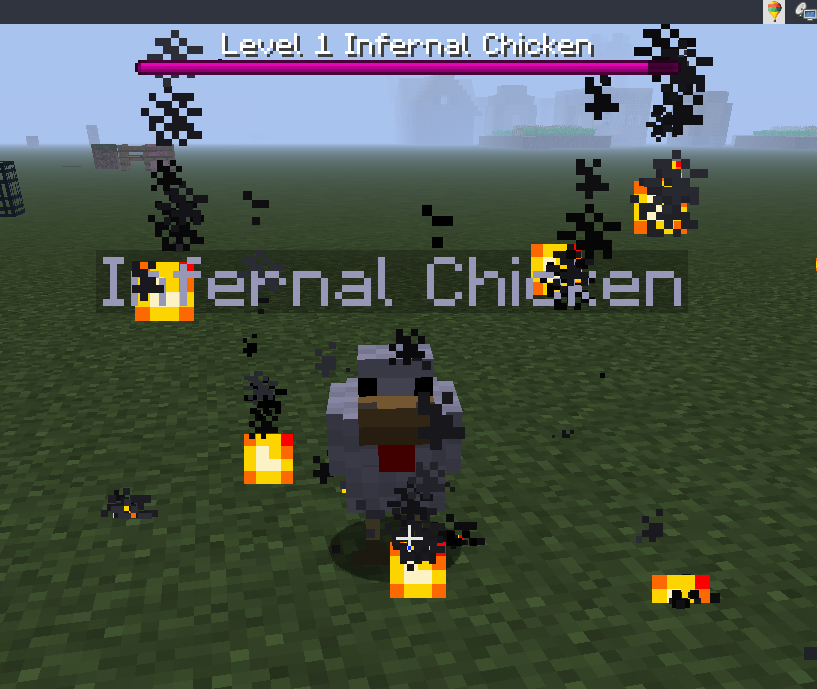

Infernal Mobs
Mobs will randomly become infernal and have awesome powers!On a server

BetterStructures
Add structures for any world generation!On a server

Quake
Gun Game 4 everyoneOn a server
QuickShop-Reremake
A shop plugin that allows players to sell items from a chest with no commands.On a server

JustInvSee
The JustInvSee plugin, a plugin to see an inventory from another player!On a server

Ultimate Teams
A simple yet complete Teams/Clans plugin for Minecraft, with cross-server support.On a server

WeatherRestrictions
WeatherRestrictionsOn a server

InstaRestock
Instant Restock or Insta Restock makes villagers infinite restockOn a server

Vault 2.0 economy plugins
What is Vault2.0? Vault2.0 is an economy plugin that registers a Bukkit Economy service compatible with the Vault API, allowing other plugins (shops, ranks, etc.) to use money without depending on the original Vault.jar. It includes menus, pay/charge flowsOn a server

SCore
A library plugin for all Ssomar's pluginsOn a server

InteractiveChat
Chat enchancing plugin to work on top of your chat formatting plugins, adding functionalities such as sharing items and inventories to chat, and creation of custom chat placeholders!On a serverFAQ
How is a plugin different from a mod?
A plugin runs only on the server and requires nothing from players: the client stays vanilla. A mod has to be installed by everyone, and it changes the game itself.
Where do I put a plugin?
Put the .jar file in the plugins folder on the server, then restart the server. The plugin will create its config on first launch.
Will a Spigot plugin work on Paper?
Usually yes: Paper and Purpur are built on Spigot and are compatible with its plugins. The reverse isn't true — a plugin that uses Paper features won't work on plain Spigot.
How do I install a plugin on Aternos?
On Aternos, plugins can only be installed from the built-in list in the “Plugins” section of the panel. You can't upload your own .jar file, so paid and rare plugins can't be installed on Aternos. If the plugin you need isn't on the list, you need hosting with access to the plugins folder: put the file there and restart the server.
Which plugins should I install on a server first?
People usually start with four: EssentialsX (homes, warps, kits, teleport), LuckPerms (groups and permissions), WorldGuard together with WorldEdit (spawn and region protection) and ViaVersion (joining from other game versions). For a server with nickname login, add AuthMe for passwords and SkinsRestorer for skins.
Which plugins should I install on a server for playing with friends?
A small server for friends needs just a few: EssentialsX (home, teleport to a friend, warps), CoreProtect (rolling back griefing and finding who broke a block) and Simple Voice Chat for voice chat, which needs the mod of the same name on players' side. Permissions and region protection are usually unnecessary on such a server.
How do I install a plugin on Paper?
Download the plugin file for your Paper version, put the .jar into the plugins folder and restart the server — the /plugins command will list it. On Millida Hosting the On a server button on the plugin page does the same.
Plugins for Minecraft 1.18
Plugins for Minecraft 1.18: 606 items in the Plugins section. Compatibility is checked against the files, not the description: only items with a build for exactly these conditions stay in the list.
Plugins handle almost everything behind the scenes on a server: ranks and permissions, land protection, economy and shops, anti-cheat, map rotation, menus and voting. You install them by copying the .jar file into the plugins folder and restarting the server; most create their own config on first launch, which is what you then edit. The card lists supported cores and game versions, the author and license, and all releases are gathered on one page — you can update the plugin right from there.