
Plugins for Minecraft 1.15 — page 17
568 itemsPlugins: list




Boar Anticheat
Proof of concept prediction anticheat for Geyser.On a server

Sentry
Ultimate server security, available as a mod and plugin. Blocks cheating mods and the most popular hacked clients, Anti-BOT & VPN, prevents crash-items, OP Protection, and more!On a server

AutoUpdatePlugins
(Original AutoUpdatePlugins) Automatically update any plugin you wish!On a serverDynmap-Structures
Dynmap-StructuresOn a server
mcMMOAction
mcMMOActionOn a server

BaritoneRemover
Server-side anti-cheat plugin that detects Baritone, bots and other automation: aim locks, movement patterns, mining timers. Paper, Spigot, Folia. Open source.On a server

Piggyback
Crouch, click, piggyback!On a server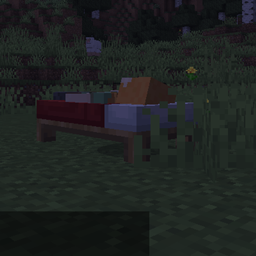
SinglePersonSleep
Another plugin for single player sleeping.On a server
Annoying API
General purpose API for my plugins. Just contains some utility classes and methods.On a server

CryWeather
Manage time, weather, disable rain, stop the time or reverse it !On a server
Custom Village
Detect and control custom villages.On a server
MyDog
Tamed wolves but at least 10x betterOn a server
Lumberjack Revived
Cuts down an entire tree at onceOn a server
Enchant 32K
Enchant every item up to level 32767On a server

CleanStaffChat
Clean StaffChat is a basic StaffChat plugin, compatible with Paper, Folia, Spigot, BungeeCord and Velocity (RedisBungee is supported).On a server

AutoUpdateGeyser
Automatically update Geyser and Floodgate!On a server

UChat
Chat with JSON events and 99% of customizationOn a server

LogFilter
Filter messages sent to your Velocity, Sponge and Paper consolesOn a server
Smiley Player Trader
Allows you to trade with players using the Villager GUI.On a server
Whitelist for Geyser
Overrides the built-in whitelist system for use with offline/cross-play serversOn a server

SMP Silk Spawner
Silk Touch spawners implemented in a vanilla/smp friendly way! Fully configurable with different things that could happen with breaking spawners! Available as plugin / modOn a server
Better Enchantments!
Adds new enchantments & items to the game!On a server
BuildMoney
Gain money/xp by placing/destroying blocksOn a serverFAQ
How is a plugin different from a mod?
A plugin runs only on the server and requires nothing from players: the client stays vanilla. A mod has to be installed by everyone, and it changes the game itself.
Where do I put a plugin?
Put the .jar file in the plugins folder on the server, then restart the server. The plugin will create its config on first launch.
Will a Spigot plugin work on Paper?
Usually yes: Paper and Purpur are built on Spigot and are compatible with its plugins. The reverse isn't true — a plugin that uses Paper features won't work on plain Spigot.
How do I install a plugin on Aternos?
On Aternos, plugins can only be installed from the built-in list in the “Plugins” section of the panel. You can't upload your own .jar file, so paid and rare plugins can't be installed on Aternos. If the plugin you need isn't on the list, you need hosting with access to the plugins folder: put the file there and restart the server.
Which plugins should I install on a server first?
People usually start with four: EssentialsX (homes, warps, kits, teleport), LuckPerms (groups and permissions), WorldGuard together with WorldEdit (spawn and region protection) and ViaVersion (joining from other game versions). For a server with nickname login, add AuthMe for passwords and SkinsRestorer for skins.
Which plugins should I install on a server for playing with friends?
A small server for friends needs just a few: EssentialsX (home, teleport to a friend, warps), CoreProtect (rolling back griefing and finding who broke a block) and Simple Voice Chat for voice chat, which needs the mod of the same name on players' side. Permissions and region protection are usually unnecessary on such a server.
How do I install a plugin on Paper?
Download the plugin file for your Paper version, put the .jar into the plugins folder and restart the server — the /plugins command will list it. On Millida Hosting the On a server button on the plugin page does the same.
Plugins for Minecraft 1.15
Plugins for Minecraft 1.15: 568 items in the Plugins section. Compatibility is checked against the files, not the description: only items with a build for exactly these conditions stay in the list.
Plugins handle almost everything behind the scenes on a server: ranks and permissions, land protection, economy and shops, anti-cheat, map rotation, menus and voting. You install them by copying the .jar file into the plugins folder and restarting the server; most create their own config on first launch, which is what you then edit. The card lists supported cores and game versions, the author and license, and all releases are gathered on one page — you can update the plugin right from there.