
Plugins for Minecraft 1.11 — page 20
615 itemsPlugins: list



Item Restrict by CraftersLand
Restrict item ownership, placement, usage, pickup, crafting, brewing, creative menu.On a server

AutoUpdateGeyser
Automatically update Geyser and Floodgate!On a server

LogFilter
Filter messages sent to your Velocity, Sponge and Paper consolesOn a server

UChat
Chat with JSON events and 99% of customizationOn a server

McRPG
McRPG will transform your server into a whole new role playing game!On a server
Link Anti Cheat | 0.8
LAC is a free anticheat.On a server
LotteryPool
An extremely efficient way of economic balancing, allowing poorer players to have a chance to earn.On a server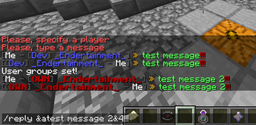
Private Messager
Simple private messager (/msg)On a server

EzShops
Advanced shop menus with smart pricing, sign trading, and API integrationsOn a server
Whitelist for Geyser
Overrides the built-in whitelist system for use with offline/cross-play serversOn a serverLokiBlocker
LokiBlockerOn a server

PlayerJoinMessage 2
Best Join/Leave Message PluginOn a server

UltimateAntiBot
An antibot plugin to protect your server from bot attacks with a built-in AntiVPN systemOn a server
AdminTools3
20+ Admin tools! 100% Configurable (AND all messages editable)! English and German translated!On a server
Hexagon BedWars
Multiarena,custom item shop,in-game timer and more...On a serverDaily Rewards
Reward your players after a configured cooldown runs out.On a server
Saga
Saga is a combination of settlement, faction and role-playing mechanics rolled into one.On a server

BetterGrim
A fork of Grim AntiCheat, adding new checks, optimizing and making better existing checksOn a server

XP Deposit
Easy way to store your XPOn a server
Multibreak
Breaks full Trees and Ore-VainsOn a server

VeloAuth
Secure Velocity auth plugin with auto-login for premium players and registration/login for offline players.On a server

Literally Nothing
The ultimate universal Mod/Plugin/Resource pack/Shader that does literally nothing and runs on everything!On a server

Spawn
Highly configurable spawn plugin. Teleport to a custom spawnpoint by command or on specific events.On a serverFAQ
How is a plugin different from a mod?
A plugin runs only on the server and requires nothing from players: the client stays vanilla. A mod has to be installed by everyone, and it changes the game itself.
Where do I put a plugin?
Put the .jar file in the plugins folder on the server, then restart the server. The plugin will create its config on first launch.
Will a Spigot plugin work on Paper?
Usually yes: Paper and Purpur are built on Spigot and are compatible with its plugins. The reverse isn't true — a plugin that uses Paper features won't work on plain Spigot.
How do I install a plugin on Aternos?
On Aternos, plugins can only be installed from the built-in list in the “Plugins” section of the panel. You can't upload your own .jar file, so paid and rare plugins can't be installed on Aternos. If the plugin you need isn't on the list, you need hosting with access to the plugins folder: put the file there and restart the server.
Which plugins should I install on a server first?
People usually start with four: EssentialsX (homes, warps, kits, teleport), LuckPerms (groups and permissions), WorldGuard together with WorldEdit (spawn and region protection) and ViaVersion (joining from other game versions). For a server with nickname login, add AuthMe for passwords and SkinsRestorer for skins.
Which plugins should I install on a server for playing with friends?
A small server for friends needs just a few: EssentialsX (home, teleport to a friend, warps), CoreProtect (rolling back griefing and finding who broke a block) and Simple Voice Chat for voice chat, which needs the mod of the same name on players' side. Permissions and region protection are usually unnecessary on such a server.
How do I install a plugin on Paper?
Download the plugin file for your Paper version, put the .jar into the plugins folder and restart the server — the /plugins command will list it. On Millida Hosting the On a server button on the plugin page does the same.
Plugins for Minecraft 1.11
Plugins for Minecraft 1.11: 615 items in the Plugins section. Compatibility is checked against the files, not the description: only items with a build for exactly these conditions stay in the list.
Plugins handle almost everything behind the scenes on a server: ranks and permissions, land protection, economy and shops, anti-cheat, map rotation, menus and voting. You install them by copying the .jar file into the plugins folder and restarting the server; most create their own config on first launch, which is what you then edit. The card lists supported cores and game versions, the author and license, and all releases are gathered on one page — you can update the plugin right from there.