
Tech mods for Minecraft — page 6
166 itemsMods: list


Cobbleworkers
Pasture block can now be used as a utility block that gives Pokémon jobs!InstallOn a server

More Beautiful Torches
The goal of More Beautiful Torches is to increase the decorative possibilities of the games, and for this, it currently adds more than 900 variants of torches.InstallOn a server
AntiXray
A lightweight mod that allows server owners to combat xrayers.InstallOn a server
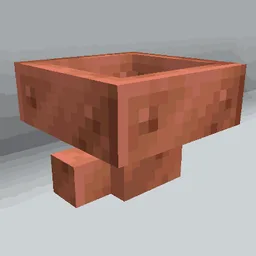
Copper Hopper
Hopper that acts as a simple item filter.InstallOn a server

Torcherino
various torches that increase the tick rates of tile entitiesInstallOn a server

Create Deep Seas
Submarine and boat in Create Aeronautics!InstallOn a server

Fullbright
This Mod will lighten up your Minecraft Experience by toggling Fullbright with a KeybindingInstall

Create: Estrogen
"Create mod" module for the Estrogen mod! Adding unique mechanics and interactions with the Create mod!InstallOn a server

Iron Jetpacks
A fully customizable Forge Energy (FE) based jetpacks mod!InstallOn a server

Create: Aquatic Ambitions
Introduces new bulk process which allows for more options for Prismarine, Coral and Copper automation!InstallOn a server

Gamingbarn's Guns
A datapack that adds simple, purposeful guns, advanced medical supplies, tactical equipment items, and a complex automated turret system!InstallOn a server
AdvancedAE
An AE2 addon that adds a lot of utilities and quality of life.InstallOn a server

Create: Molten Metals
Melt down metals, cast ingots and engage in metallurgy with Create: Molten MetalsInstallOn a server

Thermal Innovation
Thermal Technology marches on. Adds Thermal-style tools and equipment!InstallOn a server

Reimagined Intro
Reimagine your Minecraft startup with a sleek new cinematic sequence!Install

Fossils and Archeology: Revival
The mod offers a variety of dinosaurs that are brought back to life through discovering bones, extracting DNA, creating Embryos, and making eggs. Along with dinosaurs there are other prehistoric creatures such as mammoths, smilodons, and DODOS!!InstallOn a server

Immersive Vehicles - Official Content Pack [OCP] - Planes & Cars
Official Content Pack with planes, cars, tanks, helicopters and trucks for the Immersive Vehicles mod!InstallOn a server

Create Man of Many Planes
A simple datapack that adds Create recipes for Man of Many PlanesInstallOn a server

Create: Extra Gauges
Adds new gauges to handle complex logics!InstallOn a server
Sable Beyond
Sable Beyond expands the Sable mod with additional features, quality-of-life improvements, and compatibility support. It is designed to add ideas that are not part of the main mod while keeping the gameplay experience consistent with Sable.InstallOn a server

Wireless Redstone
Wireless Redstone adds blocks and items to use redstone remotelyInstallOn a server

Lucky TNT Mod
Over 200 different TNTs to destroy your minecraft world!InstallOn a server

Item Collectors
Item Collectors adds Collectors which collect items in a specified range!InstallOn a serverFAQ
How is Forge different from Fabric?
They're two different mod loaders that aren't compatible with each other. Forge is the older one and better suited to big tech and magic modpacks; Fabric is lighter, updates to new game versions faster, and hosts most performance mods. NeoForge is a Forge fork for newer versions, and Quilt is a Fabric fork. A Forge mod won't run on Fabric, and vice versa. Millida Launcher installs the right loader for you.
How do I know which mod version I need?
The one that matches your game version and loader. The “Install” button picks the file for you: Millida Launcher grabs the version for your modpack. A mod for 1.20.1 usually won't work on 1.21.
How do I install a mod?
Click “Install” and Millida Launcher will download the mod, its dependencies and the right loader for you. To install a downloaded file manually, put it in the mods folder inside the game directory.
Do I need CurseForge to install mods?
No. The Install button on a mod page opens Millida Launcher: it downloads the mod, its dependencies and the right loader into the chosen instance by itself. No CurseForge and no manual file copying.
Which mods are there for 1.20.1?
1.20.1 is one of the most modded versions, especially on Forge: tech, magic, RPG, furniture, weapons. Pick 1.20.1 in the version filter to keep only mods with a file built exactly for it, then pick Forge or Fabric next to it.
Can I install mods on my phone?
On Android, yes: Millida Launcher runs the Java edition on a phone, and mods work there just like on a PC, though light ones run much better than heavy ones. Minecraft PE (Bedrock) cannot load PC mods — it has add-ons instead, in the Minecraft PE mods section.
Which mods are best to play with friends?
The usual picks are Simple Voice Chat for proximity voice chat, Waystones for fast travel, Xaero's Minimap and something big to work on together, such as Create. Mods that change the world must be installed by every player and on the server, while client-side ones like a minimap or performance mods are up to each player.
Tech mods for Minecraft
Tech mods for Minecraft: 166 items in the Mods section. Compatibility is checked against the files, not the description: only items with a build for exactly these conditions stay in the list.
One mod in the catalog, one page. Every version the author has released is listed on its card: pick your game version and loader right there instead of jumping between ten similar pages. Each file shows its size, release date and checksum, and the mod itself shows the author, license and a link to the original source. Files whose license allows rehosting are stored with us and download directly — no link shorteners, timers or ad redirects. If the license forbids rehosting, the button honestly takes you to the author.