
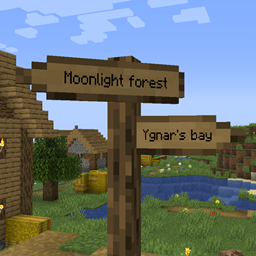
Signpost Mod for Minecraft 1.12.2, 26.2
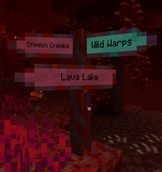
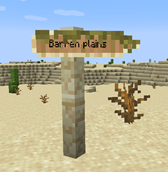
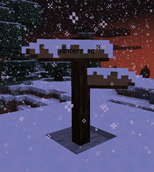
Signposts for teleportation and decoration
 Fabric
 NeoForge
 Forge
ForgeAbout the Signpost mod
September 2026: Versions 2.04.0/2.04.1 released:
- Port to 1.21.1, 1.21.11, 26.1.2, 26.2, and 26.3.
- Signpost material types are now managed via data packs
Includes integration into the Antique Atlas (version >= 2.01.0)! For older versions check out harceroi's Signposts mod (1.7.10) or Rikshy's Atlas Extras (1.12). Supports Repurposed Structures villages. Also supporting the Waystones mod (except 1.17).
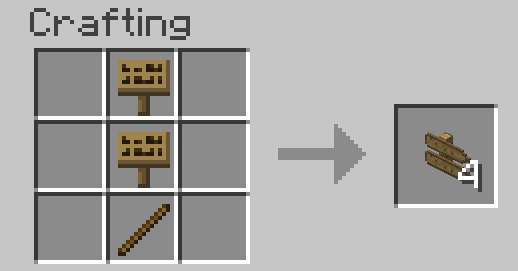
Getting started in survival: Just craft a normal vanilla sign. All recipes should then be added to your recipe book over time.
How to use:
- Waystones
- Sign Posts
- Commands
- World Generation
- Config
zh_cn localization by TartaricAcid (Version 1.*) and SettingDust (Version 2.*) ru_ru localization by Aqelius (Version 1.*) and lineisover (Version 2.*) fr_fr, es_es, pt_br, it_it, pl_pl, uk_ua, tr_tr, ja_jp, ko_kr, zh_tw, and sv_se localization by AI (>= Version 2.04.1-26.3).
AI is also used to port the project to new minecraft versions.
Please backup your maps, report any bugs and have fun :D
You may include this mod in modpacks.
How to install Signpost
With Millida Launcher
Install Millida Launcher
The launcher is free: download it at millida.net/launcher and sign in with any nickname.
Click “Install” on this page
The launcher opens and installs the mod for Minecraft 1.7.10–26.2 on Fabric, Forge or NeoForge automatically.
Launch the game
A profile with it appears in the launcher: click “Play”.
Manually
Install Fabric, Forge or NeoForge
The loader must match the game version of the mod file, for example Minecraft 26.2. After installing it, a separate profile appears in your launcher.
Download the file for your version
In the version list above, pick the file signpost-fabric-26.2-2.04.1.jar (1.2 MB) for your game version and loader.
Put it in the mods folder
The folder is inside .minecraft (Windows: %appdata%\.minecraft\mods). If it does not exist, create it.
Launch the loader profile
Open “Mods” in the main menu: Signpost should be in the list.
Versions
With dependencies
| Minecraft | Loader | File | Date | Actions |
|---|---|---|---|---|
| 26.2 | Fabric | signpost-fabric-26.2-2.04.1.jar1.2 MB 1 | ||
| 26.2 | NeoForge | signpost-neoforge-26.2-2.04.1.jar1.2 MB | ||
| 26.2 | Forge | signpost-forge-26.2-2.04.1.jar1.2 MB 1 | ||
| 1.15.2 | Forge | Signpost 1.15.2 2.00.1781 KB | ||
| 1.12.2 | — | signpost-1.12.2-1.08.5.jar443 KB | ||
| 1.12.2 | — | signpost-1.12.2-1.08.4.jar443 KB | ||
| 1.7.10 | — | signpost-1.7.10-1.02.189.3 KB |
FAQ
Which Minecraft versions does Signpost work on?
There are files for 26.2, 1.15.2, 1.12.2, 1.7.10. The newest is 26.2.
Is Signpost for Forge or Fabric?
There are files for Fabric: 26.2, for Forge: 1.15.2–26.2 and for NeoForge: 26.2.
Does Signpost need other mods?
The author lists no required dependencies: the Fabric, Forge or NeoForge loader is enough.
Where can I download Signpost safely?
On this page: the file signpost-fabric-26.2-2.04.1.jar (1.2 MB) is stored on Millida’s server, with no link shorteners. SHA-1 checksum: cb8feecb4279f72582635446975feadc0469a527.
Reviews
Be the first to rate Signpost


