WorldTools: World Downloader (Fabric / Forge)
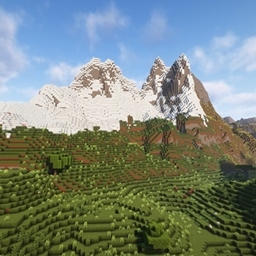
by Constructor__ · CurseForgeWorldTools is a powerful Minecraft Mod that allows you to capture and save high-detail snapshots of server worlds locally.
WorldTools is a powerful Minecraft Mod that allows you to capture and save high-detail snapshots of server worlds locally.
Allows targeting (and interacting with and attacking) living entities through transparent blocks like grass, crops, and flowers.
new Hud for the clock, compass, lodestone compass, recovery compass and gps. also you can use Trinkets / Baubles / Curios, now you have a new item frame hud for the items
Fork of Cave Dweller Reimagined with fabric support
🖥️ Displays your FPS and other information on the screen. Supports large customization and new versions of Minecraft.
Stacks all bossbars with the same name together. Clientside mod.
A large multi-feature Minecraft mod mainly adding the Exotel dimension, toggleable April Fools' snapshot content, overworld additions, craftable world map, and optional Bedrock-styled UI.
Removes the delay between music tracks.
A add-on for TOP that adds more mod info to modded blocks
Save your MC bandwidth with big quantities.
A Modloader for Making Version independent Mods
Swim in lava with your new armor
Adds sprawling Jungle Temples to your world
A Fork of ToroHealth Damage Indicators: A client-side health indicator mod providing clear, configurable visual feedback for entity health changes.
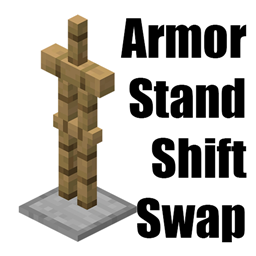
Shift right click armor stand to swap your whole armor set
Expanded World enhances your Minecraft experience by extending the world height, introducing custom caves, structures, and vegetation. Explore new depths and heights in your Minecraft worlds with this mod!
A simple mod for more fps. In fact, as many fps as you want.
A no-nonsense zoom mod for cool kids that want to look really close at explosions
Stack the time when drink/splash the same potion.
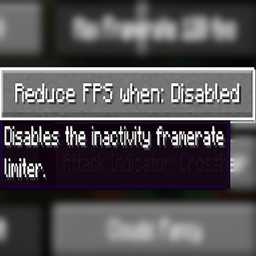
Adds an option to disable Vanilla's Dynamic FPS implementation
Extends Minecraft Vanilla Cats' Features
Turn portals into CONTINUOUS pathways.
A small collection of server side mobs. No client mods required!
Merge experience orbs and instant pickup experience orbs to reduce lag!
They're two different mod loaders that aren't compatible with each other. Forge is the older one and better suited to big tech and magic modpacks; Fabric is lighter, updates to new game versions faster, and hosts most performance mods. NeoForge is a Forge fork for newer versions, and Quilt is a Fabric fork. A Forge mod won't run on Fabric, and vice versa. Millida Launcher installs the right loader for you.
The one that matches your game version and loader. The “Install” button picks the file for you: Millida Launcher grabs the version for your modpack. A mod for 1.20.1 usually won't work on 1.21.
Click “Install” and Millida Launcher will download the mod, its dependencies and the right loader for you. To install a downloaded file manually, put it in the mods folder inside the game directory.
No. The Install button on a mod page opens Millida Launcher: it downloads the mod, its dependencies and the right loader into the chosen instance by itself. No CurseForge and no manual file copying.
1.20.1 is one of the most modded versions, especially on Forge: tech, magic, RPG, furniture, weapons. Pick 1.20.1 in the version filter to keep only mods with a file built exactly for it, then pick Forge or Fabric next to it.
On Android, yes: Millida Launcher runs the Java edition on a phone, and mods work there just like on a PC, though light ones run much better than heavy ones. Minecraft PE (Bedrock) cannot load PC mods — it has add-ons instead, in the Minecraft PE mods section.
The usual picks are Simple Voice Chat for proximity voice chat, Waystones for fast travel, Xaero's Minimap and something big to work on together, such as Create. Mods that change the world must be installed by every player and on the server, while client-side ones like a minimap or performance mods are up to each player.
Mods for Minecraft Quilt: 2,773 items in the Mods section. Compatibility is checked against the files, not the description: only items with a build for exactly these conditions stay in the list.
One mod in the catalog, one page. Every version the author has released is listed on its card: pick your game version and loader right there instead of jumping between ten similar pages. Each file shows its size, release date and checksum, and the mod itself shows the author, license and a link to the original source. Files whose license allows rehosting are stored with us and download directly — no link shorteners, timers or ad redirects. If the license forbids rehosting, the button honestly takes you to the author.