Essential Permissions
by drexhd · CurseForgeThis fabric mod adds permission checks into vanilla, to allow for full permission customization.
This fabric mod adds permission checks into vanilla, to allow for full permission customization.
Vanilla version REMOVES hidden unique vanilla items
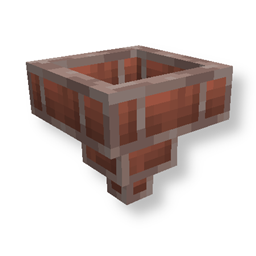
Adds a Brick Hopper to the game. (Forge, NeoForge, Fabric, Quilt)
Lithosphere aims to change the overworld worldgen to be more cinematic, polished and beautiful.
🐟 Rings a bell held in the offhand when something's on the line while fishing.
Configure connection timeouts from client to server.
The Armor HUD Mod adds a visual overlay to Minecraft that displays your armor's condition with color-coded durability bars. This makes it easier to keep track of your armor’s health during gameplay.
A FabricMC library allowing the player to "bend" their parts and animate the player
A biome mod expanding the life of The Nether
Dyeable and upgradeable vanilla-friendly backpacks!
Let's sleep outside today! Grab your backpack, pack your tent, the grill, and the sleeping bag, and let's go!
Sorts enchantments in item tooltips (alphabetically)
A client side Fabric mod that hides all things related to chat signing.
Makes golden armor trims pacify piglins
🟪 Allows Shulkers to drop two or more shells and ignore their default drop chance.
🗿 Allows the collection of player heads via command or death event.
Adds a block to render the sky
"Create mod" module for the Estrogen mod! Adding unique mechanics and interactions with the Create mod!
Rotates falling blocks in towards where they're heading, with configurable squash & stretch
Allows you to change the time completely clientside!
Exp Ores adds new experience ores that drop a lot of experience orbs.
Eco Stack Manager helps optimize Minecraft servers by managing and cleaning up item stacks, XP orbs and user inventories.
An API to add custom villager professions and villager biome types with custom trades without writing code.
Adds highly configurable Graves that spawn on death to hold your items
They're two different mod loaders that aren't compatible with each other. Forge is the older one and better suited to big tech and magic modpacks; Fabric is lighter, updates to new game versions faster, and hosts most performance mods. NeoForge is a Forge fork for newer versions, and Quilt is a Fabric fork. A Forge mod won't run on Fabric, and vice versa. Millida Launcher installs the right loader for you.
The one that matches your game version and loader. The “Install” button picks the file for you: Millida Launcher grabs the version for your modpack. A mod for 1.20.1 usually won't work on 1.21.
Click “Install” and Millida Launcher will download the mod, its dependencies and the right loader for you. To install a downloaded file manually, put it in the mods folder inside the game directory.
No. The Install button on a mod page opens Millida Launcher: it downloads the mod, its dependencies and the right loader into the chosen instance by itself. No CurseForge and no manual file copying.
1.20.1 is one of the most modded versions, especially on Forge: tech, magic, RPG, furniture, weapons. Pick 1.20.1 in the version filter to keep only mods with a file built exactly for it, then pick Forge or Fabric next to it.
On Android, yes: Millida Launcher runs the Java edition on a phone, and mods work there just like on a PC, though light ones run much better than heavy ones. Minecraft PE (Bedrock) cannot load PC mods — it has add-ons instead, in the Minecraft PE mods section.
The usual picks are Simple Voice Chat for proximity voice chat, Waystones for fast travel, Xaero's Minimap and something big to work on together, such as Create. Mods that change the world must be installed by every player and on the server, while client-side ones like a minimap or performance mods are up to each player.
Mods for Minecraft Quilt: 2,773 items in the Mods section. Compatibility is checked against the files, not the description: only items with a build for exactly these conditions stay in the list.
One mod in the catalog, one page. Every version the author has released is listed on its card: pick your game version and loader right there instead of jumping between ten similar pages. Each file shows its size, release date and checksum, and the mod itself shows the author, license and a link to the original source. Files whose license allows rehosting are stored with us and download directly — no link shorteners, timers or ad redirects. If the license forbids rehosting, the button honestly takes you to the author.