Modonomicon
by kli_kli · CurseForgeData-driven minecraft in-game documentation with progress visualization.
Data-driven minecraft in-game documentation with progress visualization.
Because mining with lasers is cool
Giant portals, hordes of monsters, and huge rewards!
Automatic Enchanting, with Create.
An API for adding stages, for modpacks and other mods to use!
Adds tags and configuration options for defining how dropped items should combine.
Craft stuff in Integrated Dynamics networks
Grow small trees!
Ars Nouveau addon focused on the 4 elemental schools. New glyphs and spell foci awaits
A mod to blacklist mobs from spawning.
Your classic storage drawers but with more upgrades!
A Minecraft mod that provides realistic sound attenuation, reverberation, and absorption through blocks.
Shrink is a small mod for Minecraft that allows players to change their player's size.
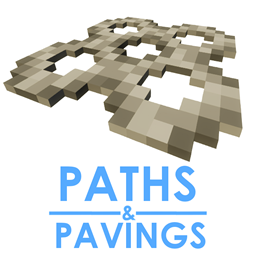
Adds new vanila styled paths and pavings!
Hit your Enemies even in Grass
Adds oil and oil processing to Immersive Engineering
A core mod
ME Greater Accumulation: For when kilobytes just won't do.
A Game of Chance and Skill
Overhauled cave generation, underground lakes and rivers, lava oceans, and more!
Croptopia - A farming mod that adds over 250 new foods, 58 new crops, and 26 new fruit trees! [Fabric/NeoForge/Forge]
The official Mekanism support addon for AE2
Keep items and fluids in your Applied Energistics 2 ME-System in stock.
Millions of unique block variants and all stairs/slabs/walls/fence and more vanilla Minecraft forgot
They're two different mod loaders that aren't compatible with each other. Forge is the older one and better suited to big tech and magic modpacks; Fabric is lighter, updates to new game versions faster, and hosts most performance mods. NeoForge is a Forge fork for newer versions, and Quilt is a Fabric fork. A Forge mod won't run on Fabric, and vice versa. Millida Launcher installs the right loader for you.
The one that matches your game version and loader. The “Install” button picks the file for you: Millida Launcher grabs the version for your modpack. A mod for 1.20.1 usually won't work on 1.21.
Click “Install” and Millida Launcher will download the mod, its dependencies and the right loader for you. To install a downloaded file manually, put it in the mods folder inside the game directory.
No. The Install button on a mod page opens Millida Launcher: it downloads the mod, its dependencies and the right loader into the chosen instance by itself. No CurseForge and no manual file copying.
1.20.1 is one of the most modded versions, especially on Forge: tech, magic, RPG, furniture, weapons. Pick 1.20.1 in the version filter to keep only mods with a file built exactly for it, then pick Forge or Fabric next to it.
On Android, yes: Millida Launcher runs the Java edition on a phone, and mods work there just like on a PC, though light ones run much better than heavy ones. Minecraft PE (Bedrock) cannot load PC mods — it has add-ons instead, in the Minecraft PE mods section.
The usual picks are Simple Voice Chat for proximity voice chat, Waystones for fast travel, Xaero's Minimap and something big to work on together, such as Create. Mods that change the world must be installed by every player and on the server, while client-side ones like a minimap or performance mods are up to each player.
Mods for Minecraft NeoForge: 5,537 items in the Mods section. Compatibility is checked against the files, not the description: only items with a build for exactly these conditions stay in the list.
One mod in the catalog, one page. Every version the author has released is listed on its card: pick your game version and loader right there instead of jumping between ten similar pages. Each file shows its size, release date and checksum, and the mod itself shows the author, license and a link to the original source. Files whose license allows rehosting are stored with us and download directly — no link shorteners, timers or ad redirects. If the license forbids rehosting, the button honestly takes you to the author.