[Let's Do] NetherVinery
by satisfyu · ModrinthNetherVinery is an Addon all about the Nether for Vinery.
NetherVinery is an Addon all about the Nether for Vinery.
Adds slime armor and items with cool abilities
An Iron Spells and Spellbooks addon that introduces new familiars scattered around the world, which you can tame and bring with you in all your adventures.
A quick way to get rid of a biome. Useful for tweaking datapack-based generators (like Terralith) that don't have a convenient configuration
Day Counter is a fully customizable Minecraft mod that tracks the passage of time in your world and brings it to life. It adds a whole new layer of progression and atmosphere to your gameplay.
A Jade addon for MineColonies and Domum Ornamentum
Adds a Dark Souls inspired death screen
Works around the MC-271325 bug on Fabric and NeoForge servers (fixes "error sending packet clientbound/minecraft:disconnect")
Adds beautiful naturally generated bridges throughout the world
Supercharge shulker boxes with browsing, inserting and extracting contents directly from your inventory.
An index for collecting every single block and item in the game. Adventurers behold!
Replicating items without any printing errors
An addon for Farmer's Delight based around adding culinary content to the end!
Nice looking Plaques to display your Advancements! Also adds Stats Frames
Allows modpack devs to customize cobble gens
A vanilla+ mod adding diverse enchantments and curses, all integrated into the vanilla ecosystem
Various tweaks to Mekanism, ex. increased upgrade limits.
😍 Removes the cooldown in between trying to attract animals with their desired food.
Sleds, winter/ christmas themed blocks and villagers ai
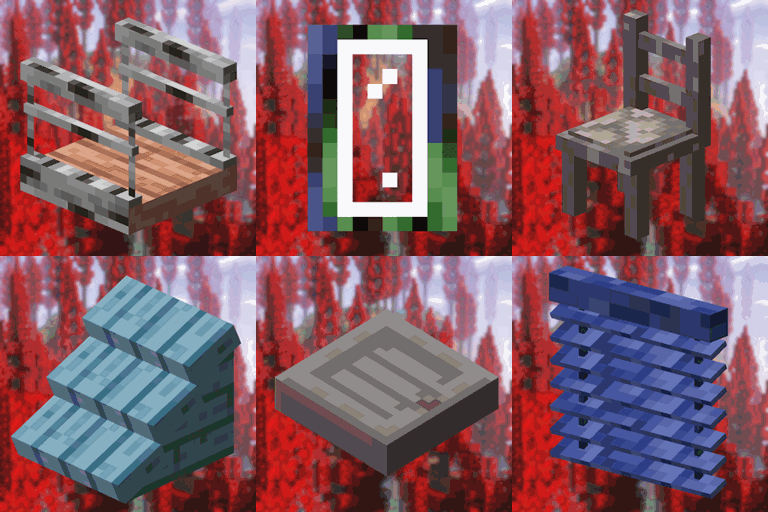
A compatibility between Macaw's Mods and the different woods and stones of Oh The Biomes You'll Go / We've Gone
Little visual improvements by adding a bunch of new particles.
Configure visual notifications when music is played in-game
Integrating Chipped into vanilla biomes and structures.
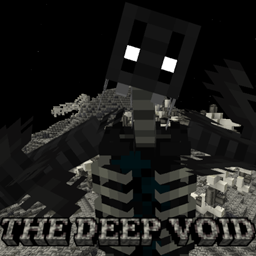
Deep under the bedrock, a world locked in the abyss. Lurking, stalking, creatures wait patiently for prey.
They're two different mod loaders that aren't compatible with each other. Forge is the older one and better suited to big tech and magic modpacks; Fabric is lighter, updates to new game versions faster, and hosts most performance mods. NeoForge is a Forge fork for newer versions, and Quilt is a Fabric fork. A Forge mod won't run on Fabric, and vice versa. Millida Launcher installs the right loader for you.
The one that matches your game version and loader. The “Install” button picks the file for you: Millida Launcher grabs the version for your modpack. A mod for 1.20.1 usually won't work on 1.21.
Click “Install” and Millida Launcher will download the mod, its dependencies and the right loader for you. To install a downloaded file manually, put it in the mods folder inside the game directory.
No. The Install button on a mod page opens Millida Launcher: it downloads the mod, its dependencies and the right loader into the chosen instance by itself. No CurseForge and no manual file copying.
1.20.1 is one of the most modded versions, especially on Forge: tech, magic, RPG, furniture, weapons. Pick 1.20.1 in the version filter to keep only mods with a file built exactly for it, then pick Forge or Fabric next to it.
On Android, yes: Millida Launcher runs the Java edition on a phone, and mods work there just like on a PC, though light ones run much better than heavy ones. Minecraft PE (Bedrock) cannot load PC mods — it has add-ons instead, in the Minecraft PE mods section.
The usual picks are Simple Voice Chat for proximity voice chat, Waystones for fast travel, Xaero's Minimap and something big to work on together, such as Create. Mods that change the world must be installed by every player and on the server, while client-side ones like a minimap or performance mods are up to each player.
Mods for Minecraft NeoForge: 5,538 items in the Mods section. Compatibility is checked against the files, not the description: only items with a build for exactly these conditions stay in the list.
One mod in the catalog, one page. Every version the author has released is listed on its card: pick your game version and loader right there instead of jumping between ten similar pages. Each file shows its size, release date and checksum, and the mod itself shows the author, license and a link to the original source. Files whose license allows rehosting are stored with us and download directly — no link shorteners, timers or ad redirects. If the license forbids rehosting, the button honestly takes you to the author.