Configurable Extra Mob Drops
by Serilum · CurseForge✏️ Add any extra item drops to entities via commands and config, drop chance supported.
✏️ Add any extra item drops to entities via commands and config, drop chance supported.
A crop that grows ender pearls
Enhance the vanilla "Open to LAN" Gui for online mode and port customization
Assortment of decor and furniture
Nice Innovative Creative Enhancements
🧑🌾 Gives all villager entities a default or custom name to liven up the world.
Integrating Connector with third-party APIs
Helping mobs see in the distance
The zoom from the Wurst Client as a standalone mod.
Places a gravestone with your inventory items inside when you die
Adds enderchest like AE2 drives
Allows you to locate structures anywhere in the world.
Provides common functionality and content for Iron's mods
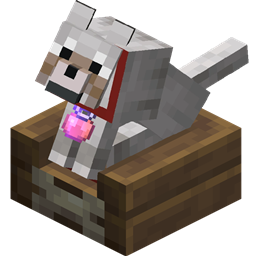
Dogs should not be left sitting. They should be allowed to lie down. This lets 'em.
Adds compatibility between the new colors from Dyenamics and a bunch of other mods
Ensures important resource packs stay always active and helps clean up the pack selection screen.
Improves upon and compliments tameable mobs, both from vanilla and other mods.
Be a sword-wielding spell-slinger!
Various QoL enhancements by Nolij
Adding magnificent auroras to the world!
Lib made to handle Experience
A Minecraft Map Editor... that runs in-game! With selections, schematics, copy and paste, brushes, and scripting. Use it in creative, or use it temporarily in survival.
A collection of code used throughout projects under the Lodestar team.
🌌 A large End Update, expanding many aspects of the game
They're two different mod loaders that aren't compatible with each other. Forge is the older one and better suited to big tech and magic modpacks; Fabric is lighter, updates to new game versions faster, and hosts most performance mods. NeoForge is a Forge fork for newer versions, and Quilt is a Fabric fork. A Forge mod won't run on Fabric, and vice versa. Millida Launcher installs the right loader for you.
The one that matches your game version and loader. The “Install” button picks the file for you: Millida Launcher grabs the version for your modpack. A mod for 1.20.1 usually won't work on 1.21.
Click “Install” and Millida Launcher will download the mod, its dependencies and the right loader for you. To install a downloaded file manually, put it in the mods folder inside the game directory.
No. The Install button on a mod page opens Millida Launcher: it downloads the mod, its dependencies and the right loader into the chosen instance by itself. No CurseForge and no manual file copying.
1.20.1 is one of the most modded versions, especially on Forge: tech, magic, RPG, furniture, weapons. Pick 1.20.1 in the version filter to keep only mods with a file built exactly for it, then pick Forge or Fabric next to it.
On Android, yes: Millida Launcher runs the Java edition on a phone, and mods work there just like on a PC, though light ones run much better than heavy ones. Minecraft PE (Bedrock) cannot load PC mods — it has add-ons instead, in the Minecraft PE mods section.
The usual picks are Simple Voice Chat for proximity voice chat, Waystones for fast travel, Xaero's Minimap and something big to work on together, such as Create. Mods that change the world must be installed by every player and on the server, while client-side ones like a minimap or performance mods are up to each player.
Mods for Minecraft NeoForge: 5,537 items in the Mods section. Compatibility is checked against the files, not the description: only items with a build for exactly these conditions stay in the list.
One mod in the catalog, one page. Every version the author has released is listed on its card: pick your game version and loader right there instead of jumping between ten similar pages. Each file shows its size, release date and checksum, and the mod itself shows the author, license and a link to the original source. Files whose license allows rehosting are stored with us and download directly — no link shorteners, timers or ad redirects. If the license forbids rehosting, the button honestly takes you to the author.