Casualness Delight
by KawaiShio · CurseForgeThis is an extension module of Farmer's Delight
This is an extension module of Farmer's Delight
A sleeping bag that does not set your spawnpoint.
A simplistic approach towards one of the ocean's most complex creatures.🦈
Torches can be knocked over by (moving) living entities.
🎃 SpookyJam 2022: Help out the Pumpkillager! With custom encounters, rewards and a boss fight you'll get immersed in the story. Spawn him by breaking a pumpkin in this spooky scary Halloween style mod!
Mechanics to avoid losing your pets, but do not break the vanilla feel
Decorative and mechanical additions to create!
Press a key to ask every one in the server to tp you
(Mostly) Vanilla style decorative blocks, (mostly) inspired by Victorian and Lovecraftian themes!
A compass that will help you find any mob, block or item nearby
A portable tank that can store multiple fluids.
Simple mod that adds random vanilla friendly features
Collects player count metrics for modpack authors.
It Adds Cotton
512 items is all you need.
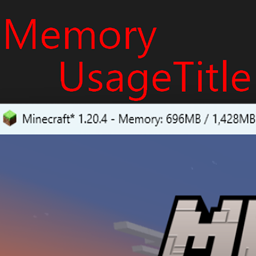
Show memory usage in title bar
A mod that enables snow in every biome
Simple mod that removes the "moved too fast" messages and rubberbanding
Makes leaf decay rapidly.
Change resolution without affecting the UI
This mod adds a simple radio you can use to communicate with your friends while far away!
Library mod for Celestial mods
A mod that adds a chunk loader which can be upgraded like a beacon
Ever wondered why there are logistics packages, but no logistics jars? Let's fix this!
They're two different mod loaders that aren't compatible with each other. Forge is the older one and better suited to big tech and magic modpacks; Fabric is lighter, updates to new game versions faster, and hosts most performance mods. NeoForge is a Forge fork for newer versions, and Quilt is a Fabric fork. A Forge mod won't run on Fabric, and vice versa. Millida Launcher installs the right loader for you.
The one that matches your game version and loader. The “Install” button picks the file for you: Millida Launcher grabs the version for your modpack. A mod for 1.20.1 usually won't work on 1.21.
Click “Install” and Millida Launcher will download the mod, its dependencies and the right loader for you. To install a downloaded file manually, put it in the mods folder inside the game directory.
No. The Install button on a mod page opens Millida Launcher: it downloads the mod, its dependencies and the right loader into the chosen instance by itself. No CurseForge and no manual file copying.
1.20.1 is one of the most modded versions, especially on Forge: tech, magic, RPG, furniture, weapons. Pick 1.20.1 in the version filter to keep only mods with a file built exactly for it, then pick Forge or Fabric next to it.
On Android, yes: Millida Launcher runs the Java edition on a phone, and mods work there just like on a PC, though light ones run much better than heavy ones. Minecraft PE (Bedrock) cannot load PC mods — it has add-ons instead, in the Minecraft PE mods section.
The usual picks are Simple Voice Chat for proximity voice chat, Waystones for fast travel, Xaero's Minimap and something big to work on together, such as Create. Mods that change the world must be installed by every player and on the server, while client-side ones like a minimap or performance mods are up to each player.
Mods for Minecraft NeoForge: 5,539 items in the Mods section. Compatibility is checked against the files, not the description: only items with a build for exactly these conditions stay in the list.
One mod in the catalog, one page. Every version the author has released is listed on its card: pick your game version and loader right there instead of jumping between ten similar pages. Each file shows its size, release date and checksum, and the mod itself shows the author, license and a link to the original source. Files whose license allows rehosting are stored with us and download directly — no link shorteners, timers or ad redirects. If the license forbids rehosting, the button honestly takes you to the author.