Botany Pots
by Darkhax · ModrinthAdds pots that you can use to grow crops!
Adds pots that you can use to grow crops!
Library with common code for some of my modifications.
Moving Elevators adds real Elevators to Minecraft!
A simple waypoint based teleportation mod
Click through Signs and Item Frames to Chests and other containers - a port of ClickThrough to modern versions.
The Enderite Mod adds new armor and tools, which are successors of Netherite tools.
A mod for fix all schematic problem from Create and addon!
Another API mod
Minecraft mod that applies armor trims to naturally generated armor and equipment from mobs, loot tables and trades
How about we sleep outside today? Grab your backpack, pack the tent, grill, and sleeping bag, and let's go!
Adds NEI-like light overlay for mob spawns, a chunk border overlay and a JEI item search overlay. (updated for 1.15.2, 1.16.5, 1.18.2, 1.19, 1.20 and 1.21)
Use Create jetpack and backtanks in Curios/Trinkets back slot.
Mine whole veins of ore, cut down whole trees, or any other tool based action in one go. Simple, easy to understand, configs are also provided for mod pack developers such as tool or block black listings, size limits, tick rate and much more!
You want to know what your horses are truly capable of? Check out their statistics!
More dumplings for Farmer's Delight. Port of the original for a newer version
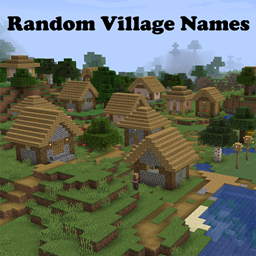
🌆 All villages receive a randomized name, shown in the GUI via the Areas mod.
StructuresTweaker gives you complete control over how players interact with structures in your world.
Bedrock Edition-like easy and accurate block placement and breaking plus reach-around placement for fast bridging.
Rewrites terrain generation components to improve their visual results.
Rebuild the long forgotten mystical tomes of ages past.
Providing electricity to a world near you
Adds rich-text tips to the loading screen and items, crowdsourced and updated automatically.
Inspect any book in a chiseled bookshelf.
A Farmer's Delight add-on that gives one vegetable a bit more love.
They're two different mod loaders that aren't compatible with each other. Forge is the older one and better suited to big tech and magic modpacks; Fabric is lighter, updates to new game versions faster, and hosts most performance mods. NeoForge is a Forge fork for newer versions, and Quilt is a Fabric fork. A Forge mod won't run on Fabric, and vice versa. Millida Launcher installs the right loader for you.
The one that matches your game version and loader. The “Install” button picks the file for you: Millida Launcher grabs the version for your modpack. A mod for 1.20.1 usually won't work on 1.21.
Click “Install” and Millida Launcher will download the mod, its dependencies and the right loader for you. To install a downloaded file manually, put it in the mods folder inside the game directory.
No. The Install button on a mod page opens Millida Launcher: it downloads the mod, its dependencies and the right loader into the chosen instance by itself. No CurseForge and no manual file copying.
1.20.1 is one of the most modded versions, especially on Forge: tech, magic, RPG, furniture, weapons. Pick 1.20.1 in the version filter to keep only mods with a file built exactly for it, then pick Forge or Fabric next to it.
On Android, yes: Millida Launcher runs the Java edition on a phone, and mods work there just like on a PC, though light ones run much better than heavy ones. Minecraft PE (Bedrock) cannot load PC mods — it has add-ons instead, in the Minecraft PE mods section.
The usual picks are Simple Voice Chat for proximity voice chat, Waystones for fast travel, Xaero's Minimap and something big to work on together, such as Create. Mods that change the world must be installed by every player and on the server, while client-side ones like a minimap or performance mods are up to each player.
Mods for Minecraft NeoForge: 5,539 items in the Mods section. Compatibility is checked against the files, not the description: only items with a build for exactly these conditions stay in the list.
One mod in the catalog, one page. Every version the author has released is listed on its card: pick your game version and loader right there instead of jumping between ten similar pages. Each file shows its size, release date and checksum, and the mod itself shows the author, license and a link to the original source. Files whose license allows rehosting are stored with us and download directly — no link shorteners, timers or ad redirects. If the license forbids rehosting, the button honestly takes you to the author.