Pickable Health Orbs
by alexandr_0031 · CurseForgeEver wanted RPG styled configurable pickups? Here they are!
Updated October 17
Ever wanted RPG styled configurable pickups? Here they are!
A Mod that add geodes to Minecraft Overworld, Nether and even The End!
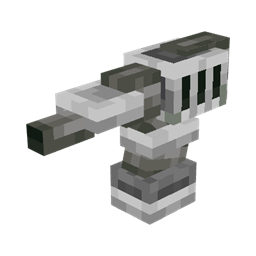
Adds 6 turrets and combat drones to eliminate enemies
Automatically Fills in Holes!
An addon for Spirit that simulates the killing of mobs and their drops
A small decoration mod for your windows
Connect dimension floor and ceiling to other dimensions in any fashion possible
Adds a large variety of high-quality food recipes based on simple vanilla foods and materials only
A totem that prevents you from dying in the void.
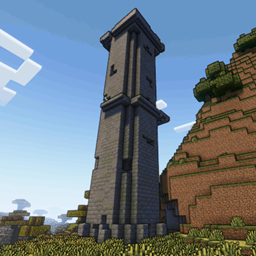
Adds new structures and Dungeons to Minecraft 1.19
A Create addon that adds pipe organs!
Adds sounds for drip particles landing
An append pack of Timeless and Classics Guns, more guns, armors, tactical items and so on.
Add 4 knuckles for mod Epic Fight
Ever dreamed of the perfect dinner in Minecraft?
Teleport between dimensions by jumping into paintings
A compatibility between Macaw's Mods and the different woods of Mystic's Biomes
📚 API to inject structures into structure pools.
Adds vanila trapdoors in every plank variation, and some new trapdoors too!
Winter & Christmas themed decorative blocks
Guide-API fork for 1.14+ - Allows modders to easily create in-game documentation.
Fins and Tails aims to add more fictional life to your world!
This mod adds the losing mobs from the 2021 mob vote into the game, the Glare, and the Copper Golem!
Animation/GUI tools
They're two different mod loaders that aren't compatible with each other. Forge is the older one and better suited to big tech and magic modpacks; Fabric is lighter, updates to new game versions faster, and hosts most performance mods. NeoForge is a Forge fork for newer versions, and Quilt is a Fabric fork. A Forge mod won't run on Fabric, and vice versa. Millida Launcher installs the right loader for you.
The one that matches your game version and loader. The “Install” button picks the file for you: Millida Launcher grabs the version for your modpack. A mod for 1.20.1 usually won't work on 1.21.
Click “Install” and Millida Launcher will download the mod, its dependencies and the right loader for you. To install a downloaded file manually, put it in the mods folder inside the game directory.
No. The Install button on a mod page opens Millida Launcher: it downloads the mod, its dependencies and the right loader into the chosen instance by itself. No CurseForge and no manual file copying.
1.20.1 is one of the most modded versions, especially on Forge: tech, magic, RPG, furniture, weapons. Pick 1.20.1 in the version filter to keep only mods with a file built exactly for it, then pick Forge or Fabric next to it.
On Android, yes: Millida Launcher runs the Java edition on a phone, and mods work there just like on a PC, though light ones run much better than heavy ones. Minecraft PE (Bedrock) cannot load PC mods — it has add-ons instead, in the Minecraft PE mods section.
The usual picks are Simple Voice Chat for proximity voice chat, Waystones for fast travel, Xaero's Minimap and something big to work on together, such as Create. Mods that change the world must be installed by every player and on the server, while client-side ones like a minimap or performance mods are up to each player.
Mods for Minecraft Forge: 6,191 items in the Mods section. Compatibility is checked against the files, not the description: only items with a build for exactly these conditions stay in the list.
One mod in the catalog, one page. Every version the author has released is listed on its card: pick your game version and loader right there instead of jumping between ten similar pages. Each file shows its size, release date and checksum, and the mod itself shows the author, license and a link to the original source. Files whose license allows rehosting are stored with us and download directly — no link shorteners, timers or ad redirects. If the license forbids rehosting, the button honestly takes you to the author.