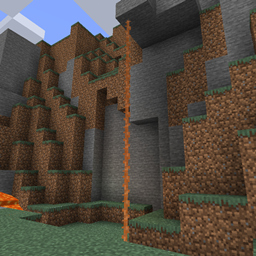
Workshops of Doom
by Commoble · CurseForgeA forge mod that adds additional illager-themed structures
Updated October 17
A forge mod that adds additional illager-themed structures
Design your own sandwiches
Distribute HUD updates over multiple frames to improve performance
Overweight Farming is a small mod that aims to depthen and expand on minecraft's farming.
A small collection of utility items for Ars Nouveau
Your dreams are new worlds for you to explore.
Extra meals, knives, and ingredients for Farmer's Delight that improve your culinary experience.
Changes the Night Vision to fade-in&-out
Greatly improve your fps with virtually no side-effects on graphics quality
Adds a clay bucket for early game.
A mod that adds a singular ore that drops a random assortment of items. Originally created by scokeev9.
Reworks a few unique swords and fixes bugs
katana mod
Automating Botania is easier than you think
Adds in climbable ropes!
Adjusts water physics when digging sand near water to prevent ugly.
Weapons for Mekanism
Step up your vanilla experience with this mod that adds a balanced Stepping enchantment that allows you to walk up entire blocks.
Mount and Blade style controls for Minecraft!
🏹 Create fully functional bows and crossbows, with ease
A modding library for Eltrut & Co.
Unofficial Fork of CaffeineMC's "Sodium", made to work with FML
The extra content of Supplementaries that doesn't necessarily fit in the base mod!
A lib that help you create key combination combos and skill easier
They're two different mod loaders that aren't compatible with each other. Forge is the older one and better suited to big tech and magic modpacks; Fabric is lighter, updates to new game versions faster, and hosts most performance mods. NeoForge is a Forge fork for newer versions, and Quilt is a Fabric fork. A Forge mod won't run on Fabric, and vice versa. Millida Launcher installs the right loader for you.
The one that matches your game version and loader. The “Install” button picks the file for you: Millida Launcher grabs the version for your modpack. A mod for 1.20.1 usually won't work on 1.21.
Click “Install” and Millida Launcher will download the mod, its dependencies and the right loader for you. To install a downloaded file manually, put it in the mods folder inside the game directory.
No. The Install button on a mod page opens Millida Launcher: it downloads the mod, its dependencies and the right loader into the chosen instance by itself. No CurseForge and no manual file copying.
1.20.1 is one of the most modded versions, especially on Forge: tech, magic, RPG, furniture, weapons. Pick 1.20.1 in the version filter to keep only mods with a file built exactly for it, then pick Forge or Fabric next to it.
On Android, yes: Millida Launcher runs the Java edition on a phone, and mods work there just like on a PC, though light ones run much better than heavy ones. Minecraft PE (Bedrock) cannot load PC mods — it has add-ons instead, in the Minecraft PE mods section.
The usual picks are Simple Voice Chat for proximity voice chat, Waystones for fast travel, Xaero's Minimap and something big to work on together, such as Create. Mods that change the world must be installed by every player and on the server, while client-side ones like a minimap or performance mods are up to each player.
Mods for Minecraft Forge: 6,191 items in the Mods section. Compatibility is checked against the files, not the description: only items with a build for exactly these conditions stay in the list.
One mod in the catalog, one page. Every version the author has released is listed on its card: pick your game version and loader right there instead of jumping between ten similar pages. Each file shows its size, release date and checksum, and the mod itself shows the author, license and a link to the original source. Files whose license allows rehosting are stored with us and download directly — no link shorteners, timers or ad redirects. If the license forbids rehosting, the button honestly takes you to the author.