Fantastic Lib
by laike_endaril · CurseForgeYou only need this if it's a dependency for another mod you're running
You only need this if it's a dependency for another mod you're running
Make your skyblock more interesting!
#BuildItYourself
85+ New mobs with stylistic quality above the default game.
Fence Jumping!
Underground Villages. Love villages? Wonder why none settled underground in a sort of inhabited Stronghold? Well, you can stop wondering because now they do.
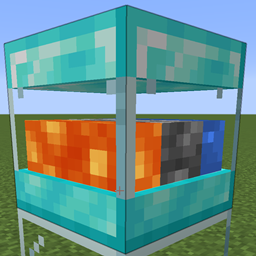
An Updated Extra Cells 2. Super Storage Cell, Wireless Transceiver, bigger cells(including for ae2 things), bigger cpus and more to come! Forge + Fabric
Core Plugin Library for JomcraftNetwork's mods
Remove the block, item, and biome ID limits by using the 1.13 chunk format in 1.12
🍖Create your own creature made of flesh with etheric magic
A tweak to many mods to search in Chinese Pinyin。
Introduces higher tiers of efficiency, processing, and speed addons, along with detailed tooltips
A bunch of rustic aircraft to travel, transport, and explore!
Make trees fall when cut down
Temporal API is the library for Team Temporal mods, other projects may use it as well.
Remove that delay when blocking
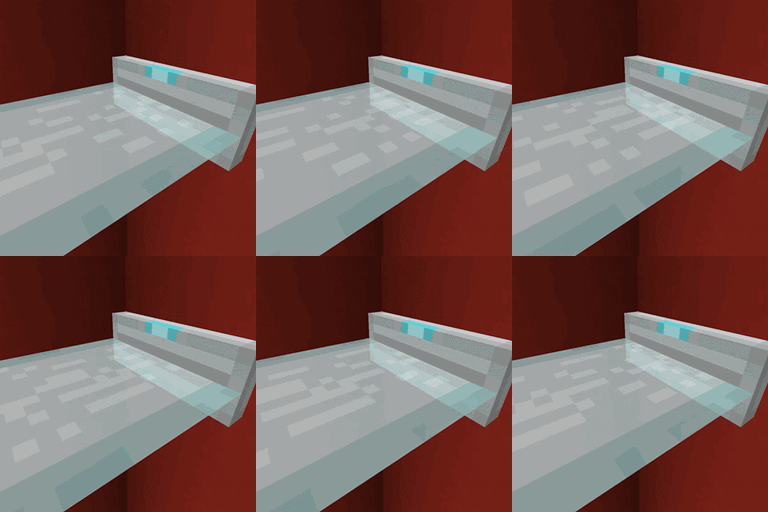
Adds laser sources that create laser platforms and doors when powered
Rewrites the light engine to fix lighting performance and lighting errors
Minecraft mod which adds beautiful, balanced backpacks
Server Friendly Endgame Tech Items/Blocks
Add new content to Thermal
Fixes bug: Experience disappears when dimension hopping.
Simple cobblestone generators
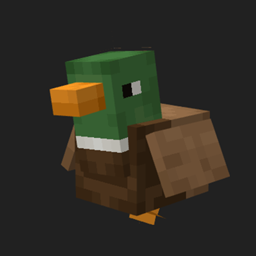
Adds some quacky little friends!
They're two different mod loaders that aren't compatible with each other. Forge is the older one and better suited to big tech and magic modpacks; Fabric is lighter, updates to new game versions faster, and hosts most performance mods. NeoForge is a Forge fork for newer versions, and Quilt is a Fabric fork. A Forge mod won't run on Fabric, and vice versa. Millida Launcher installs the right loader for you.
The one that matches your game version and loader. The “Install” button picks the file for you: Millida Launcher grabs the version for your modpack. A mod for 1.20.1 usually won't work on 1.21.
Click “Install” and Millida Launcher will download the mod, its dependencies and the right loader for you. To install a downloaded file manually, put it in the mods folder inside the game directory.
No. The Install button on a mod page opens Millida Launcher: it downloads the mod, its dependencies and the right loader into the chosen instance by itself. No CurseForge and no manual file copying.
1.20.1 is one of the most modded versions, especially on Forge: tech, magic, RPG, furniture, weapons. Pick 1.20.1 in the version filter to keep only mods with a file built exactly for it, then pick Forge or Fabric next to it.
On Android, yes: Millida Launcher runs the Java edition on a phone, and mods work there just like on a PC, though light ones run much better than heavy ones. Minecraft PE (Bedrock) cannot load PC mods — it has add-ons instead, in the Minecraft PE mods section.
The usual picks are Simple Voice Chat for proximity voice chat, Waystones for fast travel, Xaero's Minimap and something big to work on together, such as Create. Mods that change the world must be installed by every player and on the server, while client-side ones like a minimap or performance mods are up to each player.
Mods for Minecraft Forge: 6,191 items in the Mods section. Compatibility is checked against the files, not the description: only items with a build for exactly these conditions stay in the list.
One mod in the catalog, one page. Every version the author has released is listed on its card: pick your game version and loader right there instead of jumping between ten similar pages. Each file shows its size, release date and checksum, and the mod itself shows the author, license and a link to the original source. Files whose license allows rehosting are stored with us and download directly — no link shorteners, timers or ad redirects. If the license forbids rehosting, the button honestly takes you to the author.