Chunky
by pop4959 · ModrinthPre-generates chunks, quickly and efficiently
Pre-generates chunks, quickly and efficiently
Control Player Effects under various conditions
Various HUDs that were originally in Dynamic Surroundings
Miscellaneous utility items and blocks, many are inventory or storage related.
Redefine your rails!
Skip rendering of hidden entities
Adds simple and easy player shops and creative shops!
🍫 Create your own Chocolate Factory !
This mod removes the cumulative XP cost when enchanting or repairing items in the anvil, and removes the anvil level cap.
Expand Ars Nouveau's Starbuncles with new jobs! Also adds liquified Source.
Enhances the Overworld with new foliage and wildlife and introduces some simple biomes!
Library mod for Sophisticated mods
Many changes to vanilla blocks
KubeJS plugin for Occultism.
Feel the pain!
Shared code for Forge mods
Overhaul your minecraft experience with strange and arcane technologies
An advanced Galacticraft Addon
Generators, Solar panels, Energy Cells, Cables, Reactors, wireless energy ... and more!
Multiloader port of LambDynLights that adds Sodium options integration
a library for MMF-Group's mod
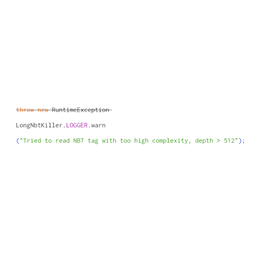
Prevent minecraft from crashing while encountering deep nbt tags
Config and datagen library based on midnight lib
Disable's the Experimental Settings popup, which appears when you create or load world.
They're two different mod loaders that aren't compatible with each other. Forge is the older one and better suited to big tech and magic modpacks; Fabric is lighter, updates to new game versions faster, and hosts most performance mods. NeoForge is a Forge fork for newer versions, and Quilt is a Fabric fork. A Forge mod won't run on Fabric, and vice versa. Millida Launcher installs the right loader for you.
The one that matches your game version and loader. The “Install” button picks the file for you: Millida Launcher grabs the version for your modpack. A mod for 1.20.1 usually won't work on 1.21.
Click “Install” and Millida Launcher will download the mod, its dependencies and the right loader for you. To install a downloaded file manually, put it in the mods folder inside the game directory.
No. The Install button on a mod page opens Millida Launcher: it downloads the mod, its dependencies and the right loader into the chosen instance by itself. No CurseForge and no manual file copying.
1.20.1 is one of the most modded versions, especially on Forge: tech, magic, RPG, furniture, weapons. Pick 1.20.1 in the version filter to keep only mods with a file built exactly for it, then pick Forge or Fabric next to it.
On Android, yes: Millida Launcher runs the Java edition on a phone, and mods work there just like on a PC, though light ones run much better than heavy ones. Minecraft PE (Bedrock) cannot load PC mods — it has add-ons instead, in the Minecraft PE mods section.
The usual picks are Simple Voice Chat for proximity voice chat, Waystones for fast travel, Xaero's Minimap and something big to work on together, such as Create. Mods that change the world must be installed by every player and on the server, while client-side ones like a minimap or performance mods are up to each player.
Mods for Minecraft Forge: 6,191 items in the Mods section. Compatibility is checked against the files, not the description: only items with a build for exactly these conditions stay in the list.
One mod in the catalog, one page. Every version the author has released is listed on its card: pick your game version and loader right there instead of jumping between ten similar pages. Each file shows its size, release date and checksum, and the mod itself shows the author, license and a link to the original source. Files whose license allows rehosting are stored with us and download directly — no link shorteners, timers or ad redirects. If the license forbids rehosting, the button honestly takes you to the author.