Functional Storage
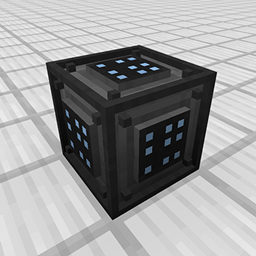
by buuz135 · ModrinthFunctional Storage is an alternative take on the drawer storage solution, with an updated look and additional functionalities!
Functional Storage is an alternative take on the drawer storage solution, with an updated look and additional functionalities!
A Minecraft mod to remove in-game pop-ups
Disenchant and transfer enchantments using a grindstone.
A rewrite of Create's contraptions using VS2 to allow for things like building on existing contraptions, stacked contraptions, train derailment and more!
Allows you to see armor values above 20 and stack multiple health bars onto one.
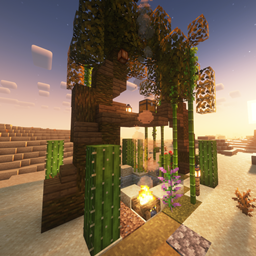
Adds an oasis to desert biomes
Mod that progressively increases the game difficulty over time.
A difficulty option between Hardcore and Regular Survival
Create compost based on what you toss into a composter!
🎵 [Client] Temporarily show the song title of what's currently playing via the GUI.
Adds icons for all painting variants, a painting selector, and some more painting tweaks!
Every 10-20 minutes, a random player will receive a random horror themed advancement
Low-tech computing for Minecraft
Humanoid mobs get new variants through over 85 custom player heads or unused vanilla mobs! No Resource Pack needed!
Adds dishes and compatibility to Aquamirae for Farmer’s Delight
Making fishing fun with a minigame directly inspired by Stardew Valley!
A client-side JEI/EMI companion mod that organizes items, fluids, and other ingredients into collapsible groups for a cleaner, easier-to-navigate ingredient list.
A simplistic approach towards one of the ocean's most complex creatures.
Completes the turtle armor set. Forge, Fabric, & NeoForge
[Create-6.0.6 (✓) ]Create: Better Villager that adds a host of Create-mod villager professions | Forge/Neoforge and Fabric
Expand your building options with More Slabs, Stairs, & Walls.
Search for an item in nearby inventories
More Decorations for Create! Anything from the Steam Age to the Near Future!
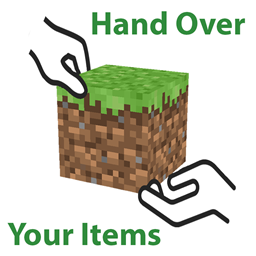
🤝 Adds to ability for in-game players to give each other itemstacks without dropping/tossing them.
They're two different mod loaders that aren't compatible with each other. Forge is the older one and better suited to big tech and magic modpacks; Fabric is lighter, updates to new game versions faster, and hosts most performance mods. NeoForge is a Forge fork for newer versions, and Quilt is a Fabric fork. A Forge mod won't run on Fabric, and vice versa. Millida Launcher installs the right loader for you.
The one that matches your game version and loader. The “Install” button picks the file for you: Millida Launcher grabs the version for your modpack. A mod for 1.20.1 usually won't work on 1.21.
Click “Install” and Millida Launcher will download the mod, its dependencies and the right loader for you. To install a downloaded file manually, put it in the mods folder inside the game directory.
No. The Install button on a mod page opens Millida Launcher: it downloads the mod, its dependencies and the right loader into the chosen instance by itself. No CurseForge and no manual file copying.
1.20.1 is one of the most modded versions, especially on Forge: tech, magic, RPG, furniture, weapons. Pick 1.20.1 in the version filter to keep only mods with a file built exactly for it, then pick Forge or Fabric next to it.
On Android, yes: Millida Launcher runs the Java edition on a phone, and mods work there just like on a PC, though light ones run much better than heavy ones. Minecraft PE (Bedrock) cannot load PC mods — it has add-ons instead, in the Minecraft PE mods section.
The usual picks are Simple Voice Chat for proximity voice chat, Waystones for fast travel, Xaero's Minimap and something big to work on together, such as Create. Mods that change the world must be installed by every player and on the server, while client-side ones like a minimap or performance mods are up to each player.
Mods for Minecraft Forge: 6,190 items in the Mods section. Compatibility is checked against the files, not the description: only items with a build for exactly these conditions stay in the list.
One mod in the catalog, one page. Every version the author has released is listed on its card: pick your game version and loader right there instead of jumping between ten similar pages. Each file shows its size, release date and checksum, and the mod itself shows the author, license and a link to the original source. Files whose license allows rehosting are stored with us and download directly — no link shorteners, timers or ad redirects. If the license forbids rehosting, the button honestly takes you to the author.