Music Maker
by xerca · ModrinthMusic Maker adds music sheets, instruments and other devices to the game for creating and playing music.
Music Maker adds music sheets, instruments and other devices to the game for creating and playing music.
Allows Tom's Simple Storage Terminals to work on Create contraptions.
Library mod for the core features of the Alshanex Familiars mod
This mod adds a few nice tweaks to Minecraft's farmland trampling.
A Create mod add-on adding immersive chunk loaders.
A total overhaul of Minecraft's fog, offering options to customize fog color, start, and end points. Enjoy a more immersive experience with enhanced depth and visuals, all while keeping the same view distance.
By extending the vanilla resource loading mechanism, it provides native multi-language texture support for resource packs, enabling localization of texture assets
A customizable food group-based nutrition and diet system.
Naturally spawning Hidden Abilities. KOs and/or captures increase nearby shiny rates, and can also give perfect IVs to nearby spawns.
Allows you to add animated weapons to the game
Sleep and bed overhaul / rework: hammocks, bedbugs, sleeping bags, nightmares, home bed comfort, and dream essence, fully customizable
Oceans, but deeper!
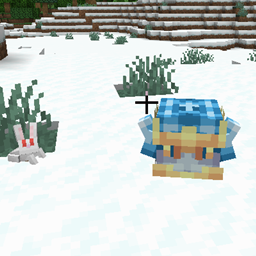
Adds adorable wild animals and pets to your world!
Player like mobs that look at you from a distance
A Pokédex with useful information about each Pokémon for Cobblemon
Remove Mouseover Highlight - Remove Selection Box
Just another weapons pack we and other talented people I cant thank enough created together
Flattens the ever-increasing anvil and enchantment costs and makes renaming items always cost 1 level
Adds compatibility between Ice and Fire and Better Combat
Heartstones are items which come in sets, and allows for people to find eachother when in the inventory.
Text rendering and styling API with effects, animations, and custom font support.
A mod that plays music based on in game triggers
Advanced energy generation for Mekanism.
Improve your Create FPS when shaderpack is on, up to 50%
They're two different mod loaders that aren't compatible with each other. Forge is the older one and better suited to big tech and magic modpacks; Fabric is lighter, updates to new game versions faster, and hosts most performance mods. NeoForge is a Forge fork for newer versions, and Quilt is a Fabric fork. A Forge mod won't run on Fabric, and vice versa. Millida Launcher installs the right loader for you.
The one that matches your game version and loader. The “Install” button picks the file for you: Millida Launcher grabs the version for your modpack. A mod for 1.20.1 usually won't work on 1.21.
Click “Install” and Millida Launcher will download the mod, its dependencies and the right loader for you. To install a downloaded file manually, put it in the mods folder inside the game directory.
No. The Install button on a mod page opens Millida Launcher: it downloads the mod, its dependencies and the right loader into the chosen instance by itself. No CurseForge and no manual file copying.
1.20.1 is one of the most modded versions, especially on Forge: tech, magic, RPG, furniture, weapons. Pick 1.20.1 in the version filter to keep only mods with a file built exactly for it, then pick Forge or Fabric next to it.
On Android, yes: Millida Launcher runs the Java edition on a phone, and mods work there just like on a PC, though light ones run much better than heavy ones. Minecraft PE (Bedrock) cannot load PC mods — it has add-ons instead, in the Minecraft PE mods section.
The usual picks are Simple Voice Chat for proximity voice chat, Waystones for fast travel, Xaero's Minimap and something big to work on together, such as Create. Mods that change the world must be installed by every player and on the server, while client-side ones like a minimap or performance mods are up to each player.
Mods for Minecraft Forge: 6,191 items in the Mods section. Compatibility is checked against the files, not the description: only items with a build for exactly these conditions stay in the list.
One mod in the catalog, one page. Every version the author has released is listed on its card: pick your game version and loader right there instead of jumping between ten similar pages. Each file shows its size, release date and checksum, and the mod itself shows the author, license and a link to the original source. Files whose license allows rehosting are stored with us and download directly — no link shorteners, timers or ad redirects. If the license forbids rehosting, the button honestly takes you to the author.